If you went looking for Google Analytics organic keywords in GA4 and found a report full of “(not provided)” and “(not set)”, nothing is broken. GA4 does not show the search terms people typed into Google, and it has not done so reliably for more than a decade. The keyword data still exists. It just lives in a different product, and you have to bring it into Analytics yourself.
We set this up for SaaS clients most months, usually right after someone in marketing asks why the “organic keywords” view from the old Universal Analytics days is gone. This guide covers why the data is hidden, the three places you can get it back from, how to link Search Console to GA4 step by step, and the one question GA4 still cannot answer on its own: which keyword drove which trial signup.
Why Google Analytics organic keywords show as (not provided)
In 2011 Google started encrypting searches for signed-in users, and by late 2013 it had moved almost all searches to HTTPS. When a search is encrypted, the referrer that reaches your site no longer carries the query string. Analytics sees that a visit came from google.com, but not what the person searched for. That missing value is what the old reports labelled “(not provided)”.
GA4 inherited the same gap. In the Traffic acquisition report you can add “Session manual term” as a dimension, and for Google organic sessions you will mostly see “(not provided)” or “(not set)”. Any real terms that appear there tend to come from tagged links or from other search engines that still pass a query, which is not the same thing as Google organic keyword data.
So the honest summary is short. GA4 measures what visitors do after they land. Google Search Console measures what happened on the results page before they clicked. Google Analytics organic keywords only appear when you join the two.
Myth vs fact: what GA4 can and cannot tell you
We hear the same four beliefs on almost every onboarding call. Here is how each one holds up at the time of writing.
| Belief | What is actually true |
|---|---|
| “A setting in GA4 will unhide organic keywords.” | No setting does this. The query never reaches your site, so no tag or filter can recover it. |
| “Linking Search Console puts keywords next to conversions.” | Partly. You get a Queries report and a landing page report, but query level rows do not carry GA4 conversion metrics. |
| “Search Console shows every keyword.” | It hides anonymized queries and the web interface caps exports at 1,000 rows. The API and bulk export go much further. |
| “Paid tools have the real keyword list.” | They have an estimate built from their own keyword database. Useful for competitors, but your own Search Console data is closer to the truth. |
The second row is the one that surprises people. It is also the reason we still keep a spreadsheet next to GA4 for most clients, which we come back to below.
Three places to get your organic keywords back
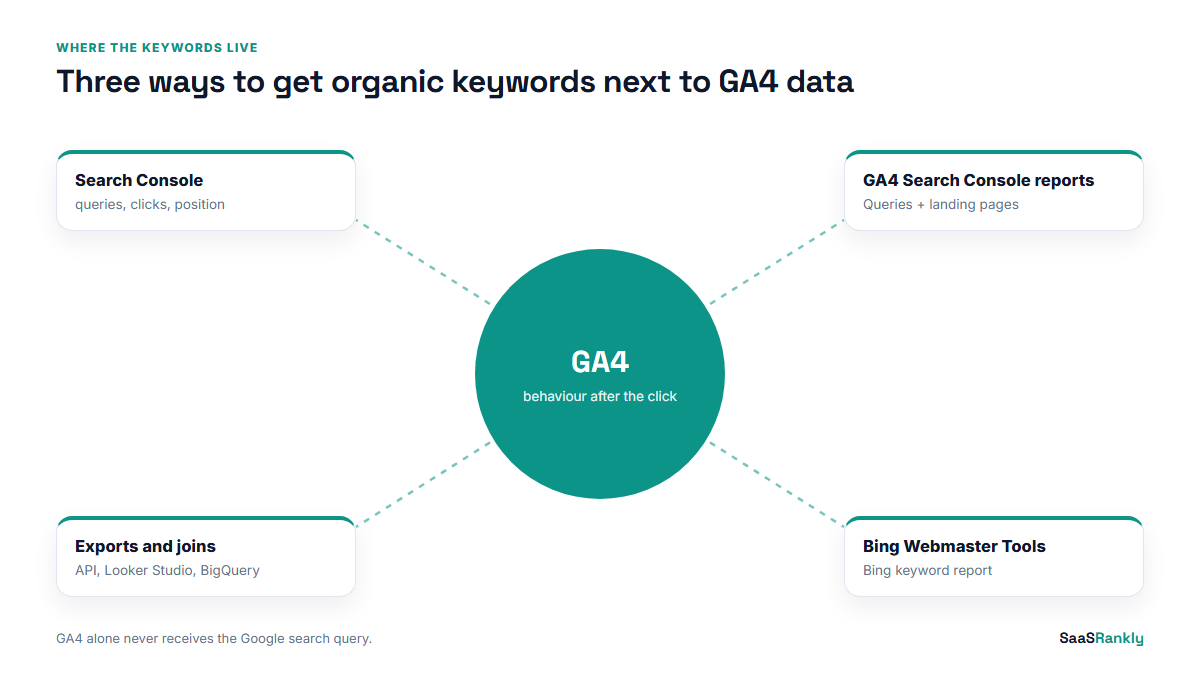
There are really only three sources worth your time, and each answers a different question.
1. Google Search Console, directly
Search Console’s Performance report lists queries with clicks, impressions, CTR and average position for the last 16 months. For keyword discovery it is the best free source there is. If you have not worked with it much, our guide to getting real keyword data out of Search Console covers the filters we use, including the regex filter for question queries.
2. Search Console reports inside GA4
Once the two products are linked, GA4 gets a Search Console collection with two reports: Queries, and Google organic search traffic by landing page. The landing page report is the useful one, because it puts Search Console clicks and impressions in the same row as GA4 engagement and key events for that page.
3. Exports and joins
For anything beyond a quick look, you export Search Console data (API, Looker Studio connector, or the bulk export to BigQuery) and join it with GA4 data on landing page. This is how you get to a “keyword group to signups” view, which neither tool gives you out of the box.
How to link Search Console to GA4, step by step
This takes about ten minutes if you have the right permissions. You need Editor access on the GA4 property and verified owner access in Search Console.
- Open GA4 Admin. Under Product links, choose Search Console links, then Link.
- Pick the Search Console property. A domain property is the better choice for most SaaS sites because it covers the app subdomain, the docs and the marketing site in one place.
- Pick the web data stream. One Search Console property links to one web stream. If you run separate streams for the app and the site, link the marketing site stream.
- Submit and wait. Data usually appears within a day or two. Search Console data itself runs a couple of days behind.
- Publish the collection. In Reports, open the Library, find the Search Console collection and publish it, otherwise the reports exist but nobody can find them in the left menu.
- Add a comparison. In the landing page report, add a comparison for your key event, such as trial_started, so organic keyword pages and conversions sit side by side.
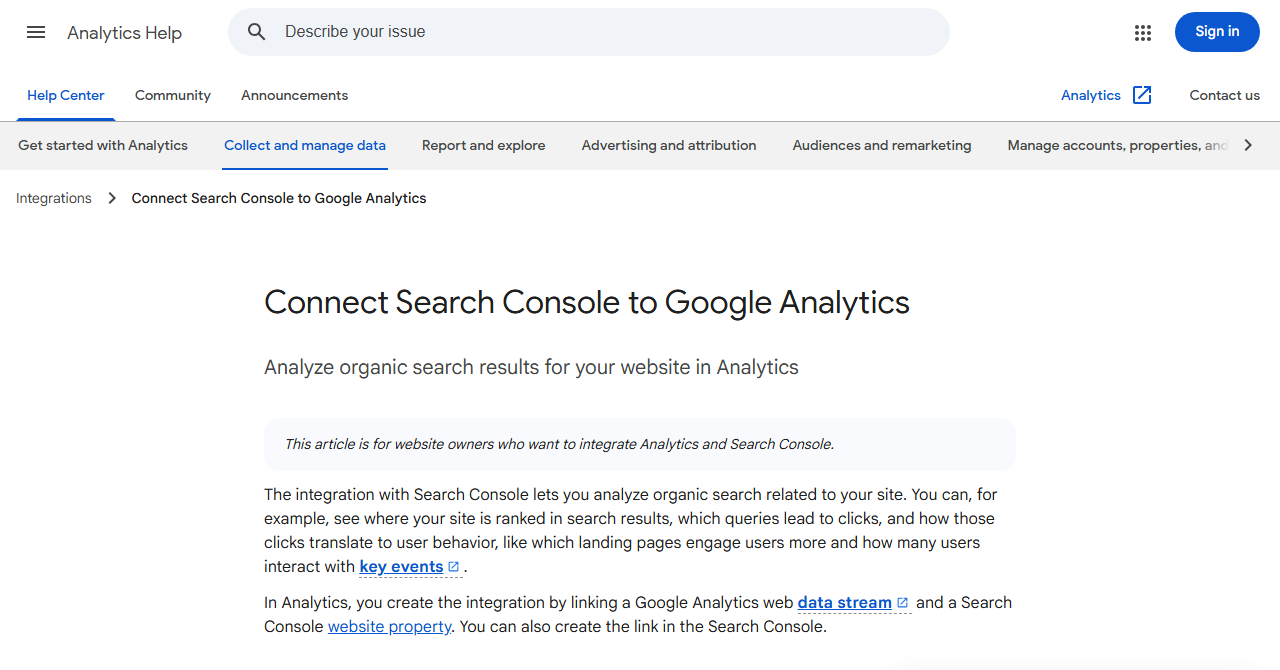
Google’s own help page on Search Console integration in GA4 lists the current dimension and metric limits, which change now and then.
Turning Google Analytics organic keywords into a conversion view
The link gives you keywords and it gives you conversions. It does not give you conversions per keyword. Here is the workaround we use, and it works on any SaaS site with a few hundred organic signups a quarter.
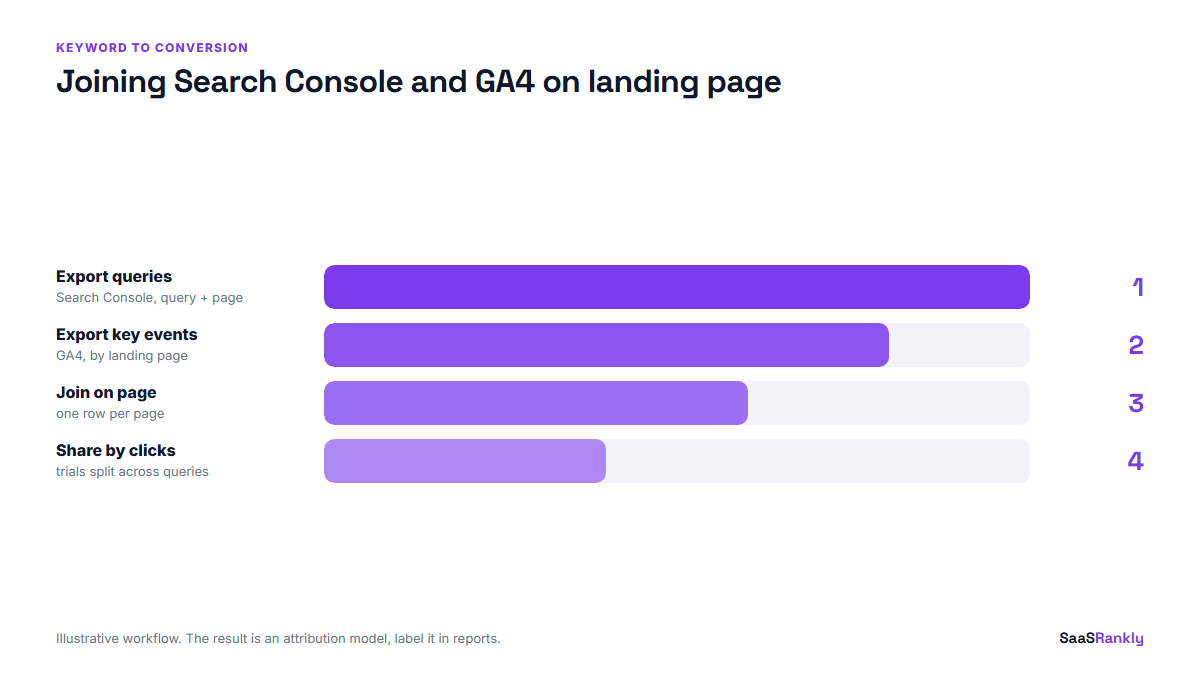
Export queries with their landing page from Search Console. Export sessions and key events by landing page from GA4. Then join on the landing page, and spread each page’s conversions across its queries in proportion to clicks. It is an attribution model, not a measurement, and you should label it that way in any report. But it answers the question founders actually ask: which topics bring in buyers.
Below is an illustrative example from a fictional scheduling tool. The figures are invented, but the shape matches what we see on real accounts.
| Landing page | Top query | Clicks (28 days) | Trials (GA4) | Trials per 100 clicks |
|---|---|---|---|---|
| /blog/meeting-scheduler-templates/ | meeting scheduler template | 1,840 | 22 | 1.2 |
| /compare/calendly-alternatives/ | calendly alternatives | 610 | 41 | 6.7 |
| /blog/how-to-schedule-interviews/ | how to schedule interviews | 930 | 9 | 1.0 |
| /integrations/hubspot/ | hubspot scheduling tool | 220 | 18 | 8.2 |
The template post brings the most clicks and the fewest trials per visit. The comparison and integration pages bring a third of the traffic and most of the revenue. You only see that once Google Analytics organic keywords and conversion data sit in one table. If you want to sort a big query export by buying intent first, our free keyword intent classifier will tag a pasted list in seconds.
Where the GA4 keyword data still falls short
Even with everything linked, a few gaps in your Google Analytics organic keywords view stay open. Knowing them saves you from awkward questions in a quarterly review.
- Anonymized queries. Search Console drops very rare queries to protect privacy. On a small SaaS site that can be a large share of total clicks, so query totals will not add up to page totals.
- Brand vs non-brand. GA4 does not split them. Build the split in Search Console with a regex filter on your brand name and its typos.
- Other search engines. Bing’s keyword data sits in Bing Webmaster Tools, which has its own keyword report and is worth a look now that Bing feeds several AI assistants.
- AI answers. Clicks from AI Overviews and AI Mode are counted inside normal web search in Search Console, with no separate keyword view.
- Time lag. Search Console data arrives about two days late, so “yesterday” in a GA4 Search Console report is usually empty.
For the bigger picture of how we measure organic performance across both tools, our post on measuring SaaS SEO with GA4 and Search Console has the full report layout. And if you only need the organic traffic side of GA4, start with our walkthrough of reading organic search in Google Analytics 4.
Our recommended setup for a small SaaS team
We do not think every team needs BigQuery to get Google Analytics organic keywords into a report. Here is the setup we suggest by size, with rough time costs at the time of writing.
| Team situation | Setup | Monthly time | Cost |
|---|---|---|---|
| Founder doing SEO part time | Search Console plus the GA4 link, landing page report only | 30 minutes | Free |
| One marketer, under 500 posts | Add a Looker Studio report joining both sources on landing page | 1 to 2 hours | Free |
| Content team, 500+ pages | Search Console bulk export to BigQuery, joined with the GA4 export | Half a day to set up, then minutes | Usually a few dollars of BigQuery storage |
The middle row is where most of our clients land. Our Looker Studio SEO report template already has the landing page join built in, so you can copy it rather than build from scratch.
Quick recap: google analytics organic keywords
- GA4 cannot show Google organic keywords on its own because Google encrypts the search query before it reaches your site.
- “(not provided)” and “(not set)” in GA4 are expected, not a tracking bug.
- Google Search Console is the source of truth for queries, clicks, impressions and position.
- Linking Search Console to GA4 adds a Queries report and a landing page report; publish the collection so people can find it.
- Conversions per keyword need a join on landing page, and the result is an attribution model, so label it.
- Check Bing Webmaster Tools for Bing keywords and use a brand regex in Search Console for the brand split.
FAQ
Can I see organic keywords in Google Analytics 4?
Not from GA4 tracking alone. You can see Google Analytics organic keywords inside GA4 only after linking Google Search Console, which adds a Queries report with clicks, impressions, CTR and position for each search term.
Why does GA4 show (not provided) for organic search?
Google encrypts searches, so the query text is stripped from the referrer before the visitor reaches your site. GA4 knows the visit came from Google organic search but never receives the keyword.
Where are Google Analytics organic keywords after linking Search Console?
Go to Reports, then the Search Console collection, then Queries. If you cannot see the collection, open the Library and publish it first. The landing page report in the same collection is often more useful.
Can I see which keyword led to a conversion?
Not directly. Query rows in GA4 do not carry conversion metrics. Join Search Console and GA4 data on landing page and share each page’s conversions across its queries by clicks, and treat the result as an estimate.
How far back does the keyword data go?
Search Console keeps 16 months of performance data. If you need longer history, set up the bulk export to BigQuery now, because it only stores data from the day you switch it on.
Do SEO tools show my real organic keywords?
They show estimates based on their own keyword databases and click models. They are good for competitor research and for site keyword analysis at a glance, but your own Search Console data is more accurate for your site.