Organic search in Google Analytics is one of the most checked numbers in SaaS marketing and one of the most misread. GA4 moved the report, changed the default scope, and quietly split “organic” into several channels. If your organic search Google Analytics figure never matches Search Console, that is expected, and this guide explains why and which number to trust for which question.
We set up and audit GA4 for SaaS sites most weeks. What follows is the exact path we use to read organic traffic in GA4, the mistakes we see in nearly every property, and a short list of fixes that take less than an hour.
Organic search Google Analytics report: where it lives in GA4
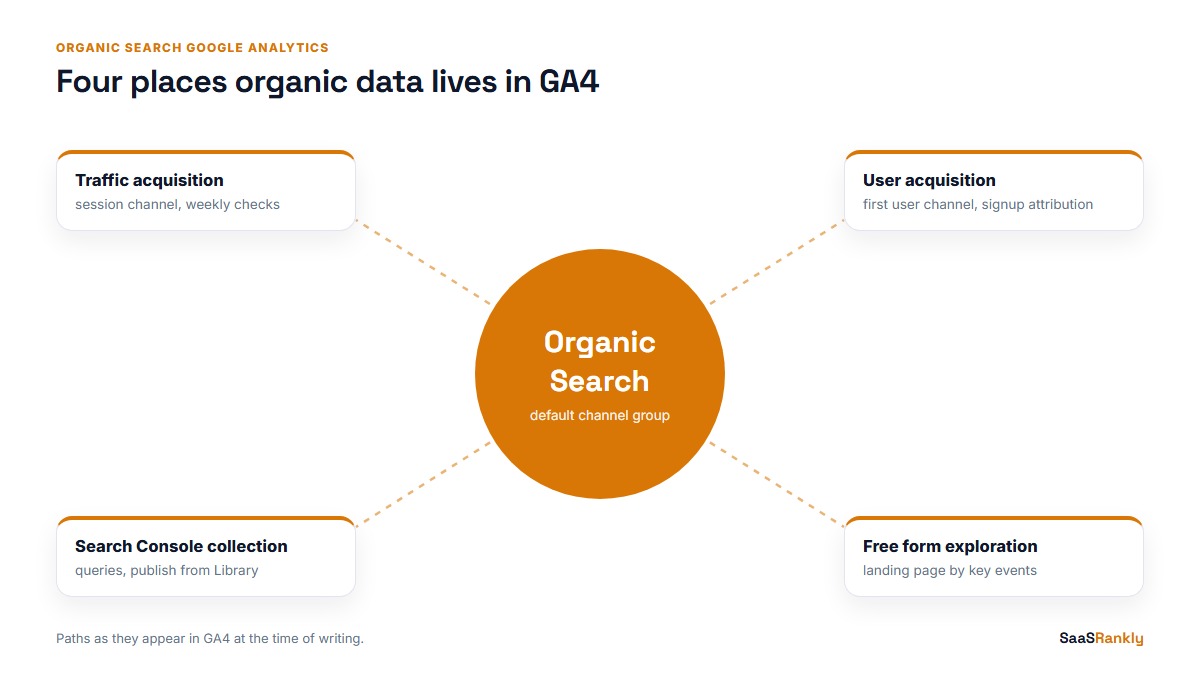
There is no single “organic” report any more. The fastest route in GA4 is:
- Open Reports, then Acquisition, then Traffic acquisition.
- Check the primary dimension says Session default channel group. That is the default in this report.
- Find the row called Organic Search. Sessions, engaged sessions, key events and revenue for organic sit on that row.
- Click the small plus next to the dimension and add Landing page + query string as a secondary dimension to see which pages brought those sessions.
That gives you the organic search Google Analytics total for the date range you picked: sessions from search engines. For a quick weekly check it is enough. For anything you report to a founder, keep reading, because the scope of the dimension changes the answer.
Session channel vs first user channel
GA4 has two reports under Acquisition that look alike and answer different questions.
| Report | Dimension | Question it answers | When we use it |
|---|---|---|---|
| Traffic acquisition | Session default channel group | Where did this visit come from? | Weekly traffic checks, landing page performance |
| User acquisition | First user default channel group | How did this person find us the first time? | Signup attribution, the “does SEO bring new users” question |
The gap between them matters for SaaS. A visitor who first finds you through a blog post on Google, then comes back three times by typing your URL, shows up once under Organic Search in User acquisition and three or four times under Direct in Traffic acquisition. If your organic search Google Analytics number looks small next to Direct, this is often why.
What GA4 counts as Organic Search
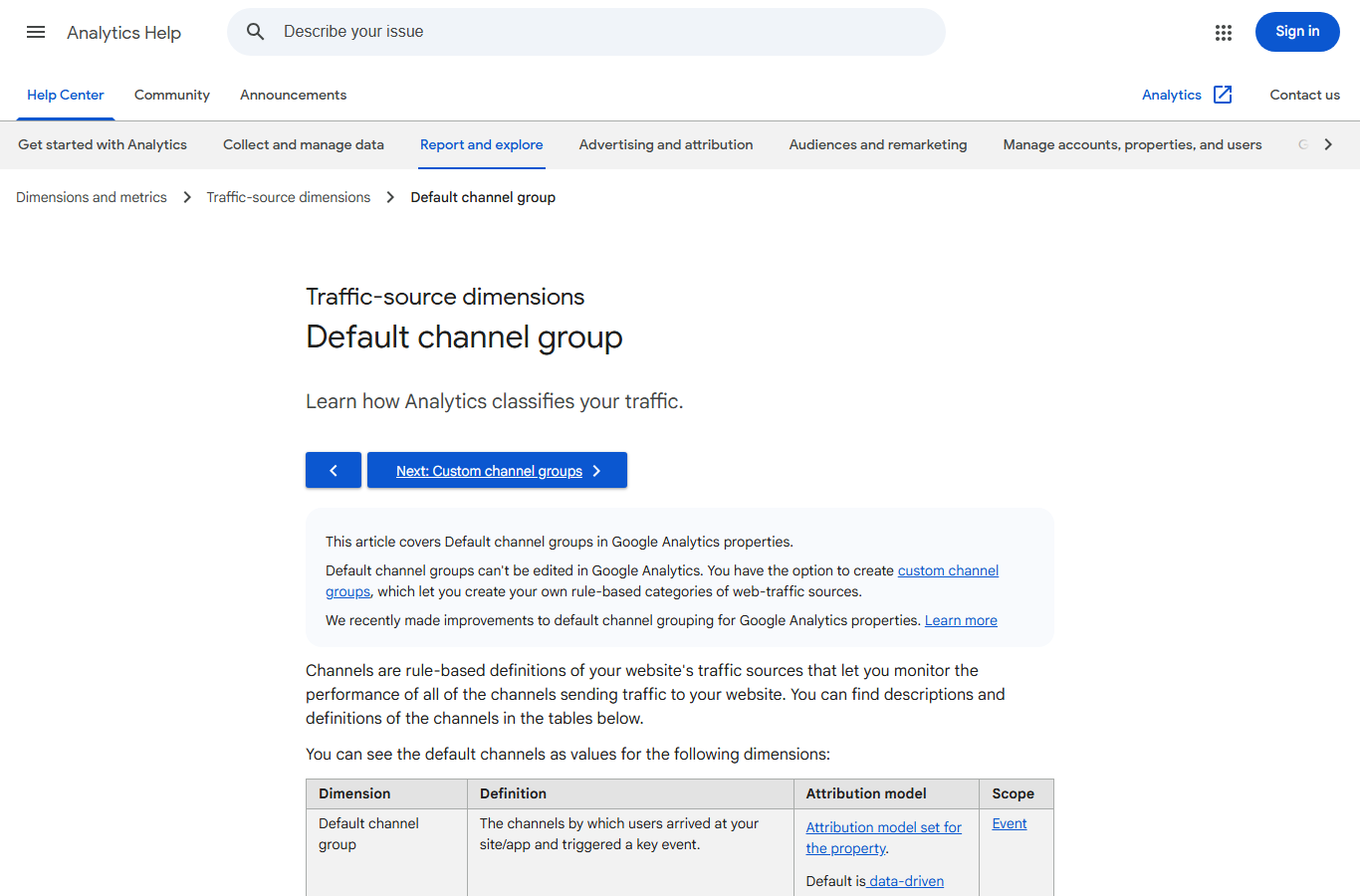
Before trusting any organic search Google Analytics total, know the rule behind it. GA4 puts a session into Organic Search when the source matches Google’s list of search sites, or the medium is exactly “organic”. A few things people expect to see there are elsewhere:
- Organic Shopping and Organic Video are separate channels. Free listings from Google Shopping and YouTube search go there.
- Organic Social covers social platforms, not search.
- AI assistants. In the properties we check, visits from chatgpt.com and perplexity.ai land in Referral unless someone has built a custom channel group for them.
- Tagged links. If a newsletter link carries utm_medium=organic by mistake, those sessions get counted as Organic Search. We find this on roughly one property in five.
Google publishes the full rule set in its default channel group documentation. It is worth reading once, because the rules are stricter than most people assume.
Why organic search Google Analytics numbers never match Search Console
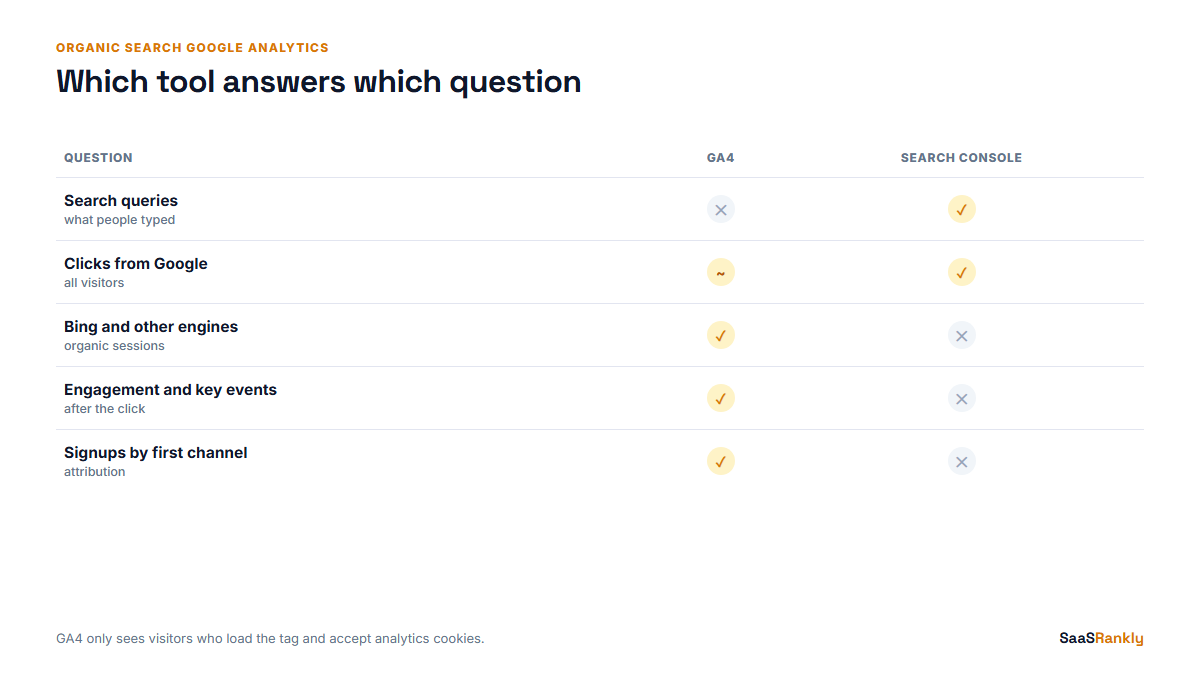
This is the question we get most. The two tools count different things, so they will never agree, and they should not be forced to.
| Belief | What actually happens |
|---|---|
| “GA4 organic sessions should equal Search Console clicks.” | Search Console counts clicks on Google results. GA4 counts sessions from all search engines, only for visitors whose browser ran the tag and accepted analytics cookies. |
| “If GA4 is lower, tracking is broken.” | Consent banners, ad blockers and visitors who leave before the tag fires all lower GA4. A gap of 20 to 40 percent below Search Console clicks is common on the SaaS sites we audit. |
| “If GA4 is higher, Search Console is wrong.” | GA4 includes Bing, DuckDuckGo and other engines. On B2B sites with many Windows users, Bing can be a noticeable share. |
| “GA4 can show me the keywords.” | It cannot. Search engines do not pass the query. The keyword data lives in Search Console only. |
Our rule: use Search Console for demand (impressions, clicks, queries, position) and GA4 for what happened after the click (engagement, key events, signups). We explain what a click is in Search Console terms in what is a click, and how organic listings differ from everything else on the page in organic results.
Connect Search Console to see both in GA4
You can bring Search Console data into GA4, which puts queries and landing pages next to engagement. The steps:
- In Admin, under Product links, open Search Console links and link the property. You need owner access in Search Console and editor access in GA4.
- Pick the web data stream the site uses.
- Go to Reports, then Library, find the Search Console collection and publish it. Until you publish it, the reports exist but stay hidden from the left menu.
Two limits to remember. The linked reports only show data from the date the link starts collecting, and the Queries report cannot be joined to GA4 key events because the query is not part of the GA4 session. Join on landing page instead and accept that the match is approximate. Our full method for reading both tools together is in how to measure SaaS SEO with GA4 and Search Console.
Build an organic landing page exploration
The standard reports are fine for totals. For the question that matters, which organic pages bring signups, we build one organic search Google Analytics exploration and reuse it every month.
- Open Explore and start a Free form exploration.
- Import dimensions: Landing page + query string and Session default channel group.
- Import metrics: Sessions, Engaged sessions, Key events and your signup event count.
- Add a filter: Session default channel group exactly matches Organic Search.
- Put landing page in rows and the metrics in values, then sort by your signup event.
Here is an illustrative result for a fictional scheduling SaaS. The numbers are invented but the shape is the one we usually see.
| Organic landing page | Sessions | Engaged rate | Trial signups | Signups per 1,000 sessions |
|---|---|---|---|---|
| /blog/shift-swap-policy-template/ | 4,120 | 61% | 18 | 4.4 |
| /pricing/ | 890 | 72% | 41 | 46.1 |
| /compare/vs-deputy/ | 640 | 68% | 22 | 34.4 |
| /blog/what-is-a-rota/ | 6,300 | 38% | 3 | 0.5 |
The biggest traffic page brings almost nothing, and two small commercial pages bring most of the trials. You cannot see that from the channel total. This is also the table we paste into the monthly report; our Looker Studio SEO report template has a page built on the same fields.
Six fixes we make on almost every GA4 property
- Turn on Google signals only if you need it. It can apply thresholding that hides rows in small reports. Many SaaS sites are better off without it.
- Mark the signup as a key event. “Key events” replaced “conversions” as the GA4 name in 2024. Without one, organic search reports show traffic and nothing else.
- Exclude your own domain and payment providers from referrals. Otherwise a returning organic visitor who comes back from Stripe checkout starts a new referral session.
- Build a custom channel group for AI assistants. Standard properties allow a small number of custom channel groups; one that splits chatgpt.com, perplexity.ai and similar sources out of Referral is worth it.
- Check data retention. The default for event-level data in Explorations is two months. Set it to the maximum your property allows so year-on-year explorations work.
- Audit utm_medium values. Search the Traffic acquisition report for medium “organic” coming from non-search sources and fix the links that carry it.
Which organic search Google Analytics numbers to report
For a SaaS founder we report four lines from organic search in Google Analytics and Search Console together, no more: Search Console clicks (demand we captured), GA4 organic engaged sessions (quality), organic trial signups by first user channel (business result), and signups per 1,000 organic sessions for the top ten landing pages (where to invest). Our list of SEO KPIs explains why the other twenty available metrics usually stay out of the summary.
Quick recap: organic search Google Analytics
- Find organic search in Google Analytics 4 under Reports, Acquisition, Traffic acquisition, row Organic Search.
- Use session channel for traffic questions and first user channel for signup attribution.
- Organic Shopping, Organic Video and AI assistant referrals are not counted as Organic Search.
- GA4 organic will not match Search Console clicks; a 20 to 40 percent gap is normal.
- Link Search Console and publish its report collection to see queries inside GA4.
- Judge organic pages by signups per 1,000 sessions, not by sessions alone.
FAQ
How do I see organic search traffic in Google Analytics 4?
The organic search Google Analytics view you want is Reports, Acquisition, Traffic acquisition. Look at the Organic Search row of the Session default channel group. Add landing page as a secondary dimension to see which pages it went to.
Why is organic search lower in GA4 than in Search Console?
GA4 only records visitors whose browser loads the tag and accepts analytics cookies, and it counts sessions rather than clicks. Consent banners and ad blockers explain most of the gap.
Can I see organic keywords in Google Analytics?
Not from GA4 itself, because search engines do not pass the query. Link Search Console to GA4 to see query data in the Search Console reports, or use Search Console directly.
Does Bing count as organic search in GA4?
Yes. Bing, DuckDuckGo, Yahoo and other recognised search engines are grouped into Organic Search alongside Google.
Is ChatGPT traffic counted as organic search in GA4?
Not by default in the properties we see. It shows up as Referral unless you create a custom channel group that separates AI assistants.
What is a good organic engagement rate for a SaaS site?
On the SaaS properties we work with, blog landing pages usually sit between 40 and 65 percent and commercial pages higher. Compare your pages against each other rather than against a global benchmark.