A site keyword analysis is the audit most teams skip because it feels less exciting than finding new keywords. It is also the one that pays back fastest. Before you research a single new term, you should know what your site already ranks for, which pages compete with each other, and which queries sit at positions 8 to 20 waiting for a small push. On the SaaS sites we take over, this audit usually finds more quick wins than a month of fresh keyword research.
This guide is the exact process we run, with the spreadsheet columns, the four buckets every query ends up in, and a worked example from a B2B SaaS site. If you need to research brand new topics instead, start with our SaaS keyword research guide and come back here once you have some pages live.
What a site keyword analysis is (and what it is not)
A site keyword analysis looks at the queries your own domain already gets impressions for and maps them to the pages that rank. The goal is a decision for every page: keep, improve, merge, or retire. It is not a competitor gap analysis, though it often feeds one, and it is not a rank tracking report, which only watches a list you chose in advance.
We see three common misunderstandings, so here they are side by side.
| Myth | What we actually find |
|---|---|
| “Our rank tracker already tells us what we rank for.” | A tracker only follows the keywords you added. On a typical 300-page SaaS blog, Search Console shows 15 to 40 times more ranking queries than the tracker list. |
| “Third-party tools show the full picture.” | Ahrefs and Semrush estimate from their own keyword databases. They miss most long-tail queries under 50 searches a month, which is where SaaS buyers often live. |
| “More pages ranking for a term is better.” | Two pages trading places for one query usually means neither ranks as well as one strong page would. That is cannibalisation, and the audit is where you catch it. |
The data you need before you start
You need three exports. Search Console is the primary source because it reports what Google actually showed. The other two fill gaps.
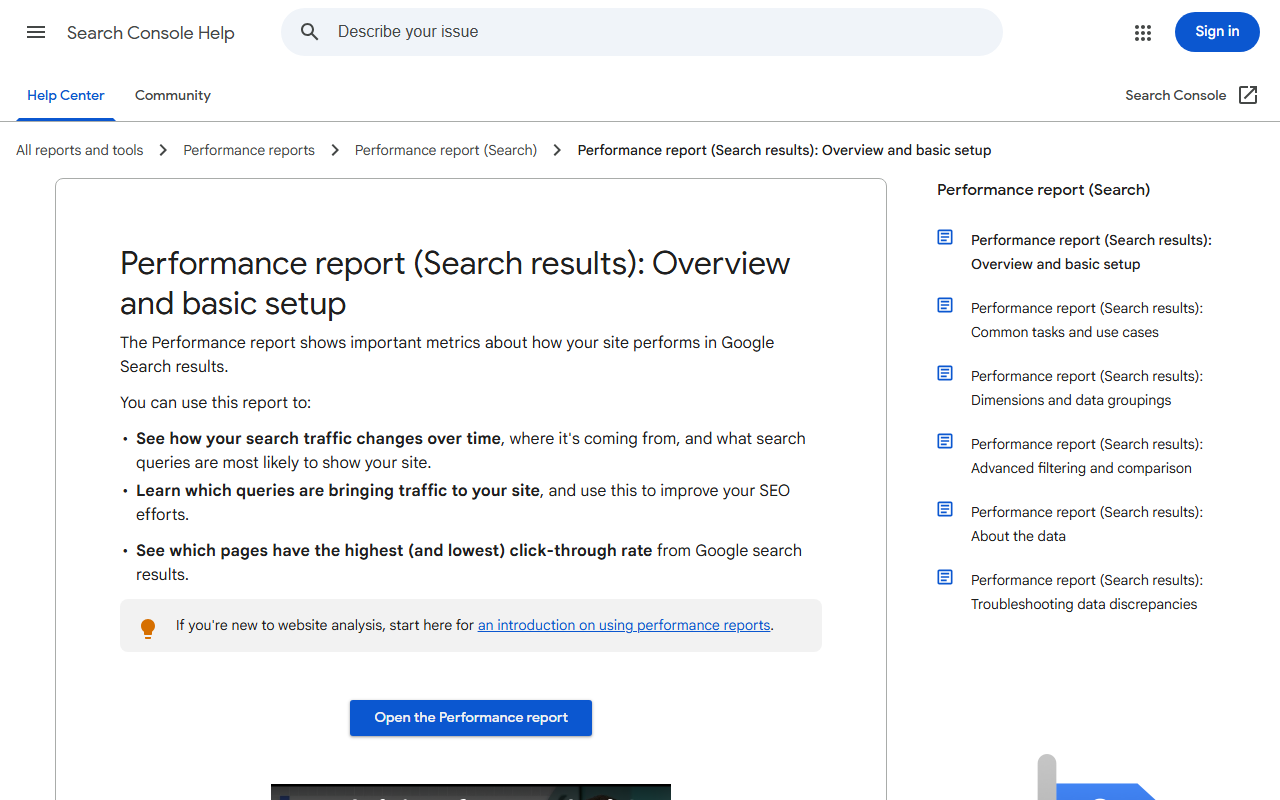
- Search Console performance data, query and page dimensions together, last 3 months (6 if the site is seasonal). The UI caps at 1,000 rows, so use the API or a connector for anything bigger. We explained the workarounds in our Search Console keywords post.
- A crawl of the site with URL, title, H1, word count, indexability, and inlinks. Any desktop crawler works.
- One third-party keyword export for your domain, to add volume and keyword difficulty estimates. At the time of writing, Ahrefs Lite starts at around 129 dollars a month and Semrush Pro at around 140 dollars a month, so if you only need this once a quarter, a single month of either is enough.
How to run a site keyword analysis in five steps
The whole thing takes us about a day for a 300-page site. Most of that time goes into step 4, where judgment beats formulas.
Step 1: Join queries to pages
Pull query plus page from Search Console into one sheet. Add the crawl data with a lookup on URL. Now every row says: this query, this page, these impressions, this position, this title, this word count.
Step 2: Filter out noise
Drop queries with fewer than 10 impressions over the period, branded queries (unless you are auditing brand coverage), and queries clearly irrelevant to your product. On most sites this removes 60 to 70 percent of rows and almost none of the opportunity.
Step 3: Group queries into topics
Cluster the remaining queries so “seo report template,” “seo reporting template,” and “monthly seo report template” sit together. You can do it by hand for a few hundred rows, or run them through our keyword intent classifier first to tag intent and then group within each intent. The method we use for bigger lists is in our keyword clustering guide.
Step 4: Assign every topic a bucket
This is the core of a site keyword analysis. Each topic goes into exactly one of four buckets.
| Bucket | Signal in the data | Action | Typical effort |
|---|---|---|---|
| Keep | One page, position 1 to 5, CTR in line with position | Leave it alone, check quarterly | None |
| Improve | One page, position 6 to 20, steady impressions | Refresh content, sharpen title, add internal links | 2 to 4 hours per page |
| Merge | Two or more pages getting impressions for the same topic, positions swapping | Pick the stronger URL, fold the other in, 301 redirect | Half a day per pair |
| Retire | No meaningful impressions in 6 months, no links, no product value | Noindex, redirect, or delete | Minutes |
A fifth informal bucket appears too: queries with impressions where no page really matches. Google is showing you for something you never wrote about. Those go straight to the content plan.
Step 5: Prioritise by opportunity
For the Improve bucket, we sort by a simple score: impressions multiplied by the click gap between current position and position 3. A page at position 9 with 20,000 impressions beats a page at position 12 with 2,000 every time. Do not overthink the formula. The point is to stop working on pages in alphabetical order.
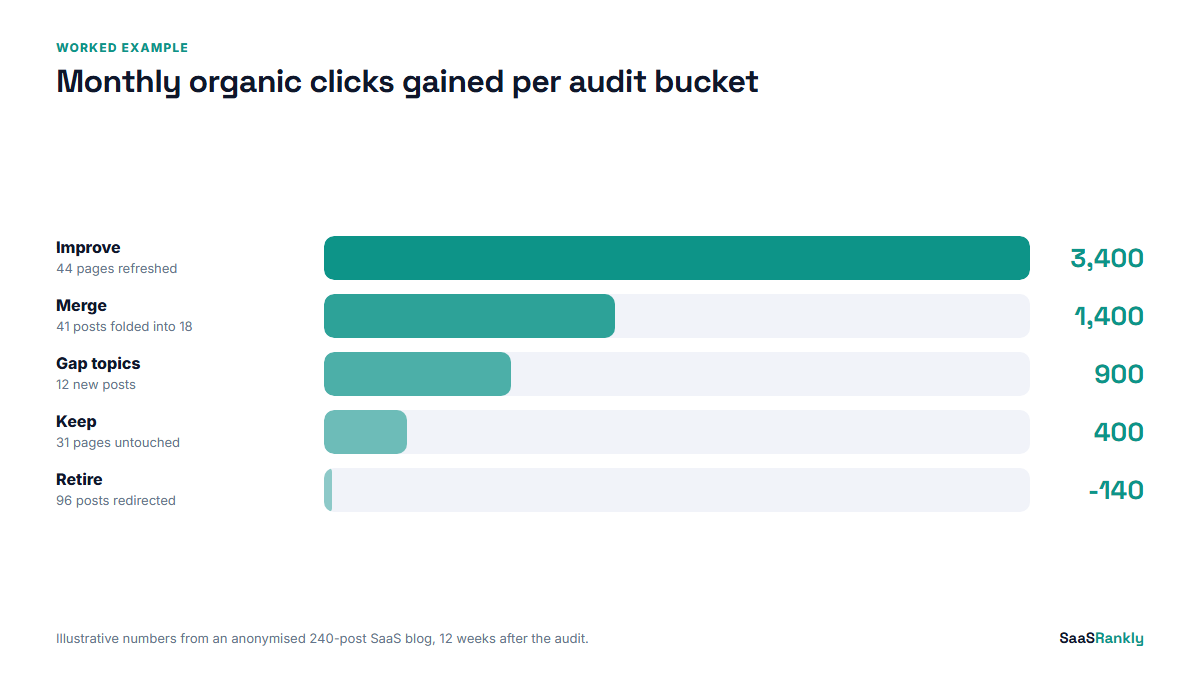
A worked example (illustrative)
Here is how the audit came out for a project-management SaaS blog with 240 posts. Numbers are rounded and the site is anonymised, so read it as illustrative of the shape, not a benchmark.
| Bucket | Topics | Pages affected | Clicks per month before | Clicks per month 12 weeks after |
|---|---|---|---|---|
| Keep | 31 | 31 | 11,200 | 11,600 |
| Improve | 44 | 44 | 3,900 | 7,300 |
| Merge | 18 | 41 into 18 | 1,700 | 3,100 |
| Retire | n/a | 96 | 140 | 0 (redirected) |
| Gap topics | 12 | 12 new | 0 | 900 |
Total organic clicks went from roughly 16,900 to 22,900 a month without any new link building. Most of the gain came from the Improve bucket, which is typical. The surprise was Merge: 41 overlapping posts became 18, and those 18 almost doubled the clicks the 41 had shared. The 96 retired posts had brought in 140 clicks a month between them, which is about what one decent post earns on its own.
Signals we look at that the bucket table hides
The buckets give you a plan. A few extra checks stop that plan from going wrong.
- CTR far below position average. If a page ranks third and gets a 2 percent CTR, the title and description are the problem, not the content. Preview the fix in our SERP snippet preview tool before you change it.
- Intent drift. A post written as a “how to” that now ranks for “best” queries probably needs a comparison section, or a separate page.
- Pages that rank but convert nothing. Join Search Console to your analytics or CRM. Sometimes the best move for a high-traffic, zero-signup page is a better call to action, not more SEO.
- AI answer exposure. Queries where clicks fell while impressions held steady often now show an AI Overview. We covered how to read that pattern in our SERP metrics post.
How often to repeat it
We run a full site keyword analysis twice a year and a light version every quarter. The light version only re-checks the Improve and Merge buckets and looks for new cannibalisation. Sites publishing more than 8 posts a month should go quarterly on the full audit, because overlap builds up faster than anyone expects. The first run is the slow one; after that you already have the sheet, the clusters, and the history.
Quick recap: site keyword analysis
- A site keyword analysis audits what your domain already ranks for before you chase new terms.
- Search Console is the primary source; third-party tools add volume estimates and miss most long-tail.
- Join queries to pages, filter noise, cluster into topics.
- Put every topic into Keep, Improve, Merge, or Retire, and send unmatched queries to the content plan.
- Prioritise Improve pages by impressions times click gap, not by gut feel.
- Repeat the full audit twice a year, quarterly if you publish heavily.
FAQ
What is a site keyword analysis?
It is an audit of the search queries your own website already appears for, mapped to the pages that rank, so you can decide which pages to keep, improve, merge, or retire.
Which tool is best for a site keyword analysis?
Google Search Console, because it shows real queries and real positions. Add a crawler for page data and one paid tool export if you want volume estimates.
How do I find keyword cannibalisation on my site?
Export query plus page from Search Console and look for queries where two or more of your URLs get impressions, especially if their positions swap week to week.
How long does a site keyword analysis take?
About a day for a 300-page site the first time. Later runs take a few hours because the clusters and buckets already exist.
Should I delete pages with no traffic?
Only if they have no links, no product value, and no impressions for six months. Redirect them to the closest relevant page rather than leaving a 404 when they have any backlinks.
Is site keyword analysis different from competitor keyword analysis?
Yes. A site keyword analysis looks inward at your own rankings. A competitor analysis looks at what other domains rank for that you do not. Do yours first so you know what you already have.