“LLM rank tracking” is a slightly wrong name that has stuck. There is no rank in a ChatGPT answer; there is a mention, a position in a list, a sentiment and a cited URL, and each of those changes between runs. Tracking it well means treating it like a survey: the same questions, asked the same way, on a schedule, with a scoring model agreed in advance. This guide is the setup we use for SaaS brands. It works with any of the AI visibility tools and, at small scale, with a spreadsheet.
This guide covers llm rank tracking for SaaS teams: what it means, why it matters, and the practical steps to get it right.
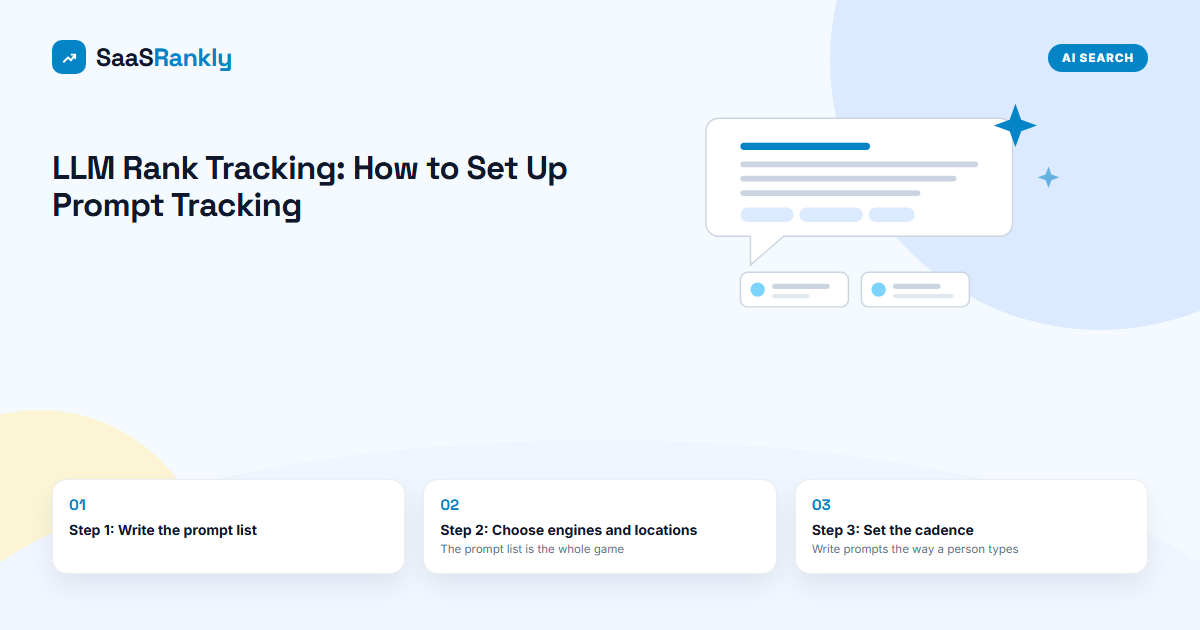
Step 1: Write the prompt list
The prompt list is the whole game. A bad list tracks questions nobody asks, and the numbers look great and mean nothing. Build 30 to 50 prompts from four sources, in this order: For the definition and a one-month scoring example across four engines, see our guide to LLM visibility.
- Sales calls and demo requests. How do prospects describe what they were looking for? “Something like Jira but for a non-technical team” is a prompt.
- Your bottom-of-funnel keywords, rewritten as questions with context. “CRM for agencies” becomes “what CRM should a 12-person marketing agency use if we already use Slack and Google Workspace”. See SaaS keyword research.
- Competitor-named prompts. “alternatives to [competitor]”, “[competitor] vs [you]”, “is [competitor] worth it for a startup”. These test whether you exist in the model’s map of the category.
- Problem prompts from support tickets and community threads. “how do I sync HubSpot deals to a Notion database” is a prompt your integration page should be cited for.
Prompt list template
| Group | Count | Examples | Page that should win |
|---|---|---|---|
| Category (best X for Y) | 10 to 15 | best [category] for [segment], top [category] tools 2026, [category] software for [use case] | Homepage, use-case pages, third-party listicles |
| Competitor | 10 | [competitor] alternatives, [competitor] vs [you], cheaper than [competitor] | Alternatives and comparison pages |
| Problem or how-to | 10 to 15 | how do I [job] with [tool A] and [tool B] | Guides, integration pages, docs |
| Brand | 5 | what is [you], [you] pricing, is [you] good for [segment] | Homepage, pricing, About |
Write prompts the way a person types, with a little context, and never with your brand name in the category and competitor groups. Fix the wording and do not edit it later; a changed prompt is a new prompt with no history.
Step 2: Choose engines and locations
| Engine | Track it if | Note |
|---|---|---|
| ChatGPT (search on) | Always | Largest consumer usage; retrieval via Bing. See how to get cited by ChatGPT. |
| Google AI Overviews | Always | Cross-check with Search Console’s AI report for first-party numbers. |
| Google AI Mode | US buyers, or any market where it has launched | Query fan-out means narrower pages get cited more often. |
| Perplexity | Technical or research-heavy buyers | Cites the most sources per answer; good early signal. |
| Gemini | Google Workspace-centric buyers | Grounded on Google Search when it searches. |
| Copilot, Claude, Grok | Enterprise IT buyers (Copilot), developer audiences (Claude) | Add later; keep the core set stable first. |
Run in the country where your revenue is, and separately in your second market if it matters. Do not average the US and the UK; the answers differ.
Step 3: Set the cadence
- Weekly runs of the full list on every engine. Most tools default to this; manually it takes about an hour for 40 prompts on three engines.
- Three samples per prompt if your tool allows it, or at least accept that one run is one sample.
- Monthly reporting. Compare this month’s four runs to last month’s four. That is the smallest window where a change is more likely to be real than random.
Step 4: Score each answer
Agree the scoring before you start, so the number cannot be argued with later. For each prompt and engine, record:
| Field | Values | Why |
|---|---|---|
| Mentioned | Yes or no | The base rate. “Mention rate” is mentions divided by runs. |
| Position | 1, 2, 3, other, or not listed | First-named in a list gets most of the attention, as in a SERP. |
| Sentiment | Recommended, neutral, caveated, negative | “X is popular but expensive” is a mention that costs you. |
| Cited URL | Your URL, or none | Citations drive traffic and tell you which page the engine trusts. |
| Competitors mentioned | List | Feeds share of voice. |
From those, three summary numbers: mention rate, AI share of voice (your mentions divided by all mentions in your competitor set), and citation count. The metrics and reporting guide explains how to present them.
Step 5: Turn gaps into work
After the first month, sort prompts by “competitor mentioned, we are not”. For each:
- Check the cited sources. If they are listicles and review sites, the fix is coverage, not content.
- If a competitor’s own page is cited, you need an equivalent page that answers the prompt better: more specific, with a table, updated this quarter.
- If your page exists and ranks in Google but is never cited, restructure it: answer in the first 100 words, question H2s, facts in tables. See AI Overviews visibility.
- If you are cited on Google but not ChatGPT, check Bing indexing.
The free method: a spreadsheet and an hour a month
If you are not ready for a tool, this works up to about 25 prompts.
- Columns: date, prompt, engine, mentioned, position, sentiment, cited URL, competitors.
- Open a private window (no login, no history) for each engine. Run each prompt once. Paste the answer into a notes column so you can re-read it later.
- Log the fields. Score consistently: if you would not call it a recommendation reading it cold, it is neutral.
- Once a month, pivot by prompt group and engine.
When the sheet takes more than two hours a month, buy Otterly or use the AI tracking inside SE Ranking or Nightwatch; see the rank tracker comparison.
Frequently asked questions about LLM rank tracking
How is LLM rank tracking different from Google rank tracking?
There is no fixed position and no fixed answer. You track mention rate, position in the answer, sentiment and citations across repeated runs, and report monthly averages rather than daily positions.
How many prompts do I need?
30 to 50 well-chosen prompts. Precision comes from repeated runs, not from more prompts.
Should I track prompts with my brand name in them?
A handful, in a separate “brand” group, to catch wrong facts about pricing or features. Keep them out of the category and competitor groups or your share of voice will be inflated.
How often do AI answers change?
Wording changes every run. The set of brands mentioned for a category prompt is fairly stable week to week and shifts over months as sources change. That is why monthly comparison is the right unit.
Quick recap: Llm rank tracking
Llm rank tracking usually comes down to a short, repeatable checklist. Use this whenever llm rank tracking comes up again:
- Diagnose llm rank tracking by checking the relevant report first, not assumptions.
- Confirm the current setup is actually causing llm rank tracking before you change anything.
- Re-check llm rank tracking again after the fix ships, not before.
Treat llm rank tracking as an ongoing signal rather than a one-time fix. For background on the platform rules behind this, see Google Search Central.