Most lists of SEO essentials run to 40 items and treat them all as equal. They are not. For a SaaS founder with one free week and no agency, about nine things matter, and they split neatly across five working days. This is that plan. Everything in it can be done with free tools, and none of it needs a developer for more than an hour.
We have run this same SEO essentials week with early-stage clients enough times to know where people get stuck, so each day includes the snag to expect.
The SEO essentials, ranked by what breaks first
Before the day-by-day plan, here is the order of importance. If Google cannot crawl a page, nothing else on this list matters. If the page targets a term nobody searches, the writing quality is irrelevant. Work top to bottom.
| # | Essential | Question it answers | Free tool |
|---|---|---|---|
| 1 | Crawl access | Can Google reach the page? | robots.txt, Search Console |
| 2 | Indexing | Is the page in Google’s index? | Search Console URL Inspection |
| 3 | Sitemap | Does Google know every page that matters? | Sitemap checker |
| 4 | Keyword targeting | Is each page aimed at one real query? | Search Console, Keyword Planner |
| 5 | Titles and descriptions | Will a searcher click? | SERP snippet preview |
| 6 | Page content | Does the page answer the query better than rivals? | Your own eyes |
| 7 | Internal links | Can users and crawlers get there in three clicks? | A crawl with Screaming Frog (free to 500 URLs) |
| 8 | Speed and mobile | Is the page usable on a phone? | PageSpeed Insights |
| 9 | Links from other sites | Does anyone vouch for you? | Search Console Links report |
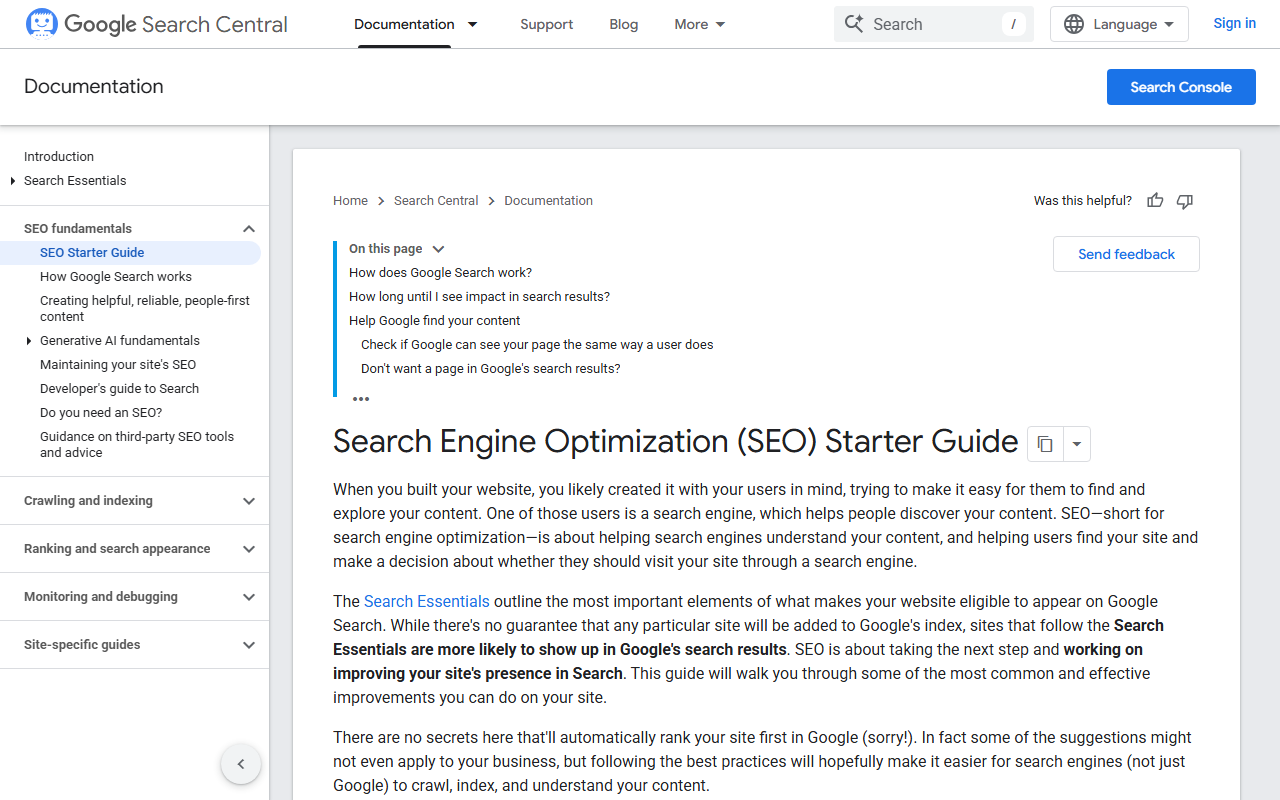
Google’s own SEO Starter Guide covers much of the same ground, and it is worth 20 minutes of reading. It also says plainly that there are no secrets that will rank a site first automatically, which is a useful filter for any advice you are sold.
Monday SEO essentials: crawl and index checks
Open yourdomain.com/robots.txt in a browser. A healthy file for a marketing site is short. Ours is four lines: allow everything except the admin area, and point to the sitemap.
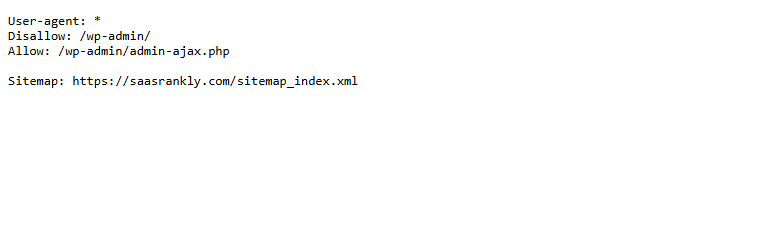
What you are looking for is a stray Disallow: / left over from a staging setup. We find one on roughly one in fifteen new client sites, and it quietly blocks the whole domain. If you see it, read our guide to blocked by robots.txt errors before editing anything.
Next, verify the site in Google Search Console if you have not already. Open the Pages report. Note two numbers: indexed and not indexed. Then run URL Inspection on your homepage, pricing page and top three feature pages. All five should say “URL is on Google”.
Snag to expect: app subdomains. If app.yourdomain.com login screens are indexed, add a noindex tag there. They waste crawl attention and look poor in results.
Tuesday SEO essentials: sitemap and site structure
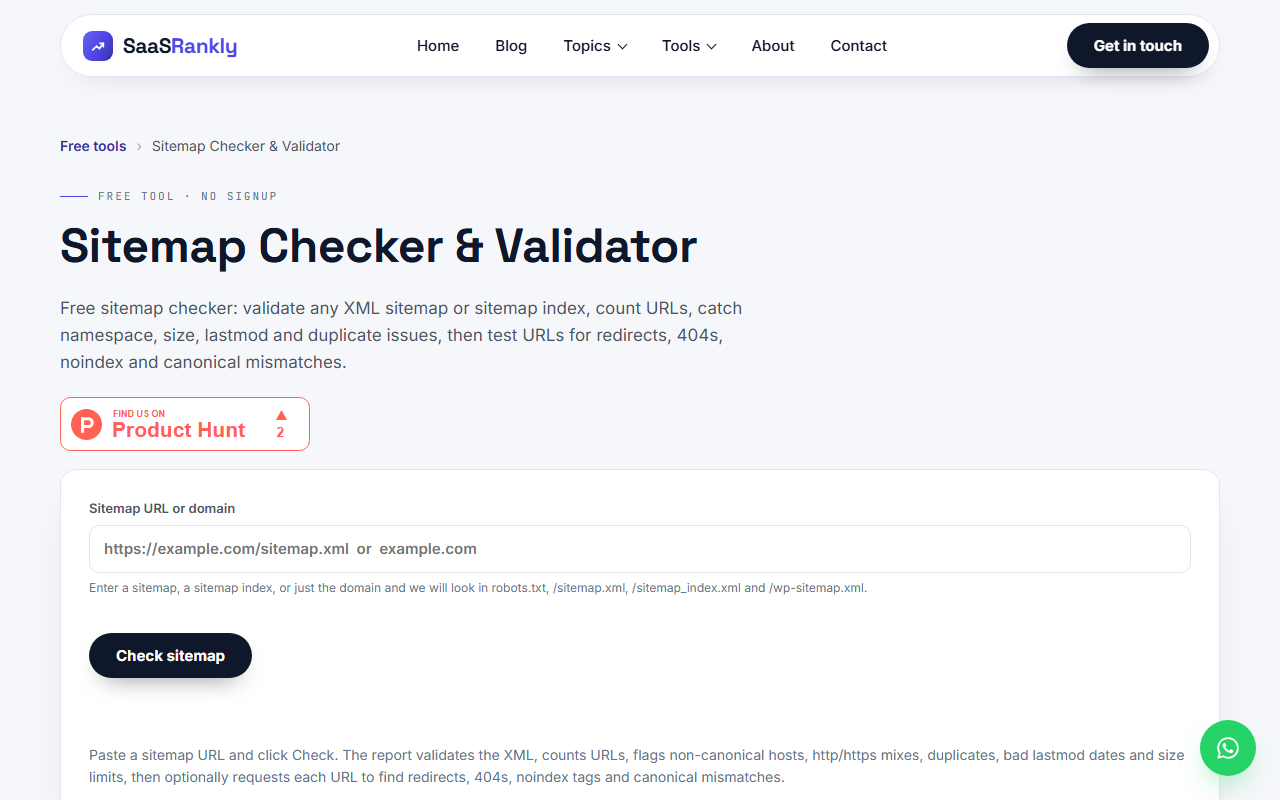
Paste your domain into the sitemap checker. You want every URL returning 200, no redirects, and no pages marked noindex. A sitemap that lists redirected or dead URLs tells Google your housekeeping is sloppy. It will not cause a penalty, but it slows discovery of new pages.
Then sketch your structure on paper. Homepage at the top, then product or feature pages, use-case pages, pricing, blog. Every page that matters should be reachable within three clicks of the homepage. Orphan pages, with no internal links pointing to them, are the most common reason we see for a good page failing to get indexed. If that is your problem, fixing SaaS indexing problems goes deeper.
Wednesday: keyword targeting, one query per page
List your ten most important pages in a spreadsheet. Next to each, write the single search query it should rank for. Rules:
- No two pages share a primary query. If they do, merge them or re-aim one.
- Feature and use-case pages take commercial queries (“invoice automation software”). Blog posts take questions (“how to automate invoice reminders”).
- Check the query has demand. In Search Console, look at Performance, Queries, to see what you already get impressions for. Those are the easiest wins.
Here is how the sheet looked for a fictional scheduling tool after one afternoon:
| Page | Before | Primary query after |
|---|---|---|
| Homepage | “Welcome to Slotwise” | appointment scheduling software |
| /features/reminders/ | No clear target | automated appointment reminders |
| /for/salons/ | Same as homepage | salon booking software |
| /blog/reduce-no-shows/ | “no shows” | how to reduce no shows |
For a fuller method, see SaaS keyword research. If you are unsure whether a query is commercial or informational, the keyword intent classifier gives a quick read.
Thursday: titles, descriptions and on-page SEO essentials
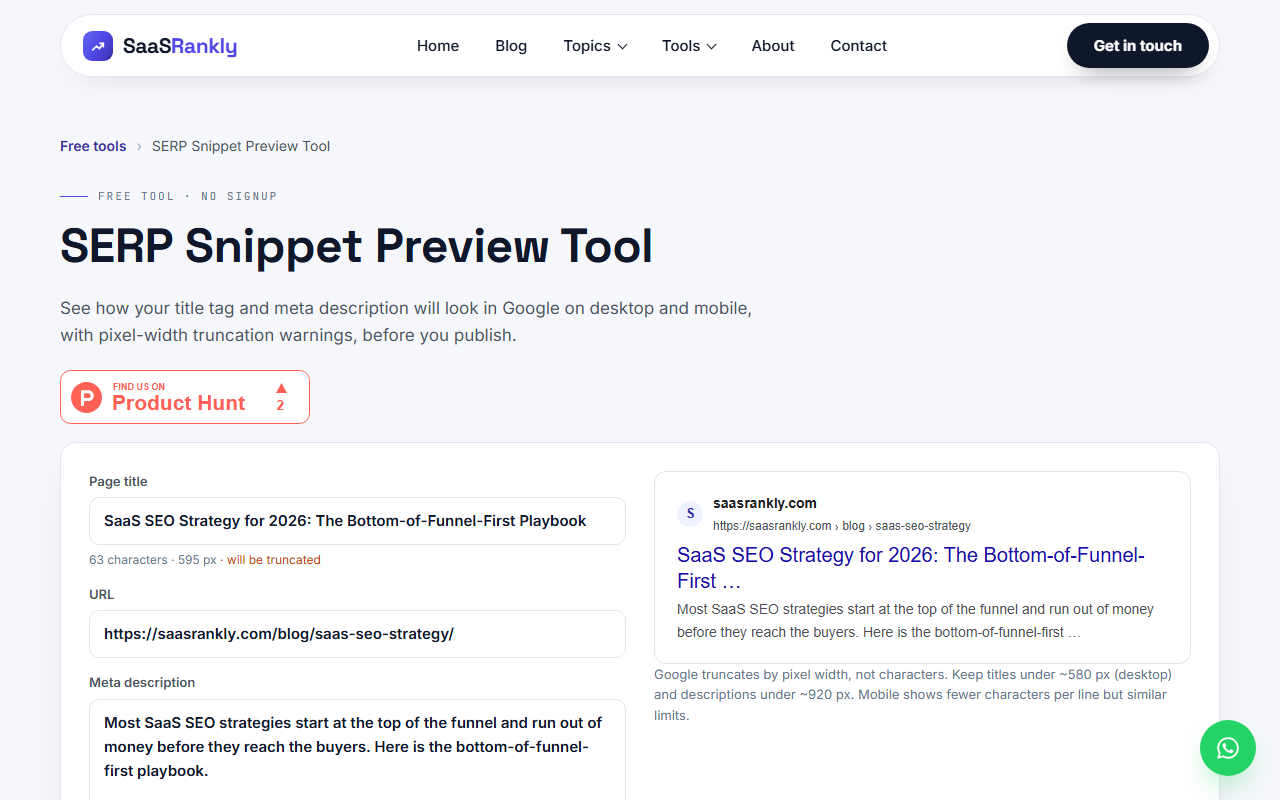
For each of the ten pages, rewrite the title tag so it starts with the primary query and stays under about 580 pixels, which is roughly 55 to 60 characters. Write a meta description that states what the visitor gets. Test both in the snippet preview tool before you publish, because Google cuts titles by pixel width and a wide capital W costs more than a lowercase i.
Then check the page itself:
- One H1, containing the query or a close variant.
- The query, or plain-language equivalent, appears in the first paragraph.
- H2s describe what each section covers, not “Overview” and “Features”.
- Images have alt text that says what they show.
- The page links to two or three related pages with descriptive anchor text.
Snag to expect: page builders that set the same title on every page, or append a long brand suffix. Check the rendered source, not the CMS field.
Friday: speed, links and a baseline
Run your homepage and one feature page through PageSpeed Insights on mobile. Do not chase a score of 100. Fix the two worst items, which are nearly always oversized hero images and third-party scripts such as chat widgets loading before the content. An hour of developer time covers it.
Then open the Links report in Search Console and note how many sites link to you. If the answer is under ten, write down every integration partner, customer and directory in your niche that could reasonably list you. That list is next month’s job, and our SaaS link building guide picks up from there.
Last, with the SEO essentials in place, record a baseline so you can prove progress later:
- Indexed pages
- Total clicks and impressions, last 28 days
- Average position for your ten primary queries
- Referring domains
What is not on the SEO essentials list
We left these out of the SEO essentials on purpose. They are fine later. They are not week-one work.
- Schema beyond the basics. Organization and Product markup are worth having. Marking up every FAQ is not urgent.
- Publishing daily. Ten well-aimed pages beat 100 thin ones.
- Paid SEO suites. Until you have 50 plus pages, free tools cover it.
- Disavow files. Almost nobody needs one.
- Obsessing over AI search. The same crawlable, clearly written pages feed AI answers too. Get the basics right first.
Quick recap: SEO essentials
- Crawl access and indexing come first. Check robots.txt and the Search Console Pages report before anything else.
- Keep the sitemap clean: only live, indexable, canonical URLs.
- Give every important page one primary query, with no overlaps.
- Write titles that lead with the query and fit within about 580 pixels.
- Link important pages within three clicks of the homepage.
- Record a baseline on day five so next quarter’s numbers mean something.
FAQ
What are the SEO essentials for a brand new site?
Crawlability, indexing, a clean sitemap, one target query per page, and clear titles. Those five cover most of the early gains. Links and content volume come after.
How long before these SEO essentials show results?
Indexing fixes can show within days. Title and targeting changes usually take three to eight weeks to settle. Google’s Starter Guide says some changes take several months, which matches what we see for competitive terms.
Do I need to pay for tools?
Not at this stage. Search Console, PageSpeed Insights, a free crawler and our free tools cover everything in this plan. Our list of free SEO tools for SaaS startups has more options.
Is technical SEO or content more important?
Technical comes first in sequence, because a blocked page cannot rank. Content matters more in total effort. Spend a day or two on the technical basics, then most of your time on pages.
Can I do this without a developer?
Mostly yes. You may need one for robots.txt edits, noindex tags on app subdomains, and image compression. Budget two to three hours in total.
How often should I repeat this check?
Quarterly is enough for a small site. Re-run the Monday and Tuesday checks after any redesign, migration or CMS change, since that is when things break.