SE Ranking keyword research is the part of the SE Ranking platform most people never try properly. They buy it for rank tracking, glance at the keyword module once, and go back to whatever tool they used before. That is a shame, because for a small SaaS team the keyword tool covers most of what you would otherwise pay a second subscription for.
We have used SE Ranking on client accounts for several years, next to Ahrefs and Semrush. This is how we actually run SE Ranking keyword research for a SaaS site: the exact workflow, what each report is good for, where the data is weaker, and whether the plan price makes sense compared with the alternatives. Prices and limits below are from SE Ranking’s public pricing page at the time of writing (October 2026).
What SE Ranking keyword research includes
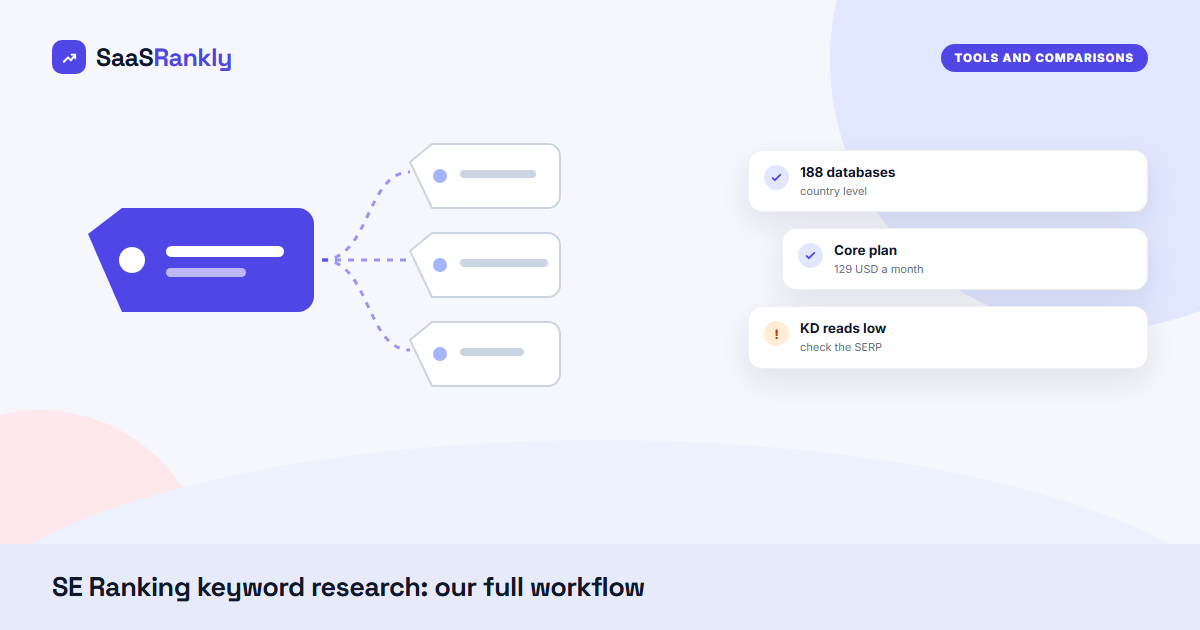
The keyword module sits inside the main SE Ranking platform, under Competitive Research. You enter a seed term and a country, and it returns an overview plus several tabs of suggestions. SE Ranking says its database covers 188 country databases, with about 1.2 billion keywords for North America, 3.2 billion for Europe and 548 million for Asia.
- Keyword overview: search volume, volume trend, keyword difficulty (0 to 100), CPC, competition and search intent.
- Keyword suggestions: grouped into similar keywords, related keywords, question keywords and low-volume keywords. The grouping is the part we use most.
- SERP overview: the current top results with each page’s estimated traffic, backlinks and referring domains.
- Organic SERP history: month-by-month top results going back to February 2020, which is useful for spotting volatile SERPs before you commit to a topic.
- Ads history: who bids on the term and sample ad copy.
- Competitor keywords: the terms a domain ranks for, through the Competitor Research module.
There is also a Keyword Grouper that clusters a list by SERP overlap. If you have read our guide to keyword clustering, it does the same job as the manual method there, just faster.
Our SE Ranking keyword research workflow, step by step
This is the routine we run when we plan a quarter of content for a SaaS blog. It takes about two hours for one product area.
Step 1: Start from competitors, not seeds
Seed terms give you what you already know. Competitor keywords give you what is already working. Put two or three direct competitors into Competitor Research, open Organic Keywords, and filter to positions 1 to 20 with a keyword difficulty under 30. Export the list. For most SaaS categories that gives 300 to 1,500 rows to work with.
Step 2: Expand the best seeds with the suggestion tabs
Take the 10 to 15 most relevant terms from the competitor list and run each through the keyword tool. Go straight to the question keywords and low-volume tabs. In our experience those two tabs hold most of the terms that a small SaaS site can actually rank for in the first year. The similar tab is mostly plurals and word-order variants.
Step 3: Filter hard
We apply the same filters every time: difficulty 0 to 25, volume 50 or more, and word count 3 or more. Then we sort by CPC, because a high CPC on a low-difficulty term usually means commercial intent that nobody has written for yet. The search intent column helps, but we still check intent ourselves with our keyword intent classifier for anything we plan to target with a commercial page.
Step 4: Check the SERP and its history
For each shortlisted term, open the SERP overview. If the top five results all have hundreds of referring domains, the difficulty score is probably too kind. Then look at organic SERP history: if the top 10 changed almost completely in the last three months, Google is still testing intent, and a new page has a real chance.
Step 5: Group and assign
Send the final list to the Keyword Grouper, review the clusters, and assign one URL per cluster. Anything that clusters with an existing page becomes a refresh task instead of a new post. This step prevents most of the cannibalisation we see on SaaS blogs.
A worked example: one SaaS product area
Here is an illustrative run for a fictional time-tracking SaaS called “Clockwell”. The numbers are invented but typical of what we see in SE Ranking keyword research for a mid-sized B2B category.
| Stage (illustrative) | Keywords left | What we did |
|---|---|---|
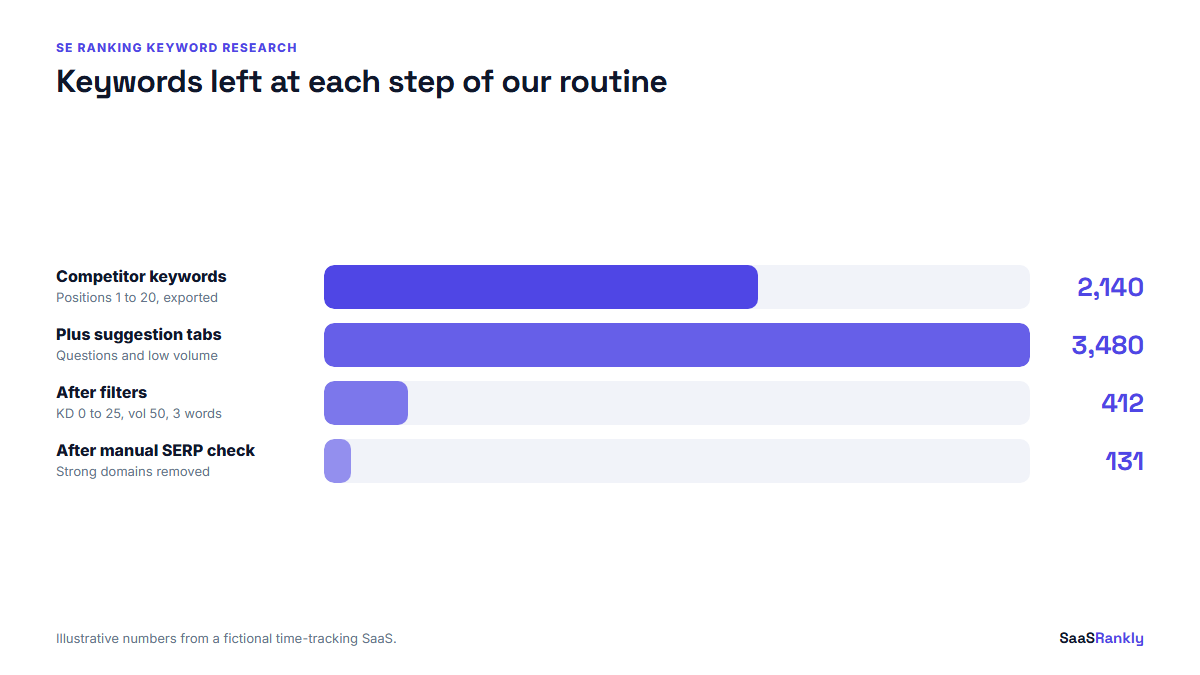
| Competitor organic keywords (3 domains) | 2,140 | Positions 1 to 20, exported |
| After suggestion tabs on 12 seeds | 3,480 | Added question and low-volume terms |
| After filters (KD 0 to 25, vol 50+, 3+ words) | 412 | Sorted by CPC |
| After manual SERP check | 131 | Removed SERPs dominated by strong domains |
| After Keyword Grouper | 38 clusters | 29 new posts, 9 refreshes of existing pages |
Thirty-eight clusters is roughly a quarter of content for a two-writer team. The point of the funnel is that the tool does the wide part and you do the narrow part. Nobody should publish straight from an export.
Where the data is good, and where it is weaker
We cross-check SE Ranking against Search Console and Ahrefs on our own and client sites. Our honest summary:
- Volume: close to Ahrefs and Keyword Planner on mid and high volume US terms. On very small terms (under 50 a month) every tool disagrees, SE Ranking included. Use Search Console impressions as the truth once a page exists.
- Keyword difficulty: tends to read a little lower than Ahrefs for the same term. We treat an SE Ranking KD of 20 as roughly an Ahrefs 25 to 30. Our post on keyword difficulty tools explains why the scores never match.
- Non-English markets: stronger than you would expect for the price, especially in European countries.
- Long-tail coverage: the question and low-volume tabs are good; the database is still smaller than Ahrefs for very niche B2B terms.
SE Ranking keyword research pricing
The keyword tool is not sold on its own; it comes with the platform plans. At the time of writing SE Ranking lists two self-serve plans, both with a 14-day free trial and no card required.
| Plan | Monthly price | Annual price (per month) | Keywords tracked daily | Keyword database expansion | Historical data |
|---|---|---|---|---|---|
| Core | $129 | $103.20 | 2,000 | 17,500 | 6 months |
| Growth | $279 | $223.20 | 5,000 | 50,000 | All time |
| Enterprise | Custom | Custom | Custom | Custom | Custom |
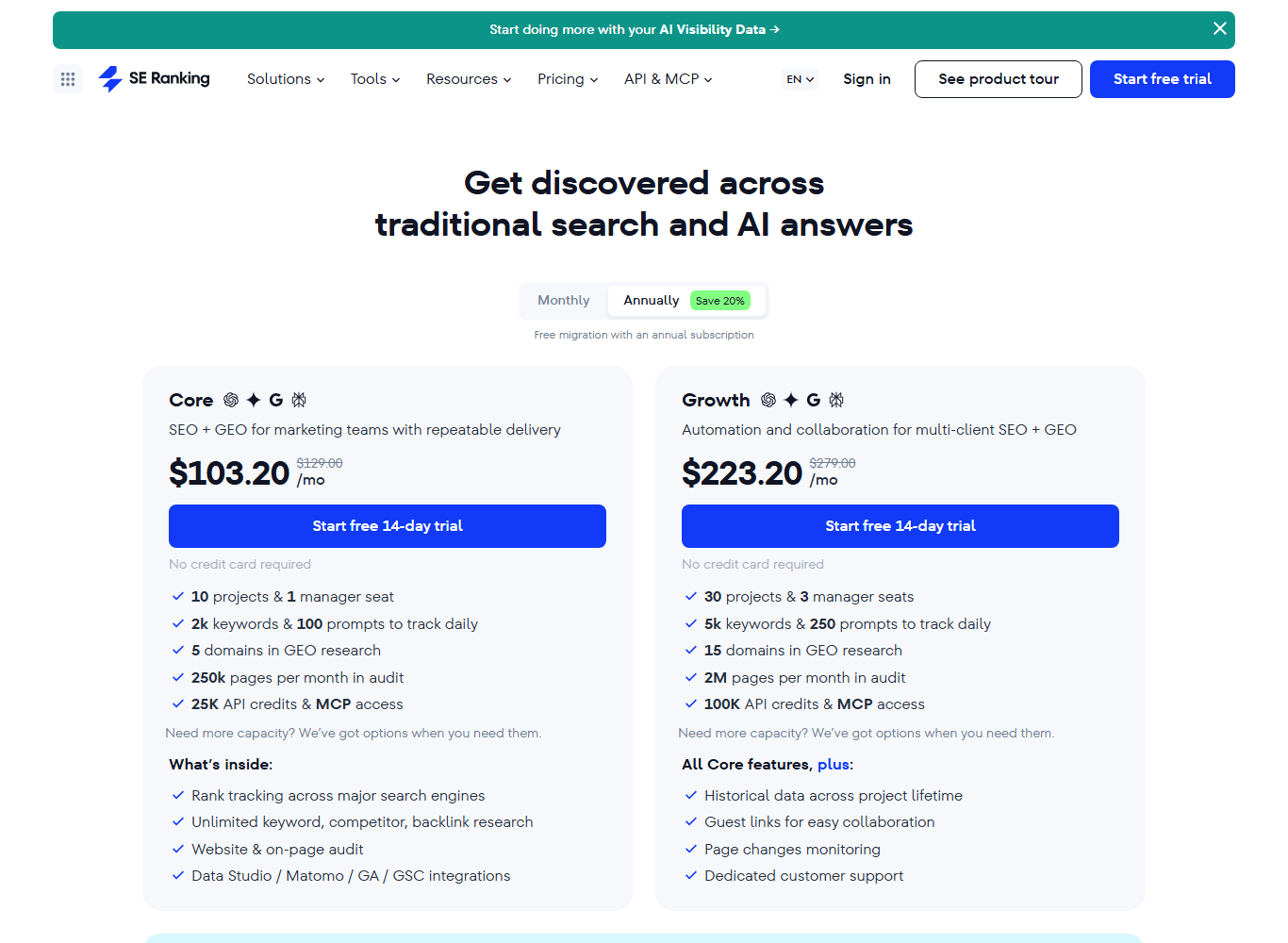
Both plans list keyword, competitor and backlink research as unlimited, with the expansion limit capping how many new keywords you can pull into the database. For a SaaS team running the workflow above once or twice a month, Core is enough. Agencies running it for many clients should look at Growth for the history and the higher limits.
Decision matrix: is SE Ranking the right keyword tool for you?
| Your situation | Our pick | Why |
|---|---|---|
| Solo founder, under 50 posts, tight budget | Free tools first | Search Console plus the options in our free SEO tools for keyword research list cover the basics |
| Small SaaS team that also needs rank tracking | SE Ranking Core | One subscription covers tracking, keyword research and audits |
| Team doing heavy link research | Ahrefs | Larger backlink index and keyword database for niche B2B terms |
| Team also running paid search | Semrush | Stronger PPC and market data in one place |
| Agency with 20+ clients | SE Ranking Growth | Lower cost per project and white-label add-on |
If you are weighing the bigger suites, our keyword research tools comparison ranks them by job rather than by feature list.
Mistakes we see with SE Ranking keyword research
- Trusting KD alone. A low score with a SERP full of strong domains is still a hard keyword. Always open the SERP overview.
- Ignoring the country setting. The default database may not be your market. Set it before every session.
- Exporting everything. Exports without filters create spreadsheets nobody reads. Filter in the tool first.
- Skipping SERP history. It is one of the few features cheaper tools rarely offer, and it shows you which SERPs are still unsettled.
- Not feeding results back into tracking. Add each target keyword to rank tracking the day you publish, so you know within weeks whether the page is moving.
Quick recap: se ranking keyword research
- SE Ranking keyword research covers volume, difficulty, intent, CPC, grouped suggestions and SERP history in one module.
- Start from competitor keywords, then expand with the question and low-volume tabs.
- Filter to low difficulty and 3+ word terms, then check every SERP by hand.
- KD reads slightly lower than Ahrefs; treat 20 as roughly 25 to 30.
- Core costs $129 a month ($103.20 billed annually) at the time of writing and is enough for most small SaaS teams.
- Use the Keyword Grouper to assign one URL per cluster and avoid cannibalisation.
FAQ
Is SE Ranking good for keyword research?
Yes, for most small and mid-sized SaaS teams. It covers the core metrics, groups suggestions usefully and includes SERP history. Its database is smaller than Ahrefs for very niche B2B terms, so heavy link and niche research teams may still prefer Ahrefs.
Does SE Ranking have a free keyword research tool?
SE Ranking has a public keyword tool page where you can run a lookup, and the full platform comes with a 14-day free trial that does not ask for a card. For ongoing free research, Search Console and Google Keyword Planner are the usual pair.
How accurate is SE Ranking search volume?
On mid and high volume terms we find it close to Ahrefs and Keyword Planner. On very low volume terms all tools vary widely. Once you have a page ranking, Search Console impressions are the more reliable number.
What is the SE Ranking keyword suggestion tool?
It is the suggestions part of the keyword module. It splits ideas into similar, related, question and low-search-volume keywords, each with volume, difficulty and CPC, so you can find long-tail terms quickly.
Is SE Ranking cheaper than Ahrefs or Semrush?
At the time of writing, yes. The Core plan starts at $129 a month, or $103.20 billed annually, while the comparable Ahrefs and Semrush plans cost more for similar tracking limits. Check each vendor’s pricing page before buying, since plans change often.
Can SE Ranking group keywords into clusters?
Yes. The Keyword Grouper clusters a keyword list by SERP overlap, so terms that share ranking pages land in the same group. We use it to decide which keywords get a new page and which belong to an existing one.