Most lists of free SEO tools for keyword research are lists of free trials. You sign up, you get seven days or three searches, and then a paywall. We wanted a shorter, more honest list: the tools that stay free for as long as you use them, what each one is genuinely good at, and the exact point where each one stops being useful. Everything below was checked on a live SaaS project in the last month, and the limits are the ones we saw at the time of writing.
One opinion up front. A small SaaS team can do serious keyword research for $0 a month if it is willing to stitch four tools together. What you give up is speed and difficulty scores you can trust, not the keywords themselves.
What “free” means for free SEO tools for keyword research
There are three kinds of free, and they behave very differently once you lean on them.
- Free forever, full data, but only your own site. Google Search Console, Bing Webmaster Tools and Ahrefs Webmaster Tools. Unlimited, accurate, and blind to anything you do not already rank for.
- Free forever, any keyword, but rough numbers. Google Keyword Planner without ad spend, Google Trends, and the free keyword generators that big vendors run as lead magnets. Good for ideas, weak on precision.
- Free tier of a paid tool. Semrush, Moz and similar give a small daily or monthly quota. Accurate, but you will hit the cap before lunch on a real project.
A good free stack uses one tool from each group. If you only use the third group, you burn your quota on ideas you could have pulled from the first two for nothing.
The free tools we actually keep open
Here is our shortlist of free SEO tools for keyword research, scored on the jobs that matter in a SaaS keyword project. “Part” means it does the job with a real catch.
| Tool | Ideas | Volume | Difficulty | Your own data | The catch |
|---|---|---|---|---|---|
| Google Search Console | Part | Impressions only | No | Yes | Only shows queries you already appear for |
| Google Keyword Planner | Yes | Ranges | No (ad competition only) | No | Broad ranges like 1K to 10K unless you spend on ads |
| Google Trends | Part | Relative only | No | No | No absolute numbers at all |
| Ahrefs free keyword generator | Yes | Yes | Part | No | Shows a capped list per seed, full metrics only for the top rows |
| Ahrefs Webmaster Tools | Part | Yes | Yes | Yes | Verified sites only |
| Bing Webmaster Tools | Yes | Yes (Bing) | No | Yes | Bing volumes, which run far below Google |
| Semrush free account | Yes | Yes | Yes | No | A small daily request cap (10 analytics requests a day in our account) |
| AlsoAsked / AnswerThePublic free tiers | Yes (questions) | No | No | No | A handful of searches a day |
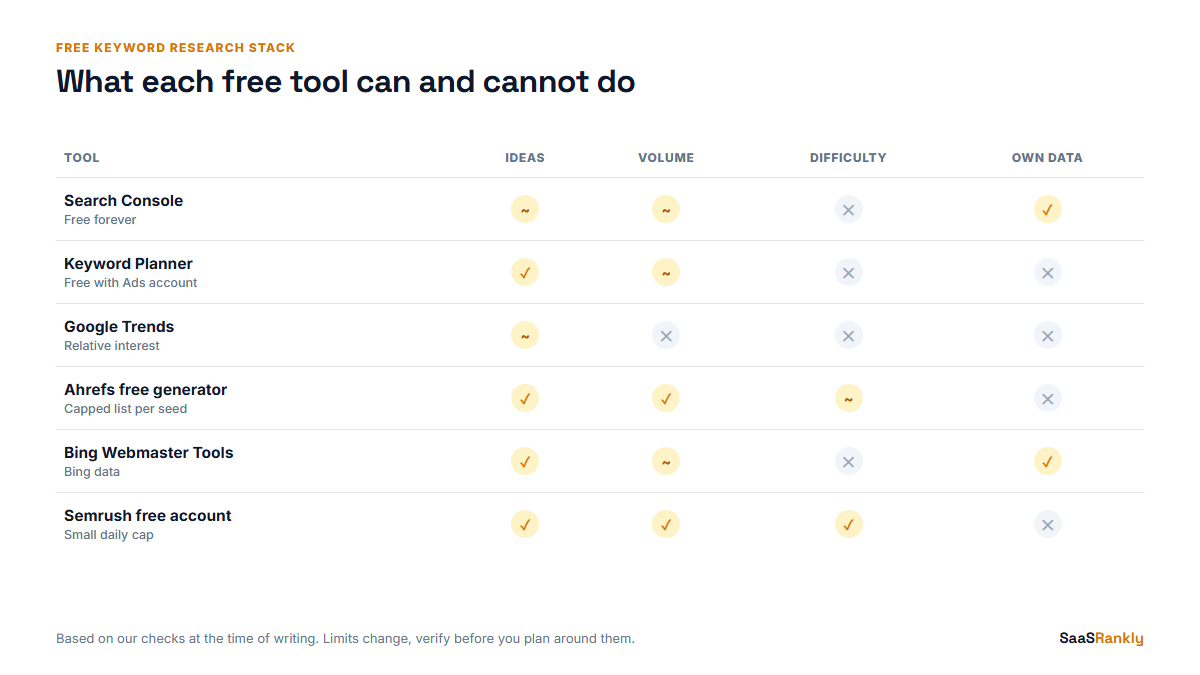
Two things this table hides. First, Keyword Planner’s ranges are wide enough that “1K to 10K” can mean a term worth a whole page or one worth a paragraph. Second, Search Console is the most underrated item here. It is the only free source that tells you what Google already thinks your site is about, and that is where the cheapest wins live. We wrote up the extraction method in getting real keyword data out of Search Console.
Where free SEO tools for keyword research stop being useful
Every one of the free SEO tools for keyword research has a wall. Knowing where it sits saves you from trusting a number you should not.
Keyword Planner: the range problem
Without an active campaign, Keyword Planner shows bucketed volumes. We still use it every week, because its idea list is pulled from Google’s own query data and it surfaces commercial phrasings (“software”, “tool”, “pricing”, “for small business”) that the vendor generators often miss. Treat its volume as a sorting hint, never as a forecast. Google’s own help page is clear that the figures are estimates for planning ads, not organic traffic. We wrote a separate walkthrough on using Keyword Planner for SEO without an Ads budget.
Free generators: the top rows problem
The free generators from the big SEO suites give you a fair look at the first slice of results for a seed, then blur or cut the rest. That is enough to judge whether a topic has depth. It is not enough to build a full keyword map. We use them to answer one question: “is there a cluster here or just one term?”
Semrush and Moz free tiers: the quota problem
These give you the paid database, which is the main reason to have them. The quota is the issue. With 10 requests a day you cannot browse. You can verify. So we only spend those requests on the final shortlist, to check difficulty and the SERP, after the free-forever tools have done the digging.
Search Console: the “you are already there” problem
It cannot show a keyword you have zero impressions for. On a new site with 20 pages, that is most of the market. Once a site has a few hundred pages indexed, it flips and becomes the best source on this list.
A $0 workflow that holds up
This is the order we run when a client asks for keyword research on no budget, using only free SEO tools for keyword research. Each step feeds the next and nothing paid is touched until step five.
- Seed list from the product. Write down the jobs your product does, the categories buyers would file it under, and the three competitors sales loses to. Expect 15 to 30 seeds.
- Expand in Keyword Planner and a free generator. Run each seed through both. Export, merge, dedupe. On a typical SaaS category this lands at 300 to 600 rows.
- Add questions. Spend the free AlsoAsked or AnswerThePublic searches on your three biggest seeds only. Questions become FAQ sections and support content.
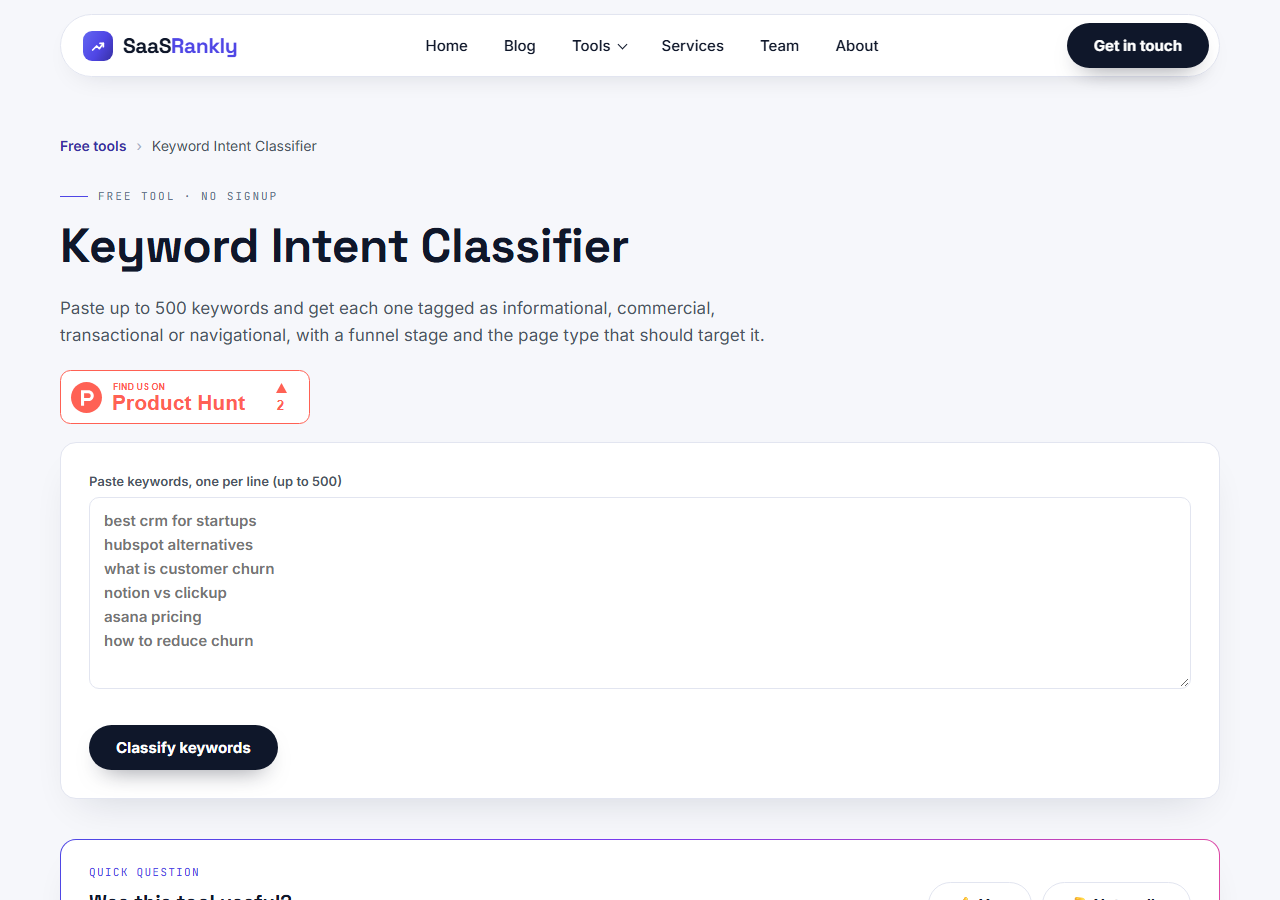
- Label intent. Paste the merged list into our keyword intent classifier and drop anything informational that has no path to your product. This usually cuts the list by a third.
- Verify the shortlist. Take the 20 to 40 terms left and spend your Semrush or Moz free requests checking difficulty and what actually ranks.
- Group into pages. Cluster what survives so one page targets a group, not a single phrase. Our keyword clustering walkthrough shows the grouping rules.
The whole loop takes about a day for one person. With a paid suite it takes two hours. That gap is the real price of free SEO tools for keyword research: time, not data quality.
Worked example: a scheduling tool on zero budget
Rotaly is a fictional shift-scheduling app for restaurants. The founder had no tool budget and about 40 pages live. Here is what the free workflow produced. The numbers are illustrative but in the range we see for this kind of product.
| Stage | Rows | Source | What we learned |
|---|---|---|---|
| Seeds | 22 | Founder interview | Buyers say “rota” in the UK and “schedule” in the US |
| Expanded | 514 | Keyword Planner + free generator | “restaurant scheduling app free” sat in a high range bucket |
| Questions added | 61 | AlsoAsked free searches | Overtime and break rules came up constantly |
| After intent filter | 338 | Intent classifier | 176 rows were pure “how to” with no product angle |
| Verified shortlist | 31 | Semrush free requests over 4 days | 9 terms had low difficulty and weak ranking pages |
| Page plan | 12 pages | Manual clustering | Search Console showed 3 of them already had impressions on page 3 |
The best finding came from the cheapest tool. Search Console showed the site already had impressions at position 25 to 35 for “restaurant shift swap”, a feature page that did not exist yet. Writing that page took one afternoon. That is the kind of result a free stack is very good at, and why we start there.
When to stop using free tools
Free SEO tools for keyword research are the right call until one of these is true:
- You need competitor keyword data, meaning “what does this rival rank for”, at scale. No free tool does this well.
- You are publishing more than eight pages a month and research is the bottleneck.
- You need difficulty scores across hundreds of terms. Free quotas make this a week-long job.
- You report to someone who wants one number per keyword and one source of truth.
At that point a single paid suite is cheaper than the hours. At the time of writing, the entry plans of the two big suites start around $129 to $139 a month, and lighter tools sit well below $50. Our ranking of keyword research tools by job covers the paid side, and why difficulty scores disagree explains why you should not compare KD across vendors.
Quick recap: free SEO tools for keyword research
- Use one free-forever own-data tool, one any-keyword tool, and one paid free tier, in that order.
- Search Console is the best free source once you have a few hundred pages indexed.
- Keyword Planner volumes are ranges for ads; use them to sort, not forecast.
- Spend capped free requests only on the final shortlist.
- Label intent before you verify difficulty, so you do not waste quota.
- Move to paid when competitor data or volume of output becomes the bottleneck.
FAQ
What are the best free SEO tools for keyword research?
For most SaaS teams: Google Search Console, Google Keyword Planner, one free keyword generator from a big SEO suite, and the free tier of Semrush or Moz for verification. Bing Webmaster Tools is a useful extra for idea lists.
Is Google Keyword Planner free for SEO?
Yes. You need a Google Ads account, but you do not have to run a campaign. Without spend you see volume ranges rather than exact numbers, which is still enough to sort ideas.
Can free tools show keyword difficulty?
Only partly. Semrush and Moz free tiers show difficulty within a small quota, and Ahrefs shows it in its free generator for the top rows and inside Webmaster Tools for your own site. Expect to verify a shortlist, not a full list.
How accurate is free keyword volume data?
Treat it as rough. Keyword Planner gives wide ranges, Bing shows Bing traffic, and generator figures are modelled estimates. Use any of them to compare terms against each other rather than to forecast clicks.
Do free keyword tools work for a brand new website?
Yes, but lean on Keyword Planner and generators first. Search Console has almost nothing to show until your pages earn impressions, which usually takes a few weeks after indexing.
When should a SaaS team pay for a keyword tool?
When you need competitor keyword data at scale, publish more than about eight pages a month, or spend more than a day per research round. The hours saved then cost less than the subscription.