Everyone wants to know how to find low competition keywords with high traffic, and most guides answer with “use a tool and filter by difficulty”. That gets you a list. It does not get you rankings. In our work with SaaS sites, the keywords that actually deliver are the ones where three numbers line up: real demand, weak pages on page one, and a reason for the searcher to care about your product. This post is the exact process we run, step by step, with the filters we use and the traps that make a “low competition” keyword turn out to be nothing of the sort.
Why most low KD lists disappoint
Keyword difficulty scores are mostly backlink math. Ahrefs KD, for example, looks at how many referring domains the top ten pages have. That is useful, but it ignores three things that decide whether you can rank: how well the current pages match the query, whether Google is showing forums and thin pages, and how much of the click goes to ads and AI answers before the organic results start. We wrote about why tools disagree in our keyword difficulty tool comparison. The short version: a KD of 4 can be a trap and a KD of 22 can be wide open.
So “high traffic” needs a second look too, and that is why learning how to find low competition keywords with high traffic is really about reading SERPs, not just numbers. A keyword with 3,000 searches where an AI Overview answers the question fully might send you fewer clicks than a 400-search query with a clean results page.
How to find low competition keywords with high traffic: the six-step method
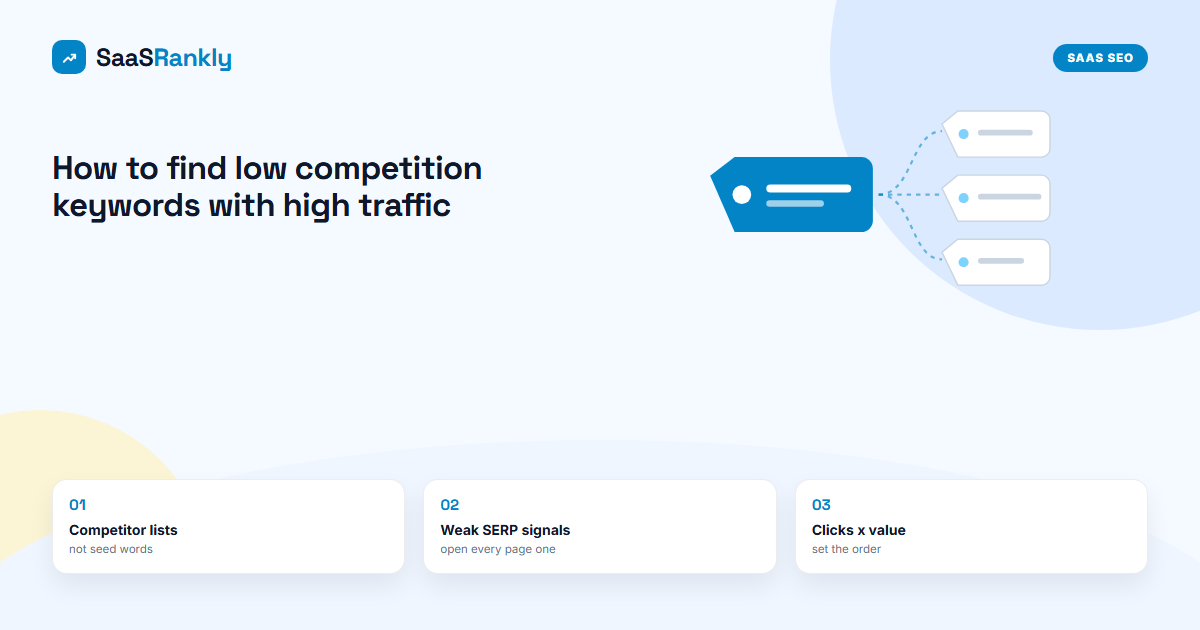
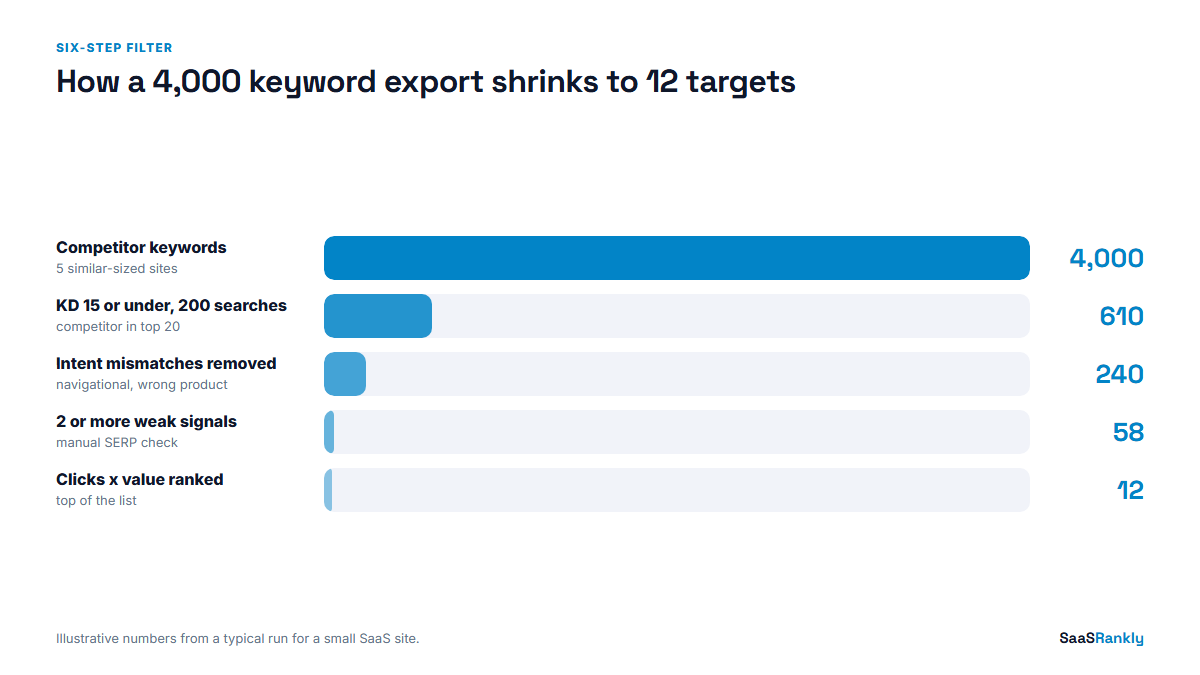
This is the order we work in, and it is the whole answer to how to find low competition keywords with high traffic on a young site. Each step removes rows, and the list shrinks fast. That is the point.
Step 1: Start from competitors, not seed words
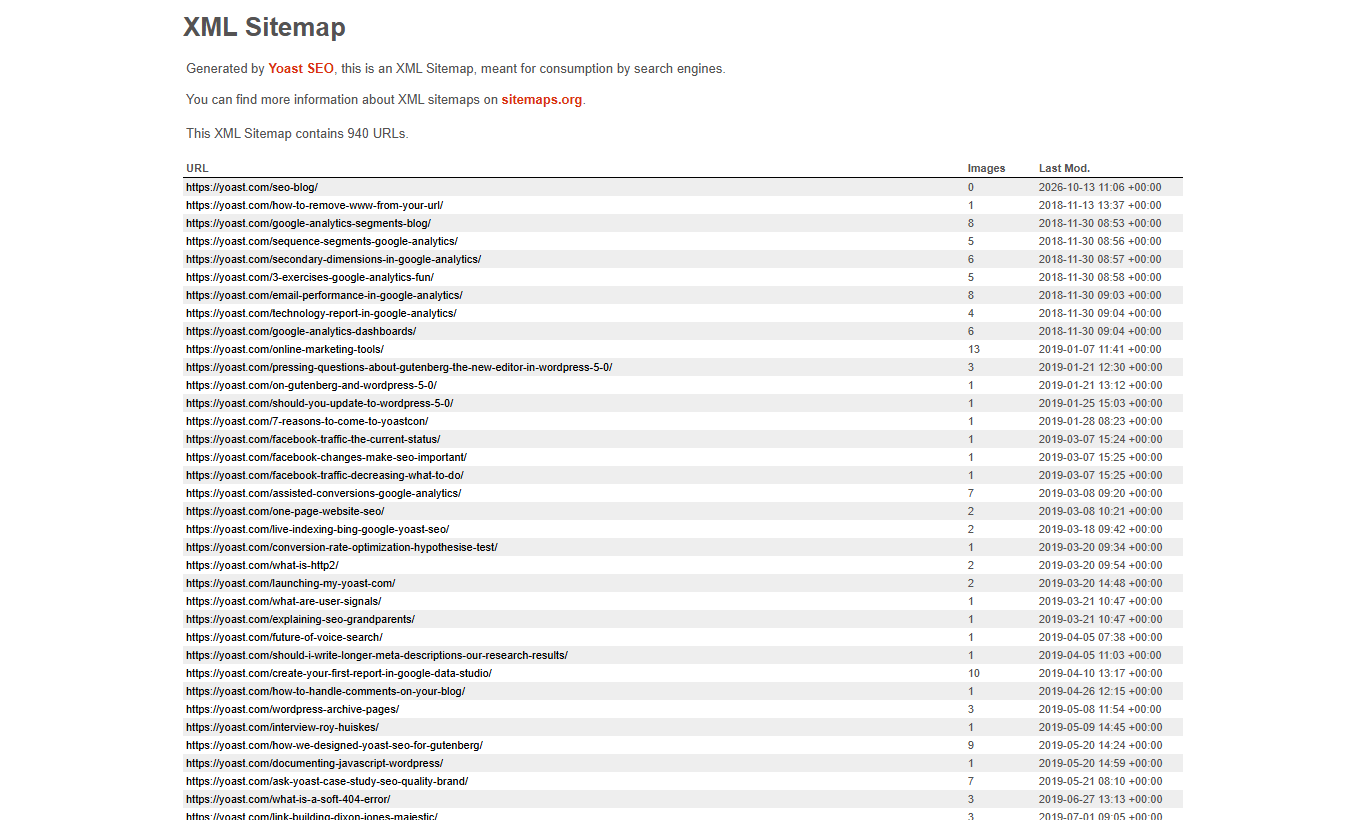
Seed words give you the same list everyone else has. Instead, pick five sites that are about your size or a bit bigger and rank for topics near yours. Pull their organic keywords in Ahrefs or Semrush, or if you have no paid tool, read their sitemap to see which pages they bothered to build. A sitemap is a free map of another team’s keyword strategy.
Step 2: Apply the first filter
Our starting filter for a young SaaS site is: KD 15 or under, volume 200 or more, and the competitor ranks in positions 1 to 20. That last part matters. If a site of similar strength ranks, you probably can too. Keep the free tools in mind here: our list of free SEO tools for keyword research covers which ones still export enough rows for this step.
Step 3: Remove intent mismatches
Delete anything you would never write about, anything purely navigational (“canva login”), and anything where the searcher wants a product category you do not sell. We also drop keywords where page one is all one format we cannot produce, such as video results for a software tutorial when we have no video budget.
Step 4: Open the SERP and score weakness
This is the step tools cannot do for you. For each remaining keyword, open the results page and count weak signals in the top ten:
- Reddit, Quora or forum threads ranking in the top five
- Pages older than three years with no visible update
- Pages that answer a different question than the one typed
- Thin pages under 600 words on a query that needs depth
- Sites with a much weaker link profile than yours
Two or more weak signals in the top five and the keyword stays. Zero and it goes, whatever the KD says.
Step 5: Estimate real clicks, not volume
Multiply volume by an expected click share. On a clean SERP we use roughly 25 percent for position one. With an AI Overview at the top we cut that to about 12 percent, and with ads plus an AI Overview, closer to 8 percent. These are our working assumptions, not a published standard, but they stop you from treating 3,000 searches as 3,000 visitors.
Step 6: Score business value and pick
Rate each keyword 1 to 3 on how directly it leads to your product. A how-to that ends with “you can do this in our tool” scores 3. A definition with no product angle scores 1. Our high intent keywords guide has more on spotting the 3s. Then sort by estimated clicks times value.
Worked example: how to find low competition keywords with high traffic for an invoicing tool
Here is an illustrative run for a fictional invoicing tool, using the method above. The keywords are realistic but the numbers are invented to show how the filters change the order.
| Keyword | Volume | KD | Weak signals in top 5 | SERP type | Est. clicks at #1 | Value | Priority score |
|---|---|---|---|---|---|---|---|
| invoice template | 12,000 | 9 | 0 | AI Overview + ads | 960 | 2 | Dropped (no weak signals) |
| how to write a late payment email | 900 | 3 | 3 | Clean | 225 | 3 | 675 |
| freelance invoice terms | 700 | 6 | 2 | AI Overview | 84 | 3 | 252 |
| what is net 30 | 4,400 | 11 | 1 | AI Overview | 528 | 1 | Dropped (one signal) |
| recurring invoice for retainers | 350 | 2 | 3 | Clean | 88 | 3 | 264 |
Look at the top row. “Invoice template” has huge volume and a low KD, and it is the one most people would chase. But no weak pages, ads plus an AI answer, and value of only 2. It is a long project, not a quick win. The late payment email keyword, at 900 searches, is the one we would write first, because it can rank this quarter. That is what low competition with high traffic really looks like in practice: high traffic for the niche, not high traffic in absolute terms.
Myths that waste a month
Myth: KD under 10 means you will rank in weeks.
Fact: On a brand new domain, even easy keywords often take three to six months. KD tells you about links on page one, not about how much Google trusts your site yet.
Myth: Zero-volume keywords are worthless.
Fact: Tools miss a lot of long-tail demand. We regularly see pages targeting “0 volume” terms pull 100 or more clicks a month, because the page ranks for dozens of variants. Check Search Console after launch; our guide on Search Console keywords shows where to look.
Myth: You need one page per keyword.
Fact: If two keywords show mostly the same top ten, they belong on one page. Keyword clustering saves you from writing five thin pages that compete with each other.
Myth: Forums in the top ten mean the topic is spammy.
Fact: Usually it means nobody has written a good page yet. That is the opening.
Checklist before you write a single word
- Volume confirmed in at least one tool, and the trend is flat or rising
- KD at or under your comfort level (15 for us on young sites)
- At least two weak signals in the top five results
- Estimated clicks worked out with the SERP layout in mind
- Business value of 2 or 3
- No existing page on your site already targeting it
- A title draft checked in our SERP snippet preview so it fits without truncation
Pass all seven and the keyword goes on the calendar. This checklist is the last gate in how to find low competition keywords with high traffic that actually turn into rankings. Fail two and it goes back in the pile.
Tools we actually use for this
At the time of writing, Ahrefs starts around $129 a month and Semrush around $140, and both do Step 1 and Step 2 well. If that is too much, you can get surprisingly far with Google Keyword Planner for volume ranges, Search Console for your own queries, and a free tier tool for KD. Step 4, the manual SERP check, is free and it is where most of the edge comes from. If you only have an hour to learn how to find low competition keywords with high traffic, spend it opening SERPs. Google’s own SEO starter guide is still a sensible baseline for what a page needs once you have chosen the keyword.
Quick recap: how to find low competition keywords with high traffic
- Start from competitor keyword lists and sitemaps, not seed words.
- Filter by KD, volume and whether a similar-sized site already ranks.
- Open every SERP and count weak signals; KD alone misleads.
- Convert volume into estimated clicks using the SERP layout.
- Multiply clicks by business value to set the order.
- Run the seven-point checklist before anything goes on the calendar.
FAQ
What is the fastest way to find low competition keywords with high traffic?
Pull a similar-sized competitor’s keywords, filter to KD 15 or under and 200+ searches, then manually check the top five results for weak pages. That one routine covers most of how to find low competition keywords with high traffic.
What is a good KD for a new website?
We start new SaaS sites at KD 15 or under in Ahrefs terms and raise it as the domain earns links. Scores differ between tools, so pick one tool and stick with it for comparisons.
How much traffic counts as high for a low competition keyword?
It depends on your niche. For B2B SaaS, a keyword with 300 to 1,000 searches and a clean results page is often a better target than a 10,000-search term owned by big brands.
Can I find low competition keywords without paid tools?
Yes. Use competitor sitemaps for ideas, Keyword Planner for volume ranges, Search Console for queries you already appear for, and a manual SERP check for difficulty. It is slower but it works.
Why does a low KD keyword still not rank?
Usually intent mismatch, a weak page, or strong pages that the KD score did not capture. Recheck the SERP and compare your page format to what ranks.
Is it worth targeting keywords with AI Overviews?
Sometimes. Expect roughly half the clicks a clean SERP would give. If the business value is high, it can still be worth it, especially if you can be one of the cited sources.