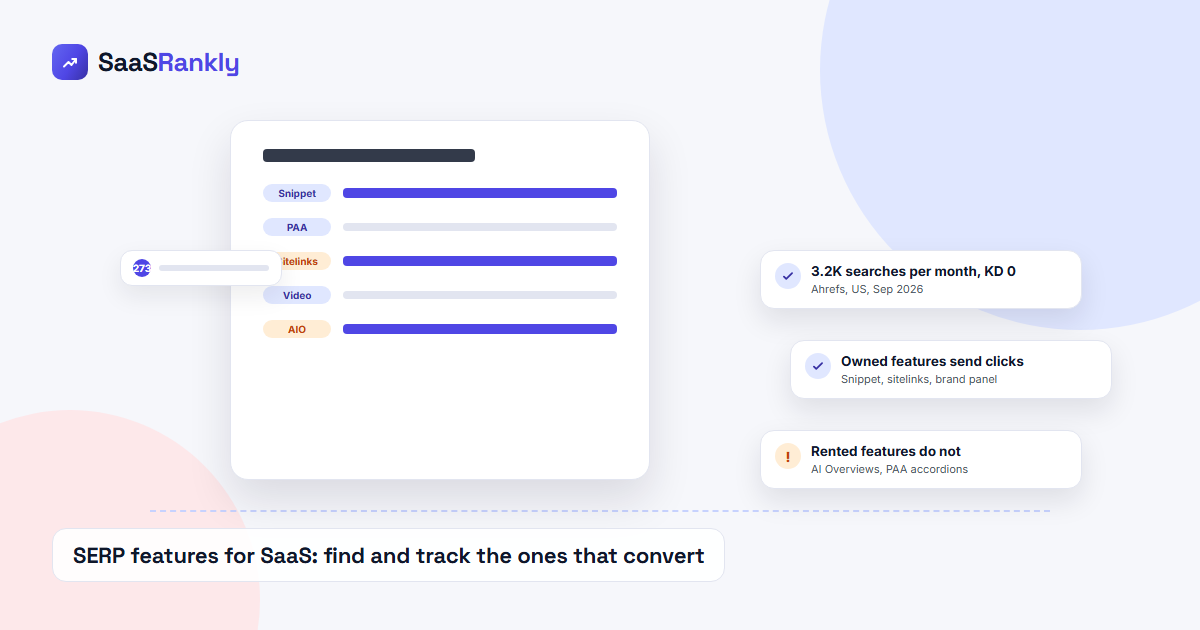
SERP features decide whether your SaaS site gets a click or just an impression. A page that ranks fourth under a featured snippet, an AI Overview and a People Also Ask block is competing for what is left after Google has answered the question itself. This guide shows how SERP features work in 2026, which ones send trial signups, which ones only send vanity impressions, and how to find and track the ones worth chasing using Search Console and one rank tracker.
What SERP features are and why SaaS teams should care
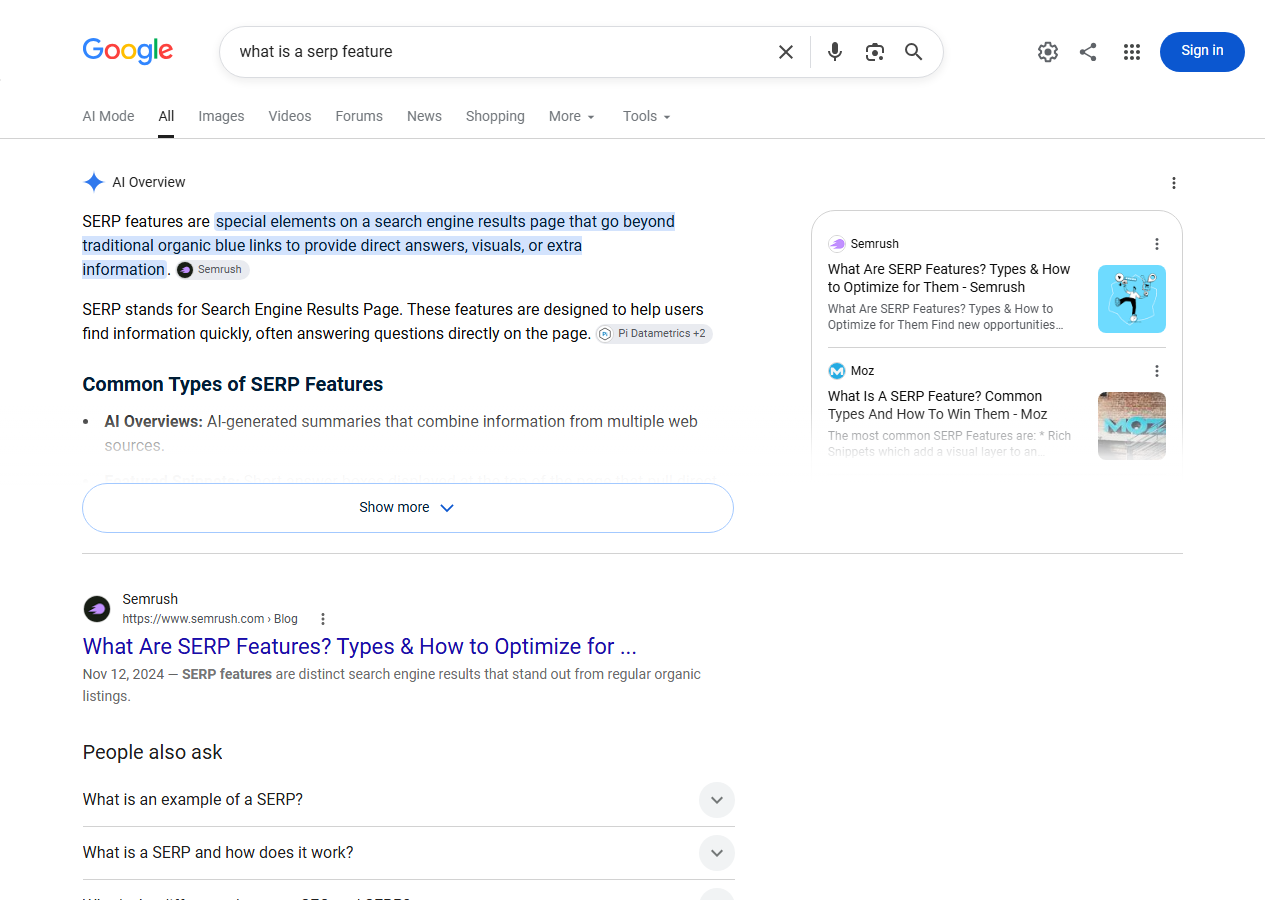
A search engine results page used to be ten blue links. Today the same page carries a dozen distinct blocks: AI Overviews, featured snippets, People Also Ask, sitelinks, video carousels, image packs, knowledge panels, product grids, Discussions and forums, Things to know, Top stories, review stars, and the “Perspectives” style cards. Each of those blocks is a SERP feature, and each one changes where the organic links sit and how many of them are visible without scrolling.
For SaaS specifically, the stakes are simple. Your best queries are commercial (“best crm for startups”, “hubspot alternatives”, “asana pricing”) and those are exactly the SERPs Google has decorated most heavily. If you do not know which SERP features load on your target queries, your rank tracker will report “position 3” while your click-through rate quietly drops to 4 percent because that position now sits under an AI Overview and a comparison carousel.
Here is what a typical informational SaaS SERP looks like in September 2026. The AI Overview takes the whole first screen, the first organic result is pushed below it, and People Also Ask sits right after that.
The SERP features that actually matter for SaaS
Not every feature deserves your attention. Split them by one question: does the feature send a click to a page you own, or does it keep the user on Google?
| SERP feature | Sends clicks to you? | Typical SaaS query type | Worth targeting? |
|---|---|---|---|
| Featured snippet | Yes, but shrinking | “what is”, “how to” | Yes, for definitions you own |
| AI Overview citation | Rarely (2 to 5 pct CTR) | Almost everything informational | Yes for brand presence, no for traffic |
| People Also Ask | Almost none since it became AI generated | Question queries | No, see our PAA analysis |
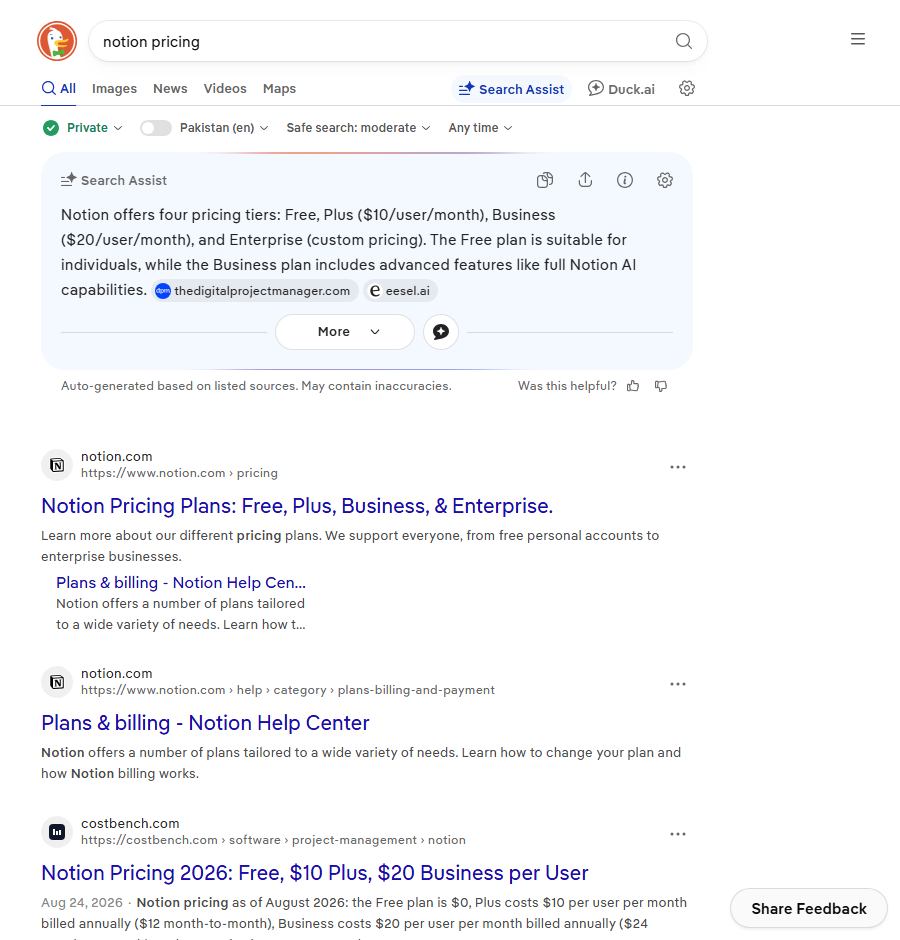
| Sitelinks | Yes, strongly | Branded and navigational | Yes, via clean site structure |
| Video carousel | Yes, to YouTube | “how to set up”, tutorials | Only if you already publish video |
| Discussions and forums | Yes, to Reddit and G2 | “is X worth it”, “X vs Y” | Indirectly, through community answers |
| Product and comparison grids | Yes, to review sites | “best X software” | Through G2 and Capterra listings |
| Knowledge panel | Some, to your homepage | Brand name | Yes, claim it once and maintain it |
| Image pack | Weak | Templates, dashboards, UI examples | Low priority |
The pattern is obvious once you see it. SERP features attached to branded and navigational queries (sitelinks, knowledge panel) reward you with clicks. Features attached to informational queries (AI Overviews, PAA, featured snippets) increasingly keep the click on Google. Commercial queries sit in the middle, where Google routes clicks toward review aggregators and forums rather than vendor sites.
How to find SERP features on your own queries
You do not need an enterprise platform for this. Three sources cover almost every SaaS site.
1. Search Console search appearance filter
In the Performance report, the Search appearance tab shows rows for AI Overview, Video, Review snippet, Product snippet, FAQ (now mostly gone), Sitelinks searchbox and a few others. It only reports the features your pages actually appeared in, which makes it the cleanest way to see where you already have a foothold. Filter by page, then compare CTR for rows with and without a feature. If you have not set the report up yet, the walkthrough in measuring SaaS SEO in GA4 and GSC covers it step by step.
2. A rank tracker with SERP feature flags
Most modern trackers record which SERP features loaded for each tracked keyword and whether you own any of them. That lets you sort your keyword list by “feature present but not owned”, which is the best shortlist for optimisation work. Our rank tracker comparison notes which tools do this at the cheaper tiers. Ahrefs’ SERP features filter in Keywords Explorer and Semrush’s Position Tracking both cover it.
3. Manual checks with a clean browser
For your top twenty commercial queries, load the SERP in an incognito window with location set to your main market once a month and screenshot it. Trackers are good at counting features but bad at showing you what the page actually looks like, and the layout is what decides CTR.
How to win the SERP features worth winning
Each feature has a different trigger. Here is what works in 2026 for the four that still send meaningful clicks.
Featured snippets
- Target queries where the snippet is a paragraph or a list, not a table pulled from a spreadsheet site.
- Put a 40 to 55 word direct answer immediately under an H2 that repeats the query wording.
- Keep the page ranking in the top five. Snippets are almost always pulled from page one.
- Do not mark the answer up as an FAQ block. Google dropped FAQ rich results for most sites in 2023 and it does nothing for snippets.
Sitelinks
Sitelinks are not something you request. They come from a clear hierarchy: descriptive page titles, a flat navigation, and internal links that use the same anchor text as the page title. If your pricing page is called “Plans” in the nav and “Pricing” in the title tag, fix that first. Our technical SEO checklist has the structure rules.
Knowledge panel
Claim the panel through Google’s “Claim this knowledge panel” flow, keep your Organization schema consistent with your Crunchbase, LinkedIn and Wikidata entries, and use the same logo file everywhere. Validate the schema in our free schema validator before you submit anything.
Video carousel
Only worth it if you already record product tutorials. Upload to YouTube with the exact query in the title, add chapters, and embed the video on the matching help page with VideoObject schema. That gets you two listings on the same SERP.
SERP features that are not worth your time anymore
People Also Ask is the clearest example. As of September 2026, roughly 97 percent of PAA answers are AI generated rather than pulled from a ranking page, so the blue link that used to sit inside the accordion is gone. Optimising H2s to match PAA questions still helps you get cited, but it will not move clicks.
Review stars on software pages are another. Google restricted self-serving review snippets years ago, so marking up your own testimonials with AggregateRating on a product page will not produce stars and can draw a manual action.
Image packs on SaaS queries mostly show screenshots from G2 and template galleries. Unless you sell templates, skip it.
How to track SERP features without a big budget
Set up a small weekly job rather than an enterprise dashboard:
- Pick your 50 highest value keywords: 20 commercial, 20 informational that actually convert, 10 branded.
- Track them in one rank tracker with SERP feature logging enabled. Nightwatch, SE Ranking and AccuRanker all do this on plans under 100 dollars a month.
- Export weekly: keyword, position, features present, features owned.
- Join that export with Search Console clicks by query. The number you want is clicks per impression for keywords where a feature is present versus absent.
- Plot the feature ownership rate over time. If AI Overview presence on your commercial queries jumps, expect a CTR drop before it shows in revenue.
This is also the report that answers the question every SaaS founder eventually asks: “Why are impressions up and signups flat?” Nine times out of ten the answer is a new SERP feature, not a ranking loss.
A worked example
Take a fictional project management tool ranking for “project management software for agencies”. In January the SERP was three ads, a comparison carousel, then organic. The page sat at position 3 with a 9 percent CTR. In August an AI Overview appeared on the query. Position stayed at 3. CTR fell to 3.5 percent. Nothing in the rank tracker changed. The only report that explained the drop was the Search appearance tab, where “AI Overview” impressions for the page went from 0 to 61 percent of total impressions.
The fix was not “rank higher”. It was to make the page the most cited source in the AI Overview (adding original pricing benchmarks and a named methodology), then to shift spend toward comparison and alternatives pages where the SERP still returned clicks. That playbook is in our AI Overviews guide for SaaS.
Quick recap: serp features
- SERP features are the non-standard blocks on a results page. Count them on your target queries before trusting any rank report.
- SERP features on branded and navigational queries (sitelinks, knowledge panel) send clicks. Features on informational queries (AI Overviews, PAA) mostly do not.
- Find SERP features with the Search Console search appearance filter, a rank tracker that logs features, and a monthly manual screenshot of your top 20 SERPs.
- Win featured snippets with a short direct answer under a matching H2, sitelinks with consistent structure, and the knowledge panel with consistent entity data.
- Stop chasing PAA and self-serving review stars. Neither returns clicks in 2026.
- Report SERP features next to CTR, not next to rank, so that impression growth without signups has an explanation.
FAQ
What are SERP features?
SERP features are any result element on a Google results page that is not a standard organic link: AI Overviews, featured snippets, People Also Ask, sitelinks, video and image carousels, knowledge panels, product grids and similar blocks.
Which SERP features matter most for SaaS companies?
Sitelinks and the knowledge panel on branded queries, featured snippets on definitional queries you own, and AI Overview citations for brand presence. Comparison grids and Discussions blocks matter indirectly through review sites and Reddit.
How do I check which SERP features show for my keywords?
Use the Search appearance tab in Google Search Console for features you already appear in, and a rank tracker with SERP feature logging for features present on queries you target but do not own.
Do SERP features lower click-through rate?
Usually yes for informational queries. An AI Overview or featured snippet above your result can cut CTR by half or more at the same position. Branded features like sitelinks raise CTR.
Can you still win People Also Ask boxes in 2026?
You can be cited inside them, but since almost all PAA answers are now AI generated, the citation rarely turns into a click. Treat PAA as a visibility signal, not a traffic channel.
Is a free tool enough to track SERP features?
Search Console plus a monthly manual check covers most small SaaS sites. Once you track more than 50 keywords, a paid tracker with feature logging pays for itself in reporting time.