Someone on your team asks where a page ranked last March, and nobody knows. That is the usual way people discover they need keyword ranking history: after the fact, when a traffic drop needs explaining and the only tracker they own was set up last week. The good news is that most of the record still exists somewhere. The bad news is that each source keeps a different slice of it, for a different length of time, at a different level of detail.
This guide covers where keyword ranking history actually lives, how far back each source goes at the time of writing, how we rebuild a timeline for a page nobody tracked, and the habit that stops you being in this position again.
Where keyword ranking history is stored
There is no single archive of rankings. Google does not publish one, and every third-party number is either your own data or a vendor’s sample of the results page. So the first job is knowing which source answers which question. We use five, and the table below is the cheat sheet we keep pinned for clients.
| Source | How far back | What it records | Best for | Cost |
|---|---|---|---|---|
| Google Search Console | 16 months, rolling | Average position per query and page, from real impressions | Your own site, any query that got impressions | Free |
| Search Console bulk export to BigQuery | From the day you switch it on, kept until you delete it | Same data, row level, no 16-month expiry | Long-term record of your own site | Free export, BigQuery storage billed (usually a few dollars a month for a small site) |
| Bing Webmaster Tools | A shorter window than Google; check the date picker in your account | Average position per query on Bing | A second opinion when Google data looks odd | Free |
| Paid SEO databases (Semrush, Ahrefs, SE Ranking) | Years, depending on plan | Sampled positions for keywords in their database, any domain | Competitors, and your site before you had Search Console | Paid plans; history depth usually grows with the tier |
| A rank tracker you set up | From the day you add the keyword | Daily or weekly position from a fixed location | Exact daily movement for chosen terms | Free tiers to about $30 a month for small lists |
Two lines in that table deserve a note. Search Console data is not a ranking in the tracker sense. It is the average position of your result across every impression, so a query that shows you at position 4 on mobile and 11 on desktop reports something in between. And the paid databases only know about keywords they chose to sample, which means long-tail SaaS queries are often missing from their history entirely.
How to check keyword ranking history in Search Console
For your own site this is where we start every time, because it is free and it is the only source built from real searches instead of scraped samples. Here is the routine.
- Open Performance, then Search results, and set the date range to the last 16 months. That is the maximum the interface keeps.
- Tick Average position and untick the rest, so the chart shows one line.
- Add a Query filter for the exact term, or a Page filter for the URL you care about. A page filter is usually more useful, because pages rank for dozens of variants.
- Switch the chart from daily to weekly by eye: daily averages on low-impression queries jump around and tell you little.
- Use Compare to set two periods side by side, for example the three months before a drop and the three months after.
- Export to Sheets. The interface caps tables at 1,000 rows, so for bigger sites filter first, then export.
If you want the filters that make this report usable as a tracker, our walkthrough of Google Search Console keywords covers regex filters and query grouping in more depth.
One limit catches people out. Search Console only records a position when you received an impression. If your page fell to position 70 and nobody scrolled that far, the query can disappear from the report altogether, which looks like no data rather than a bad ranking. Missing rows are part of your keyword ranking history too, and we mark them as “not visible” in the export instead of deleting them.
Rebuilding keyword ranking history for a page nobody tracked
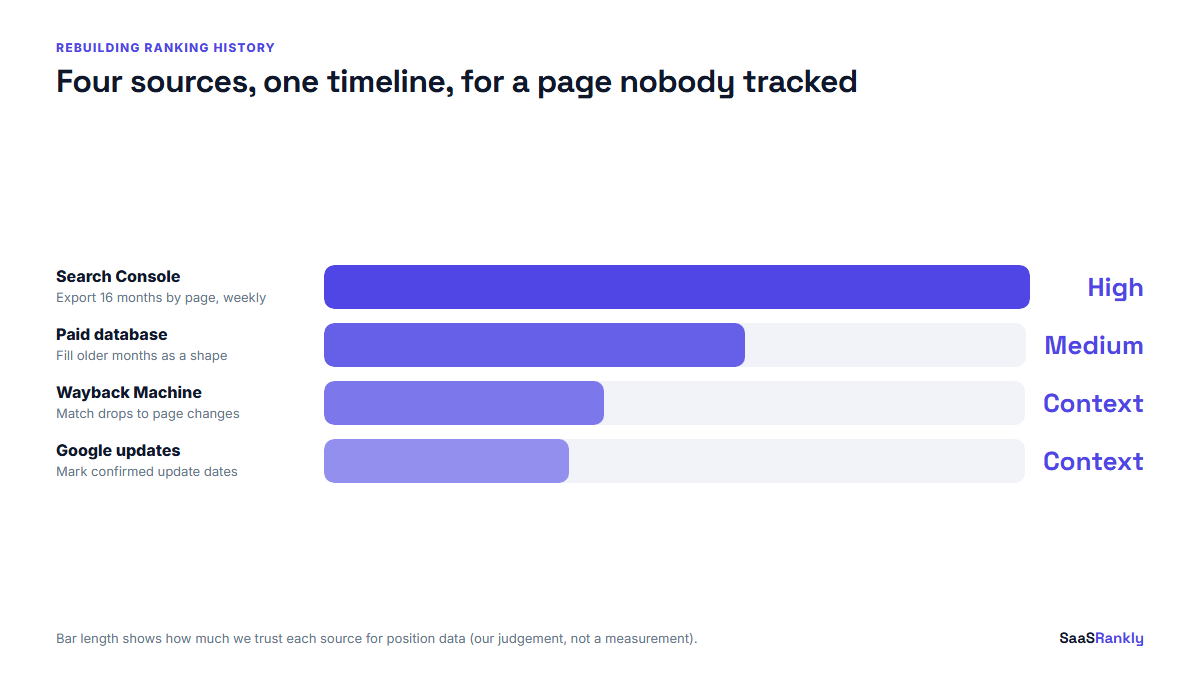
This is the job we get asked to do most. A page lost traffic, the client wants to know when and why, and there is no tracker data. We work through the sources in a fixed order, from most reliable to least.
Step 1: pull 16 months from Search Console
Filter by page, export weekly average position and impressions for the top 20 queries, and save the file with the date in the name. Do this first, because tomorrow the oldest day of data falls off the end.
Step 2: fill older gaps from a paid database
Most paid tools have a historical view for any domain. Semrush shows past positions in its Organic Research reports on higher plans, and Ahrefs shows a historical organic keywords chart whose depth depends on your subscription. We check the vendor’s plan page before promising a client anything, because these limits move. Treat the numbers as a shape, not a record: a sampled position checked once a month cannot tell you what happened between checks.
Step 3: line it up with page changes
The Wayback Machine at archive.org does not store rankings, but it does store what your page looked like. If the keyword ranking history shows a slide that starts in a particular month, snapshots from either side of that month often show the cause: a rewritten title, a removed section, a template change that pushed the content below a hero image.
Step 4: mark known Google updates
Add a column for confirmed core and spam updates from Google’s own status dashboard. A drop that starts the week of an update and hits many pages at once reads very differently from a drop on one page that started the day someone edited it. We covered how to read those swings in our note on Google ranking volatility in late October.
A worked example (illustrative)
The numbers below are made up to show the method. Picture a SaaS invoicing tool whose “invoice template” page lost about half its organic sign-ups over the summer. Nobody had tracked the term. Here is the timeline we rebuilt.
| Month | GSC avg position | GSC impressions | Paid database position | Page change (Wayback) | Google update |
|---|---|---|---|---|---|
| March | 3.4 | 18,200 | 3 | None | None |
| April | 3.6 | 17,900 | 4 | None | None |
| May | 3.5 | 18,600 | 3 | Template redesign, FAQ removed | None |
| June | 6.8 | 14,100 | 7 | None | None |
| July | 9.2 | 9,800 | Not in sample | None | Core update mid-month |
| August | 9.5 | 9,300 | 10 | None | None |
The tempting story is “the core update hit us”. The history says otherwise. Position moved from 3.5 to 6.8 in June, a month before the update, right after the redesign removed the FAQ that had been answering the questions people asked. The update made it worse, but it did not start it. Restoring the FAQ was the first fix, not a content overhaul. Without the keyword ranking history laid out next to the page changes, the team would have spent a month rewriting the wrong thing.
Reading the shape of the line
Once the timeline is built, the shape usually tells you the cause faster than any single number. These are the patterns we see most.
- A step down on one date, one page. Almost always something on the page or its internal links. Check the edit log first.
- A step down on one date, many pages. An algorithm update or a sitewide change such as a robots.txt edit, a redirect batch or a migration.
- A slow slide over months. Competitors publishing better pages, or the results page itself changing. If impressions hold while clicks fall, look for an AI Overview or new SERP features above you.
- A sawtooth that recovers. Normal testing by Google, especially on newer pages. Do nothing for a few weeks.
- Position improves but impressions fall. You are ranking better for fewer queries. Usually a page that narrowed its topic.
For the bigger picture across a whole site rather than one page, our guide to keyword ranking distribution shows how to bucket positions so a single chart explains the trend.
Keeping keyword ranking history from now on
The cheapest fix is to stop relying on memory and on rolling windows. We set up three things on every site in the first week, and none of them cost much.
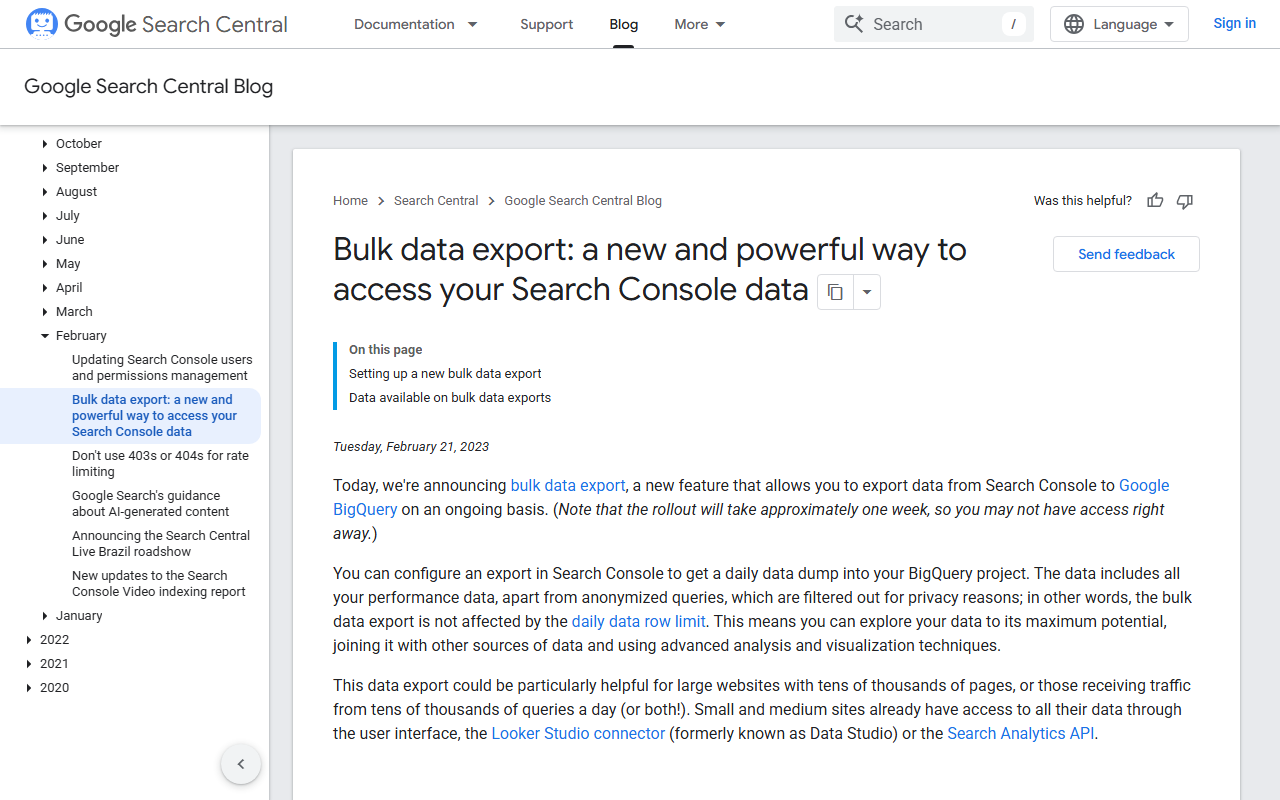
- Switch on the Search Console bulk export. It sends daily row-level data to BigQuery and keeps it as long as you want. It only records from the day you enable it, so the earlier you turn it on the better. Many teams we work with wish they had done it a year sooner.
- Track 20 to 50 money terms daily. Pick the queries that lead to trials, not vanity terms. A free plan often covers this; our roundup of each free SERP rank tracker lists the caps, and the cheap rank tracker comparison covers the step up when you outgrow them.
- Keep a change log. One sheet with the date, the URL and what changed. Titles, templates, internal links, redirects. This is the column that turns a ranking chart into an explanation.
For one-off checks on a keyword you do not track, a free SERP checker gives you today’s position, which you can paste into the sheet with a date so tomorrow it becomes part of your history.
Quick recap: keyword ranking history
- No single source holds full keyword ranking history; Search Console, paid databases and your own tracker each keep a different slice.
- Search Console keeps 16 months of average position from real impressions, free, for your own site only.
- The bulk export to BigQuery removes the 16-month limit, but only from the day you enable it.
- Paid databases cover competitors and older years, as sampled positions, with depth tied to your plan.
- Rebuild missing history by lining up positions with Wayback snapshots and confirmed Google updates.
- Read the shape: one page and one date points to a page change, many pages and one date points to an update.
FAQ
How can I see my keyword ranking history for free?
Use Google Search Console. Performance, Search results, set the range to 16 months, show only Average position and filter by query or page. Bing Webmaster Tools gives a second view for Bing.
How far back does Google Search Console keep ranking data?
Sixteen months, on a rolling basis. Anything older drops off each day unless you exported it or set up the bulk export to BigQuery.
Can I check SERP ranking history for a competitor?
Only through a third-party database such as Semrush or Ahrefs, which sample positions for keywords they track. The data is useful for trends but will miss many long-tail terms and anything between their checks.
Why does Search Console show a different position than my rank tracker?
Search Console averages every impression across devices, locations and personalised results. A tracker checks once from one location. Both are right about different things.
Does the Wayback Machine show past rankings?
No. It shows how a page looked on a given date. That is still useful, because pairing old snapshots with your ranking history often reveals which change caused a drop.
How often should I record rankings?
Daily for 20 to 50 commercial terms in a tracker, and a monthly export of Search Console by page. More than that tends to produce data nobody reads.