SERPs SEO is the part of search work that starts with the results page instead of your own site. You open the query, look at what Google actually shows, and only then decide what page to build. For a SaaS team in 2026 that order matters more than it did five years ago, because the page of results for a typical buyer query now has an AI answer, a forum block, a video row and maybe four classic blue links you can see without scrolling.
We audit a lot of SaaS sites, and the most common mistake we see is a team writing the same 2,000-word guide for every keyword, no matter what the results page rewards. This post covers how SERPs changed, how to read one before you write, and what a SaaS page has to do now to earn the click.
What SERPs SEO actually means
SERP stands for search engine results page. SERPs SEO is the habit of treating that page as the brief. Google has already tested millions of clicks for the query, so the layout it shows is its best guess at what searchers want. If the top five results are comparison tables, a tutorial will struggle. If an AI Overview answers the question in two lines, a definition post will get impressions and very few clicks.
We think of it as reading three things on every results page:
- Format: are the ranking pages lists, tools, product pages, guides or forum threads?
- Features: which boxes sit above the organic links, and how far down do they push them?
- Freshness: are the dates on ranking pages from this month or from 2022?
Our longer guide to SERP features for SaaS goes deep on the boxes themselves. This post is about the bigger shift, and what it means for the pages you plan.
How the results page changed, 2019 to 2026
Here is the short version, based on what we have tracked on SaaS queries over the years. Positions are approximate for a desktop screen at 1080 pixels high.
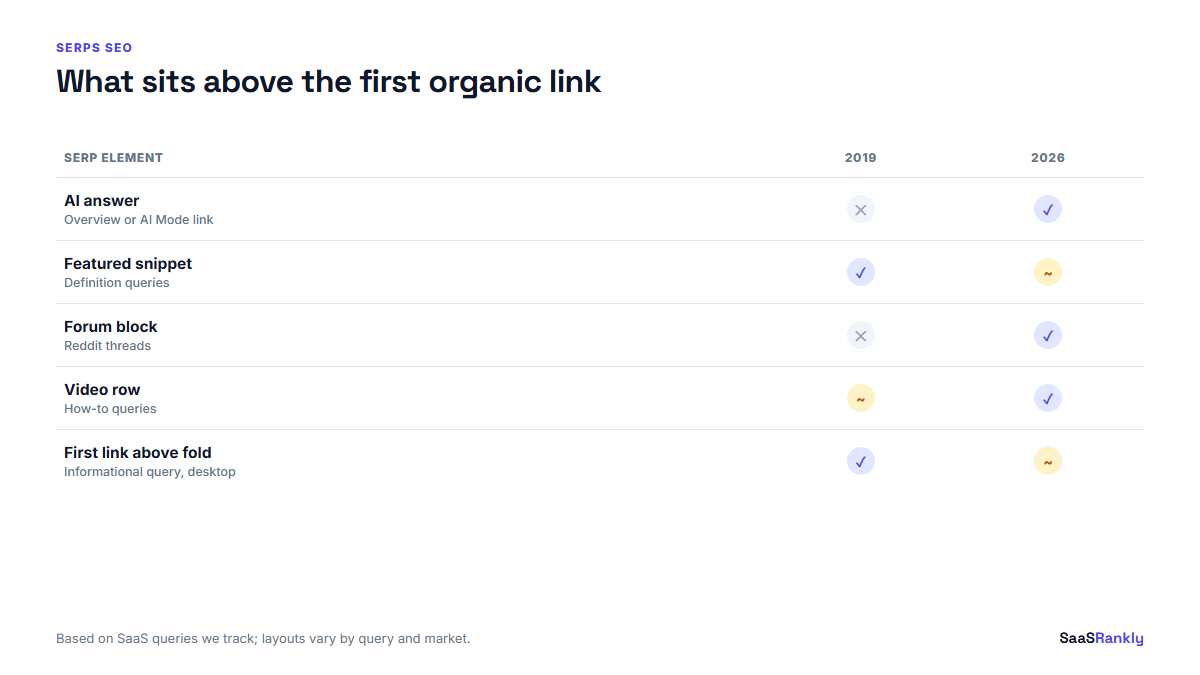
| Element | Typical 2019 SaaS query | Typical 2026 SaaS query |
|---|---|---|
| Ads | Up to 4 at the top | Up to 4 at the top, often with sitelinks |
| AI answer | None | AI Overview on many informational queries, link to AI Mode |
| Featured snippet | Common on “what is” queries | Rarer, often replaced by the AI answer |
| People Also Ask | 4 questions, mid page | Still common, answers now partly AI generated |
| Forum results | Rare | “Discussions and forums” block with Reddit threads on many queries |
| Video | Occasional | Short video row on tutorial and “how to” queries |
| First organic link | Visible above the fold | Often below the fold on informational queries |
The practical result: on informational queries, ranking third in 2026 can earn fewer clicks than ranking sixth did in 2019. On commercial queries, such as “best X for Y” or “X pricing”, the classic links still carry most of the clicks, because buyers want to open several options. That split is the heart of SERPs SEO today.
Read the SERP before you write: a decision matrix
We run every new keyword through the same grid before a brief gets written. It takes about five minutes per query in a private window. Look at the top ten organic results and the features above them, then pick the row that fits.
| What you see on the SERP | What it tells you | Page to build | Expected click share |
|---|---|---|---|
| AI Overview plus definitions in the top 5 | Quick answer intent | Short glossary entry linking to a deeper page, or skip | Low |
| Listicles and review sites in the top 5 | Buyer is comparing | “Best X” list or comparison page with a real table | High |
| Vendor product pages in the top 5 | Buyer wants a tool now | Feature page or landing page, not a blog post | High |
| Reddit and forum threads high up | Searchers distrust vendor content | First-hand test with screenshots and numbers, plus a genuine forum presence | Medium |
| Videos and step lists | Task intent | Step-by-step tutorial with images, maybe a short video | Medium |
| Free tools ranking | Searcher wants to do the job | A small free tool, with a guide underneath | High |
If the intent is unclear, our free keyword intent classifier gives a first read, but nothing replaces opening the results page yourself. Classifiers guess from the words. The SERP shows you what Google rewards.
What SaaS pages must do now
Once you know which page type the results reward, there are five things we now build into almost every SaaS page. None of them is new on its own. The difference is that a page missing two or three of them rarely holds a top position for long.
1. Answer in the first 60 words
AI Overviews and AI Mode pull short passages. So do the People Also Ask boxes. Put a plain answer to the query in the first paragraph, then expand. We see pages that bury the answer under a story lose their snippet within weeks.
2. Show something the AI answer cannot
An AI summary can define “churn rate”. It cannot show your churn data, your pricing table, a screenshot of your onboarding, or a worked example with real numbers. Those are the reasons a searcher still clicks. Every page we publish carries at least one original table or diagram for that reason.
3. Write a title and snippet built for a crowded page
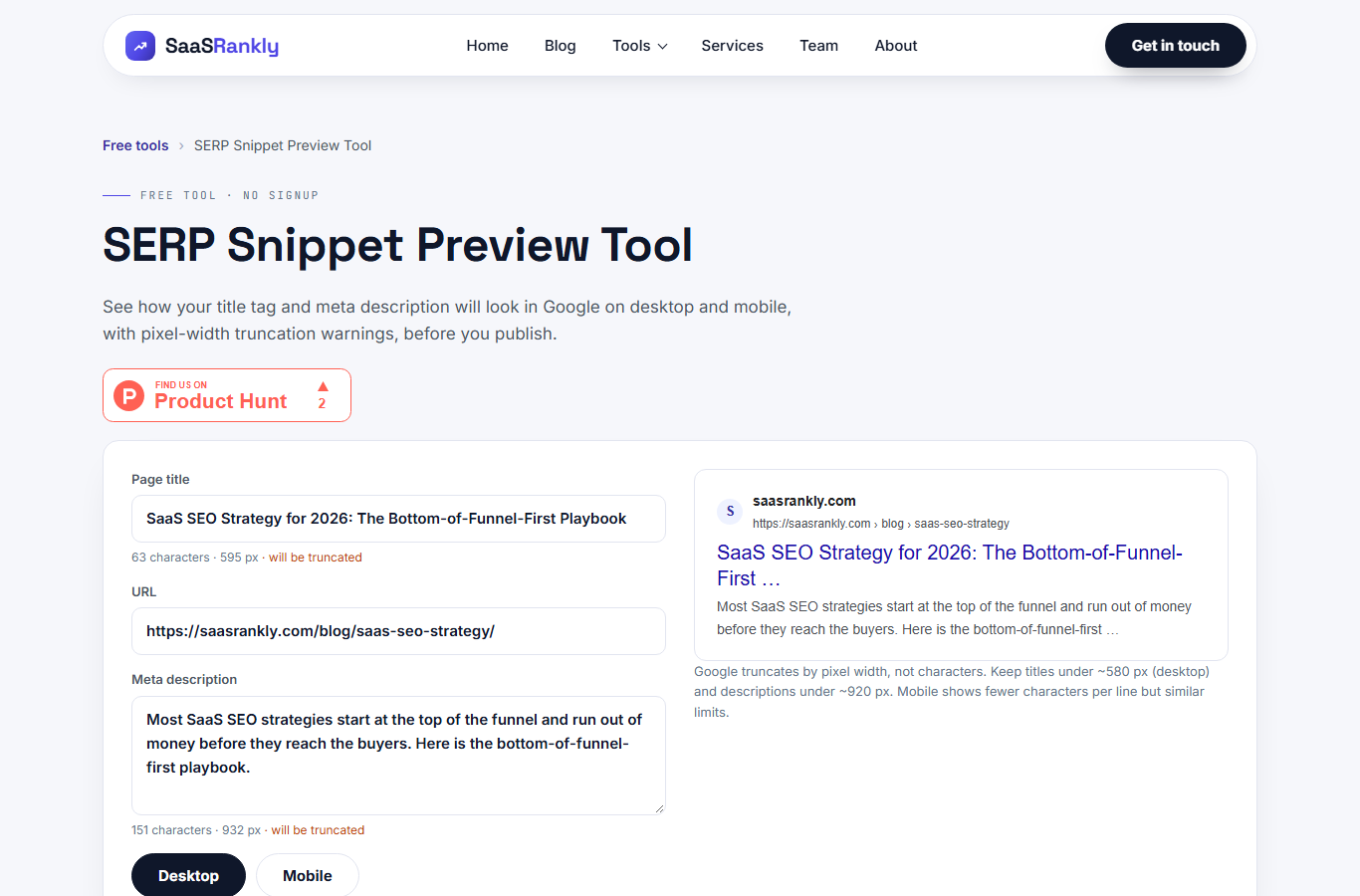
With fewer organic links on screen, the snippet does more selling. Lead with the keyword, add a concrete number or a year, and keep it under about 60 characters so it does not truncate. Test it in the SERP snippet preview tool before you publish. Our post on title capitalization covers the formatting side.
4. Add structured data that still earns something
FAQ rich results are mostly gone for SaaS sites, but product, software application, breadcrumb, article and organization markup still help Google understand the page. Validate it with the schema validator after every template change.
5. Keep dates and facts current
Freshness shows up on the SERP as a visible date. On queries like “best rank trackers” or “pricing”, a page dated two years ago looks stale next to a page updated last month. We set a refresh reminder for every commercial page, usually every 90 days.
Worked example: one SaaS, three queries
Here is an illustrative example, not a real client. Shiftly is a fictional rota scheduling tool for clinics. The team picked three keywords and ran each through SERPs SEO checks before writing. The numbers below are invented but realistic for a site with a few hundred referring domains.
| Keyword | Monthly volume | What the SERP showed | Page built | Clicks after 4 months |
|---|---|---|---|---|
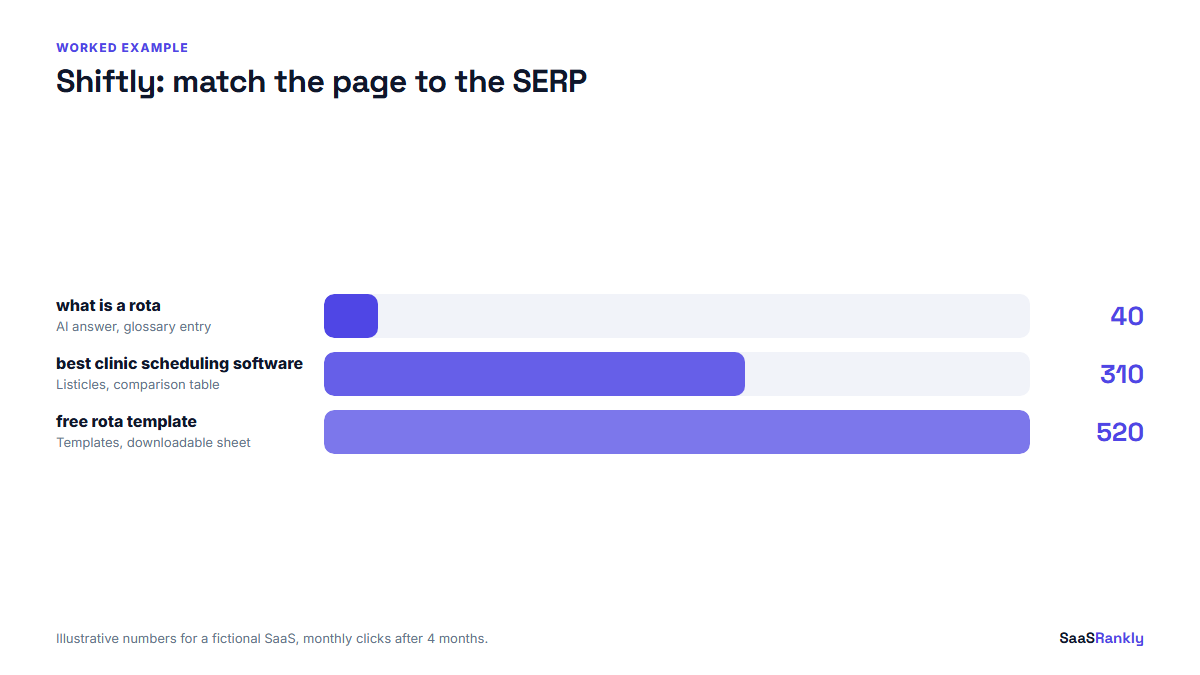
| what is a rota | 2,400 | AI Overview, dictionary results, PAA | Short glossary entry, 450 words | 40 a month (position 4) |
| best clinic scheduling software | 700 | Listicles, two review sites, one Reddit thread | Comparison page with a 9-tool table and pricing | 310 a month (position 3) |
| free rota template | 1,100 | Template downloads, Google Sheets results, video row | Free downloadable template plus a short guide | 520 a month (position 2) |
The keyword with the biggest volume sent the fewest clicks, because the AI answer and dictionary results handled it. The template page, which matched what the SERP was already rewarding, sent 13 times as many clicks as the definition. That is the whole argument for SERPs SEO in one table.
Myths we still hear about SERPs SEO
Myth: position one is all that matters. Fact: on an informational query with an AI Overview, position one might sit 900 pixels down the page. Track clicks and click-through rate, not just rank. Our post on SERP metrics worth tracking covers which numbers trigger a decision.
Myth: AI Overviews killed SEO for SaaS. Fact: they cut clicks on definitions and simple how-to queries. Commercial queries, comparisons and anything that needs a table or a tool still send plenty of traffic. We have seen SaaS sites grow signups while their informational clicks fell.
Myth: longer content always wins. Fact: the SERP decides the right length. A 4,000-word guide on a query where Google shows calculators and templates loses to a 300-word page with a working tool.
Myth: you only check the SERP once. Fact: layouts change. A query that showed blue links in spring can show a forum block by autumn. We recheck the SERPs for our top 20 money keywords every quarter. Our walkthrough on finding SERP feature opportunities shows how we turn that quarterly check into a short target list.
A 30-minute SERP review routine
- List your 10 most important keywords by signups, not by volume.
- Open each in a private window, logged out, set to your main market.
- Note the features above the first organic result and roughly how far down it starts.
- Note the page types in positions 1 to 5.
- Compare with your ranking page. If the format does not match, plan a rebuild, not a rewrite.
- Check Search Console click-through rate for those queries against the expected rate for your position.
We log the results in a simple sheet with one row per keyword and a date. After two or three quarters you can see which layouts are shifting in your category, which is more useful than any tool alert. For how this fits into a wider plan, see our list of SEO fundamentals for SaaS teams.
Google publishes its own guidance on how AI features use site content, and it is worth reading once: AI features and your website on Google Search Central.
Quick recap: SERPs SEO
- SERPs SEO means reading the results page first and letting it set the format of your page.
- Since 2019, AI answers, forum blocks and video rows have pushed organic links down on informational queries.
- Commercial queries still send most of their clicks to classic organic results.
- Match page type to what ranks: tools for tool SERPs, tables for comparison SERPs.
- Answer early, show original data, and write a snippet that sells on a crowded page.
- Recheck the SERPs for your top money keywords every quarter.
FAQ
What is SERPs SEO?
It is the practice of studying the search results page for a keyword before creating content, so the page you build matches the format, features and freshness that Google already rewards for that query.
How many organic results are on a SERP now?
Usually around ten classic organic links per page, but on many informational queries only three or four are visible without scrolling, because AI Overviews, ads and other features sit above them.
Do AI Overviews reduce clicks for SaaS sites?
Yes on definitions and simple questions. Much less on comparison, pricing and “best tool” queries, where buyers still open several pages before they decide.
How often should I check SERPs for my keywords?
Every quarter for your 10 to 20 most valuable keywords, and any time a page loses clicks while its position stays flat. That pattern usually means the layout changed.
Which SERP features matter most for SaaS?
AI Overviews, People Also Ask, forum results and sitelinks on brand queries. Video matters for tutorial queries. Each one changes how many clicks a given position gets.
Is a rank tracker enough for SERPs SEO?
No. Rank trackers report position but often miss how far down the page that position sits. Pair the tracker with Search Console click-through rate and a manual look at the results page.