If you are asking how to get my website to show up on google, start with the good news: Google finds most sites by itself, usually within a few days to a few weeks. When a site does not show up, it is almost always one of six fixable reasons. This guide walks through them in the order we check, with the exact place in Search Console where each one shows up.
First, check whether Google already has your site
Type site:yourdomain.com into Google. Three outcomes:
- Lots of results: you are indexed. Your real question is ranking, not showing up. Skip to the ranking section below.
- A few results: Google knows the site but has not indexed most pages yet. Usually a discovery or quality issue.
- Nothing at all: either the site is brand new, or something is blocking Google. Work through the steps in order.
The site: operator is a rough check, not an exact count. For real numbers you need Search Console, which is step one below anyway. Our guide on how to check indexed pages covers the other methods.
How to get my website to show up on google in 6 steps
This is the order we work in whenever a client asks us how to get my website to show up on google. Each step depends on the one before it, so do not jump to step five.
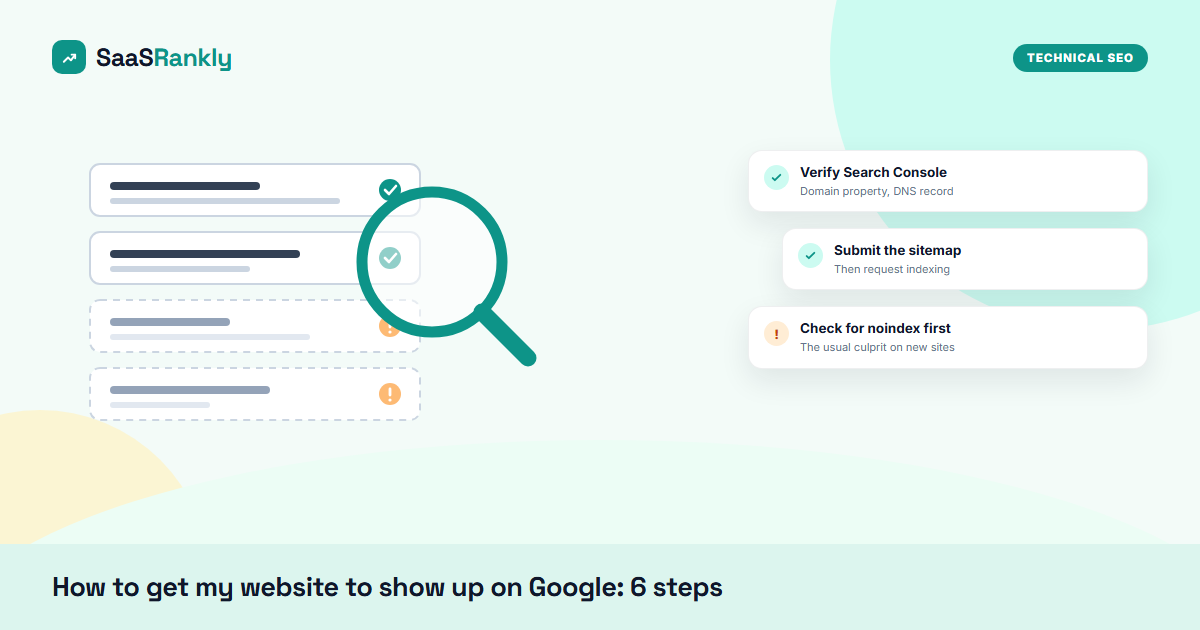
Step 1: Verify the site in Google Search Console
Search Console is free and it is the only place Google tells you directly what it sees. Add a Domain property (it covers http, https, www and subdomains in one go) and verify with a DNS TXT record at your domain registrar. It takes about ten minutes. Data starts appearing within a day or two.
Step 2: Make sure nothing is blocking Google
This is the most common cause of a site that never shows up, and it is almost always an accident. Check three things:
- The “discourage search engines” box. WordPress has a setting under Settings, Reading that adds noindex to every page. Staging sites have it on, and it often survives the move to production.
- A noindex tag. View the page source and search for
noindex. If it is in a meta robots tag, Google will drop the page. - robots.txt. Open
yourdomain.com/robots.txt. A line readingDisallow: /underUser-agent: *blocks everything. Our post on blocked by robots.txt explains how to read it.
We also see firewalls and CDN bot protection challenging Googlebot. If your host has a “bot fight” or “under attack” mode, check it is not catching verified crawlers.
Step 3: Submit a sitemap
A sitemap is a list of the URLs you want indexed. Most platforms create one automatically: /sitemap.xml or /sitemap_index.xml on WordPress with an SEO plugin, /sitemap.xml on Shopify, Wix, Squarespace and Webflow. Submit it under Sitemaps in Search Console. Our free sitemap checker will tell you whether it is valid and whether it lists pages it should not.
Step 4: Request indexing for your key pages
Paste your homepage URL into the URL Inspection bar at the top of Search Console, then click “Request indexing”. Do the same for your five to ten most important pages. There is a daily quota, so do not spend it on tag pages or thin posts.
Step 5: Link to your pages from somewhere Google already crawls
Google discovers new URLs mainly through links. A brand-new domain with no links pointing at it can sit in “Discovered, currently not indexed” for weeks. Fastest honest fixes: link the new site from your existing social profiles, your LinkedIn company page, a GitHub README if you have one, and any directories genuinely relevant to your business. Inside the site, every page should be reachable from the homepage in three clicks or fewer.
Step 6: Give each page a reason to be indexed
Google does not index everything it finds. Pages that are thin, near-duplicates of each other, or copied from elsewhere often end up as “Crawled, currently not indexed”. One solid page on a topic beats five 200-word pages on slight variations of it.
Reading the Search Console Pages report
Once the site is verified, the Pages report (under Indexing) tells you exactly why pages are not showing up. The statuses we see most on new sites, and what each one means:
| Status in Search Console | What it usually means | What to do |
|---|---|---|
| Discovered, currently not indexed | Google knows the URL but has not crawled it yet | More internal links, a few external links, patience |
| Crawled, currently not indexed | Google looked and decided it was not worth indexing yet | Improve or merge the page |
| Excluded by noindex tag | Your site told Google not to index it | Remove the tag if the page should rank |
| Blocked by robots.txt | Google cannot crawl the URL | Remove the Disallow rule |
| Duplicate without user-selected canonical | Google sees two versions and picked one | Set a canonical tag on the preferred URL |
| Page with redirect | The URL redirects elsewhere | Normal; make sure the sitemap lists final URLs only |
For a deeper walk-through of each status, see our guide to fixing indexing problems.
How long does it take to show up on Google?
Realistic ranges for a new site, from what we see across launches:
- Homepage indexed: a few days to two weeks after you submit it, faster if something already links to it.
- Most pages indexed: two to eight weeks on a small site with a clean sitemap.
- Ranking for non-brand searches: three to six months, and longer on competitive terms.
If the question is still how to get my website to show up on google faster, the honest answer is links from pages Google already crawls. Anything promising “instant indexing” is either the Request Indexing button you already have for free, or something that will not survive Google’s spam systems.
A worked example: a new SaaS site that would not show up
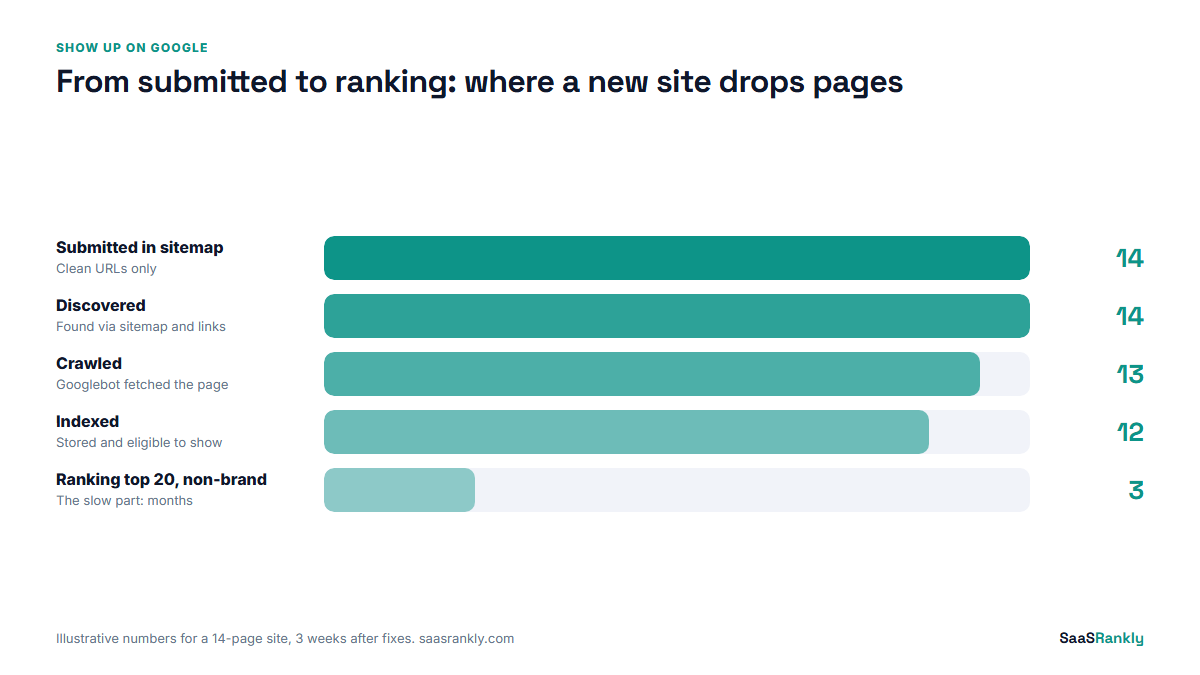
Illustrative, but typical. A founder launched a 14-page marketing site and asked us why nothing showed up after a month.
| Check | What we found | Fix | Result |
|---|---|---|---|
| site: search | 0 results | n/a | n/a |
| Search Console | Not verified | Verified by DNS | Data after 2 days |
| Page source | noindex on every page (staging setting left on) | Unticked the setting | Pages crawlable |
| Sitemap | Listed 3 staging URLs | Regenerated, resubmitted | 14 clean URLs |
| External links | None | Linked from LinkedIn, GitHub, 2 directories | Discovered within a week |
| Indexed pages after 3 weeks | 0 | 12 of 14 |
The one fix that mattered most was a single checkbox. That is the pattern: when a site shows up nowhere, look for something blocking it before you look for something missing. Most of the time, the answer to how to get my website to show up on google is removing a block, not adding something new.
Showing up vs ranking: the next problem
Once you are indexed, your site “shows up” for your brand name. Showing up for what customers search is a different job: choosing the right terms, writing pages that answer them better than what already ranks, and earning a few relevant links. Start with our SEO fundamentals guide, which puts those steps in order.
If you are a local business, also set up a Google Business Profile. It is how you appear in the map results, and it is separate from your website being indexed.
Quick recap: how to get my website to show up on google
- Run a site: search to see where you stand.
- Verify the site in Google Search Console with a Domain property.
- Remove anything blocking Google: the WordPress discourage setting, noindex tags, robots.txt Disallow rules, overzealous bot protection.
- Submit a sitemap and request indexing for your key pages.
- Get a few links from places Google already crawls, and link every page internally.
- Expect days for the homepage, weeks for the rest, months for non-brand rankings.
FAQ
How to get my website to show up on google for free?
Everything in this guide is free: Search Console, sitemaps, Request Indexing and fixing noindex or robots.txt issues. You do not need to pay Google or anyone else to be indexed.
Why is my website not showing up on Google?
The usual causes are a noindex setting left on from staging, a robots.txt block, no links pointing at the site yet, or pages Google judged too thin to index. Search Console’s Pages report tells you which one.
How do I tell Google my website exists?
Verify it in Search Console, submit your sitemap, and use URL Inspection to request indexing for the homepage. Links from pages Google already crawls help too.
Do I need to pay to be on Google?
No. Organic results are free. Paying for Google Ads puts you in the ad slots, which has no effect on whether your site is indexed or where it ranks organically.
How long does it take for a new website to appear on Google?
Usually a few days to two weeks for the homepage once it is submitted, and a few weeks for the rest of a small site. Ranking for competitive searches takes months.
Why does my site show up for my name but not my keywords?
Being indexed and ranking are different. Your brand name has almost no competition; your keywords do. You need pages targeting those terms, internal links and some external links before you rank for them.