Most advice about SEO ecommerce category pages stops at “add some text above the grid.” That advice is not wrong, it is just the smallest lever on the page. On the stores we audit, the category template usually decides more of the organic revenue than every product page combined, because category URLs are what rank for the head and mid-tail terms people actually type: “running shoes for flat feet,” “standing desk under 400,” “linen bedding queen.” This post collects the patterns we keep stealing from stores that do category pages well, and the ones we keep removing from stores that do not.
We work mostly with SaaS sites, but a fair share of our clients sell physical products next to the software, or run marketplaces with category-style listing pages. The rules carry over almost one to one. If you sell on WooCommerce, our WooCommerce SEO guide covers the platform settings; this post is about the template itself.
Why SEO ecommerce category pages carry the store
A product page targets one item. A category page targets the intent before the shopper has picked an item, and that is where most search volume sits. When we pulled Search Console data for a mid-size home goods store last quarter, category URLs were 6 percent of indexed pages and 58 percent of non-branded clicks. Product pages were 81 percent of indexed pages and 29 percent of clicks. The rest went to the blog and the homepage.
That split is normal. It also means a bug in the category template is a bug on the pages that earn the money. One broken canonical on a product page costs you one product. One broken canonical in the category template costs you every listing at once.
So before writing a single word of category copy, we check three things: can Google crawl the listing without JavaScript tricks, does each category have one clean indexable URL, and does the page say clearly what it lists. Copy comes fourth.
Six patterns worth stealing for SEO ecommerce category pages
None of these are secret. They show up on the stores that hold top-three positions for competitive category terms year after year, and they are missing on most of the stores that ask us why they are stuck on page two.
1. A title that matches how people search, not how the warehouse names things
Internal taxonomy says “Footwear > Athletic > Road.” Shoppers search “road running shoes.” The H1 and title tag should use the shopper phrase. We have renamed category H1s on two stores this year with no other change and watched average position move from around 11 to around 6 within eight weeks. It is the cheapest test on the list.
2. Short intro above the grid, useful text below it
The best stores keep one or two sentences above the products, enough to confirm the shopper is in the right place, and put the longer buying guide below the grid. Pushing products below the fold to fit 300 words of keyword text hurts conversion, and in our experience it does not help rankings either. The text below the grid should answer the questions a shop assistant would get: sizing, materials, which option suits which person.
3. Breadcrumbs with structured data
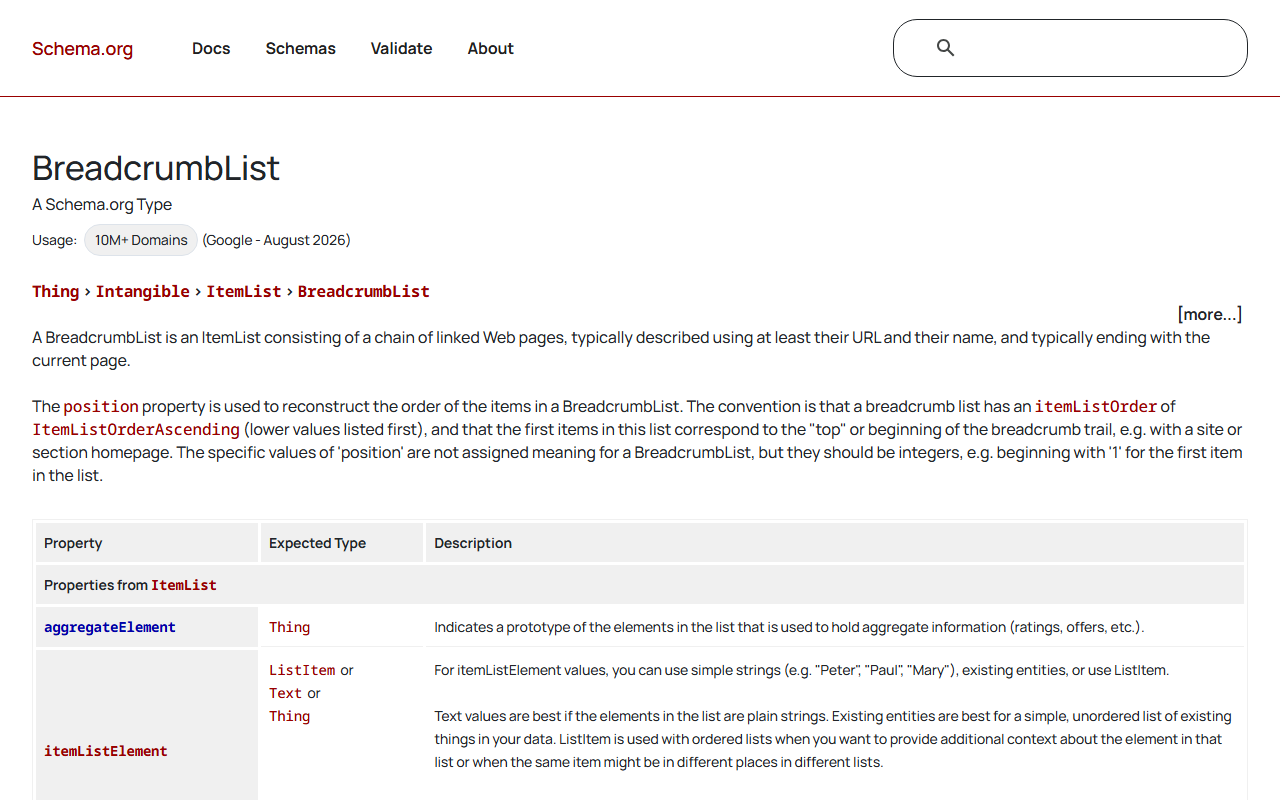
Breadcrumbs give Google a clear picture of the hierarchy and give the shopper a way back up. Mark them up with BreadcrumbList and check the output with our schema validator after every theme update, because theme updates love to break it.
4. Real links to subcategories, not just filters
If “running shoes” has a real demand split between “trail running shoes” and “road running shoes,” those should be crawlable subcategory pages linked from the parent with plain anchor tags. A filter checkbox that only fires JavaScript does not count as a link.
5. Pagination that Google can follow
Infinite scroll is fine for shoppers if the underlying pages exist at their own URLs (page 2, page 3) and are linked. Each paginated page should self-canonicalise. Pointing page 2 canonical at page 1 tells Google to ignore everything on page 2, which is how products deep in the list end up never getting crawled.
6. Out-of-stock and empty states handled on purpose
Seasonal categories go thin. Instead of letting a category drop to two products or a “no results” page that returns 200, the strong stores keep the page live, show related categories, and add an “in stock soon” block. The URL keeps its history and its links.
The faceted navigation decision
This is where SEO ecommerce category pages usually go wrong at scale. Every filter combination (colour, size, brand, price band) can generate a URL. Five filters with ten values each can produce hundreds of thousands of crawlable URLs, almost all thin duplicates of the parent category. Google’s own faceted navigation guidance says the same thing in drier language.
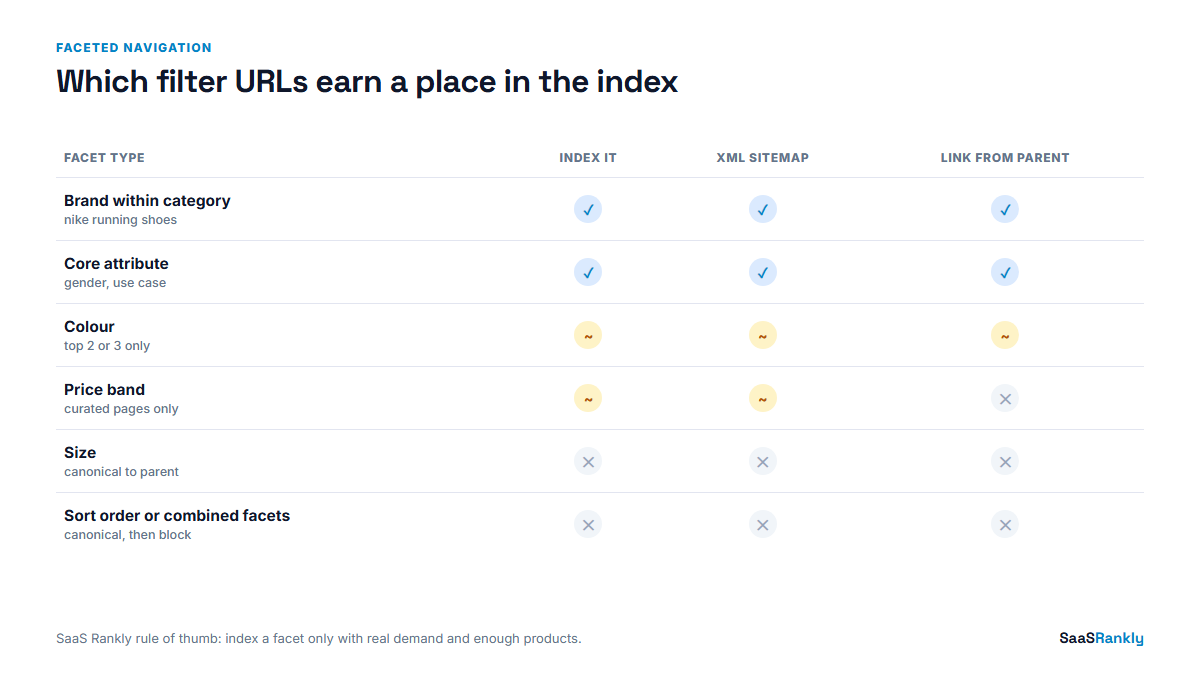
We use one rule: a filter combination earns an indexable URL only when it has its own search demand and enough products to be a real page. Everything else stays crawlable for shoppers but is kept out of the index. Here is the matrix we hand to developers.
| Facet type | Typical demand | Indexable? | In XML sitemap? | How we handle it |
|---|---|---|---|---|
| Brand within category | High (“nike running shoes”) | Yes | Yes | Static URL, own H1 and intro, linked from parent |
| Core attribute (gender, use case) | High | Yes | Yes | Promote to a subcategory |
| Colour | Medium for fashion, low elsewhere | Sometimes | Only if indexable | Index the top 2 or 3 colours with demand, noindex the rest |
| Size | Low (except “wide fit” style terms) | Rarely | No | Noindex, canonical to parent |
| Price band | Low to medium (“under 100”) | Sometimes | Only if indexable | One or two curated price pages, the slider stays parameter-only |
| Sort order | None | No | No | Canonical to unsorted URL |
| Two or more facets combined | Usually none | No | No | Block crawl of the combination pattern in robots.txt once it is out of the index |
Two cautions. First, do not block a URL pattern in robots.txt while it is still indexed and you want it gone; Google cannot see a noindex on a page it is not allowed to crawl. Noindex first, wait for the URLs to drop, then block. Second, check your canonicals are doing what you think. We wrote up the templating bugs we keep finding in our canonical tags post, and faceted URLs are where half of them live.
A worked example (illustrative)
Here is a cleaned-up version of a project from this year, with numbers rounded and the store anonymised. Treat it as illustrative. The store sold outdoor gear, around 4,000 products across 60 categories, on Shopify with a filter app that generated parameter URLs.
| Metric | Before | After 90 days | What changed |
|---|---|---|---|
| URLs Google reported as crawled | 212,000 | 31,000 | Combination facets noindexed, then blocked |
| Indexed category and subcategory URLs | 58 | 94 | 36 brand and use-case pages promoted to static URLs |
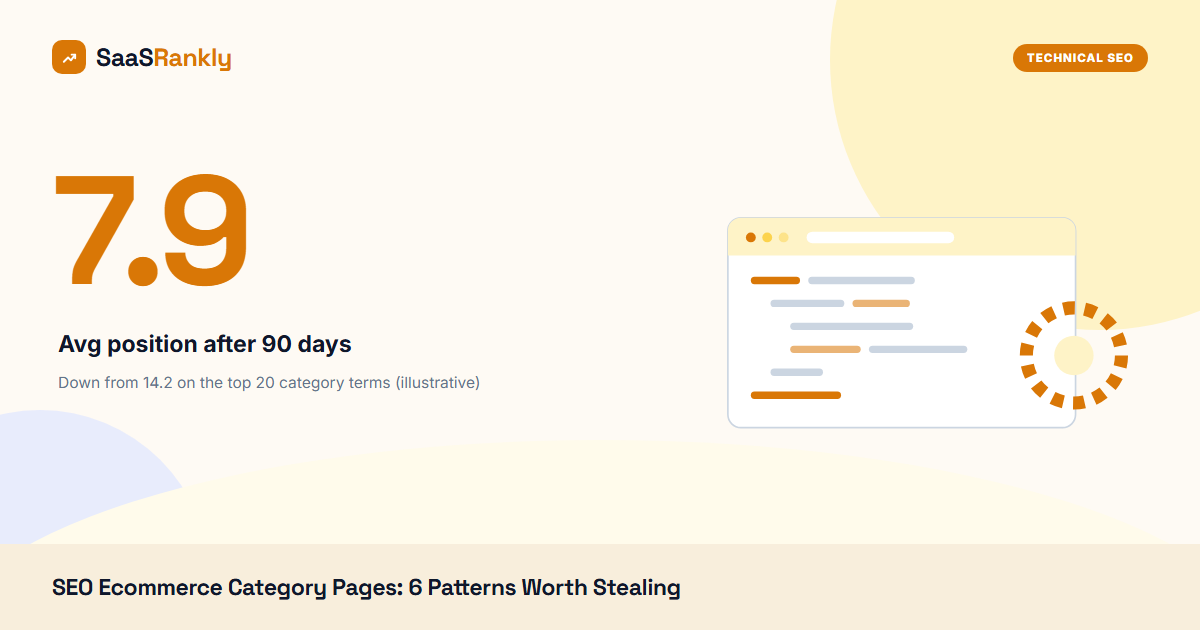
| Average position, top 20 category terms | 14.2 | 7.9 | Shopper-phrase H1s, intro trimmed, guide moved below grid |
| Non-branded category clicks per month | 9,400 | 16,100 | All of the above plus breadcrumbs fixed |
| Category page conversion rate | 1.9 percent | 2.3 percent | Products back above the fold on mobile |
The order mattered, and it is the order we now use on all SEO ecommerce category pages. We fixed crawl waste first, because there was no point improving copy on pages Google visited once a month. The 36 new static pages came second, and copy came last. The conversion lift was a side effect of moving 280 words of text from above the grid to below it, which the merchandising team had been asking for anyway.
Category copy that does not read like filler
Once the technical base is right, the copy on SEO ecommerce category pages should do one job: help a shopper choose. We brief writers with three questions per category.
- What are the two or three decisions a shopper makes inside this category? (Trail vs road, cushioned vs minimal.)
- What mistake do returns data say people make? (Ordering their normal size in a brand that runs small.)
- Which subcategory or guide should they go to next?
Answer those in 150 to 400 words below the grid, link to the relevant subcategories and one buying guide, and stop. We have tested 800-word category blocks against 250-word ones on the same store. The longer blocks did not rank better, and they were a pain to keep accurate when stock changed. The same thinking applies to SaaS feature hub pages, which we covered in our product page SEO post.
Checklist for SEO ecommerce category pages
We run this against every category template before and after a theme change. It takes about 20 minutes with a crawler and a browser.
- H1 uses the shopper phrase, appears once, and matches the title tag intent
- Products render in the initial HTML or are reliably rendered (test with URL Inspection)
- Self-referencing canonical on the main URL and every paginated page
- Paginated pages linked with plain anchor tags
- BreadcrumbList markup valid, matching the visible breadcrumb
- Subcategories linked as real links from the parent
- Faceted URLs follow the matrix: indexable ones in the sitemap, the rest noindexed or canonicalised
- Sort and view parameters canonicalise to the clean URL
- Empty or thin categories return a real page with alternatives, not a soft 404
- Category URLs listed in the XML sitemap (our sitemap checker flags missing and redirected entries)
Quick recap: seo ecommerce category pages
- SEO ecommerce category pages usually earn more non-branded clicks than all product pages combined, so the template deserves the most attention.
- Fix crawlability, canonicals, and pagination before touching copy.
- Use the shopper’s phrase in the H1 and title, not the internal taxonomy name.
- Give a facet its own indexable URL only when it has real demand and enough products.
- Noindex first, then block in robots.txt, never the other way round.
- Keep copy short above the grid and useful below it, 150 to 400 words is plenty.
FAQ
How much text should SEO ecommerce category pages have?
One or two sentences above the products and roughly 150 to 400 words below them. Past that, we have not seen ranking gains, and long blocks push products down on mobile.
Should filter pages be indexed?
Only filters with their own search demand and enough products, usually brand and core attributes. Size, sort order, and multi-filter combinations should stay out of the index.
Is it better to use subcategories or filters?
If people search for the split (“trail running shoes”), make it a subcategory with a static URL. If they do not, keep it as a filter for shoppers only.
Should paginated category pages canonical to page 1?
No. Each paginated page should self-canonicalise. Pointing them at page 1 can stop Google from discovering products that only appear deeper in the list.
Do category pages need schema markup?
BreadcrumbList is the one we always add. ItemList is optional. Product markup belongs on product pages, not repeated across a listing.
How long do category page fixes take to show results?
Title and H1 changes often move within four to eight weeks. Crawl cleanup on a large faceted store can take two to three months before the index settles.