GPTBot is OpenAI’s web crawler. It collects publicly available pages that may be used to train OpenAI’s models, and it follows robots.txt, so you can block it with two lines. The harder part is deciding whether you should, because GPTBot is only one of three OpenAI user agents, and blocking the wrong one can take a SaaS brand out of ChatGPT search answers without anyone noticing for months.
Short version of our position, before the detail: most SaaS marketing sites should allow the search bot, think carefully about GPTBot, and stop treating “block AI” as a single switch.
The decision first: should you block GPTBot?
Here is the matrix we use with SaaS teams. Find your row, then read the sections below for the how.
| Your situation | GPTBot (training) | OAI-SearchBot (ChatGPT search) | Why |
|---|---|---|---|
| Marketing site, docs, blog. You want buyers to find you in AI answers | Allow | Allow | Being in the training data helps models know your brand exists and what it does |
| Same, but legal wants no training use of your content | Block | Allow | You stay eligible for ChatGPT search citations while opting out of training |
| Paid research, reports or data you sell | Block on those paths | Block on those paths | Your product is the content. Do not give it away |
| App subdomain behind login | Irrelevant | Irrelevant | Crawlers cannot reach it anyway. Block for tidiness, not safety |
| Crawl load is hurting your server | Rate limit, then block | Keep | Fix the load problem without losing search visibility |
The mistake we see most is the second row done wrong. A team hears “block GPTBot”, copies a robots.txt block from a news publisher, and that block also covers OAI-SearchBot. Their brand then stops appearing as a cited source in ChatGPT search, and nobody links the drop to a robots.txt change made three months earlier.
What GPTBot is, and the two OpenAI bots people confuse with it
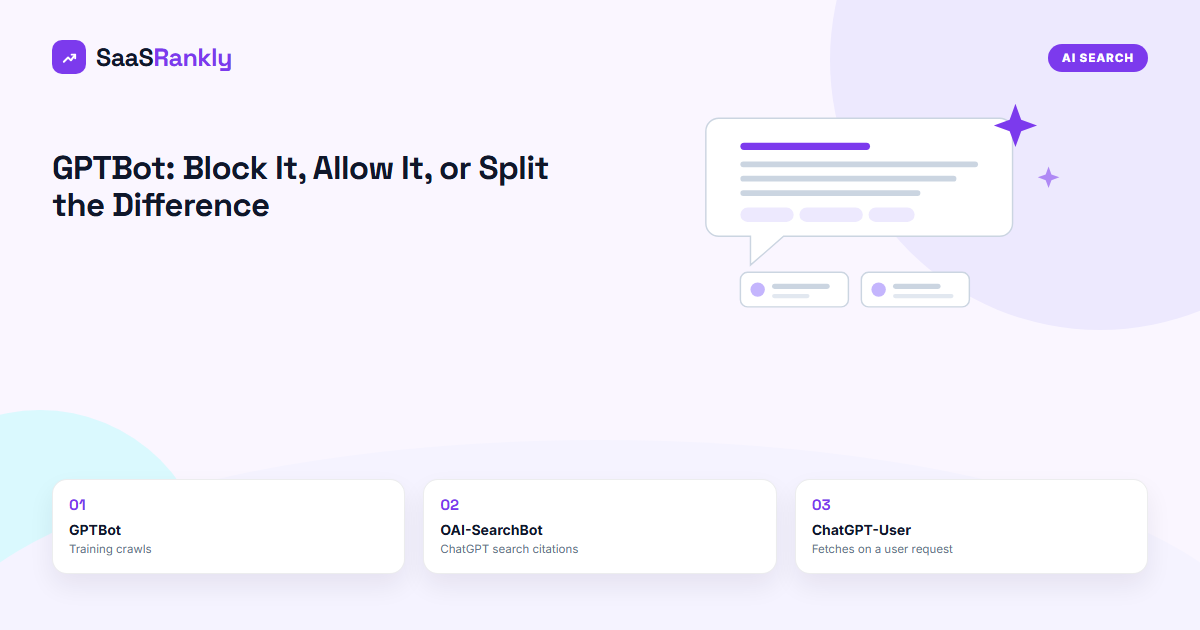
OpenAI documents three separate user agents. Each has its own purpose and each reads its own robots.txt group.
| User agent | What it does | Obeys robots.txt | Effect of blocking it |
|---|---|---|---|
| GPTBot | Crawls public pages that may be used to train future models | Yes | Your pages are left out of future training crawls |
| OAI-SearchBot | Crawls pages so they can appear as results and citations in ChatGPT search | Yes | Your pages stop showing as cited sources in ChatGPT search answers |
| ChatGPT-User | Fetches a page when a person in ChatGPT asks it to, or a custom GPT does | OpenAI says robots.txt may not apply, since a person started the fetch | Limited. Treat it like a visitor using a browser |
Third-party bot directories describe it the same way and add behaviour notes from their own log data, which is useful when you are trying to work out whether a traffic spike came from it.
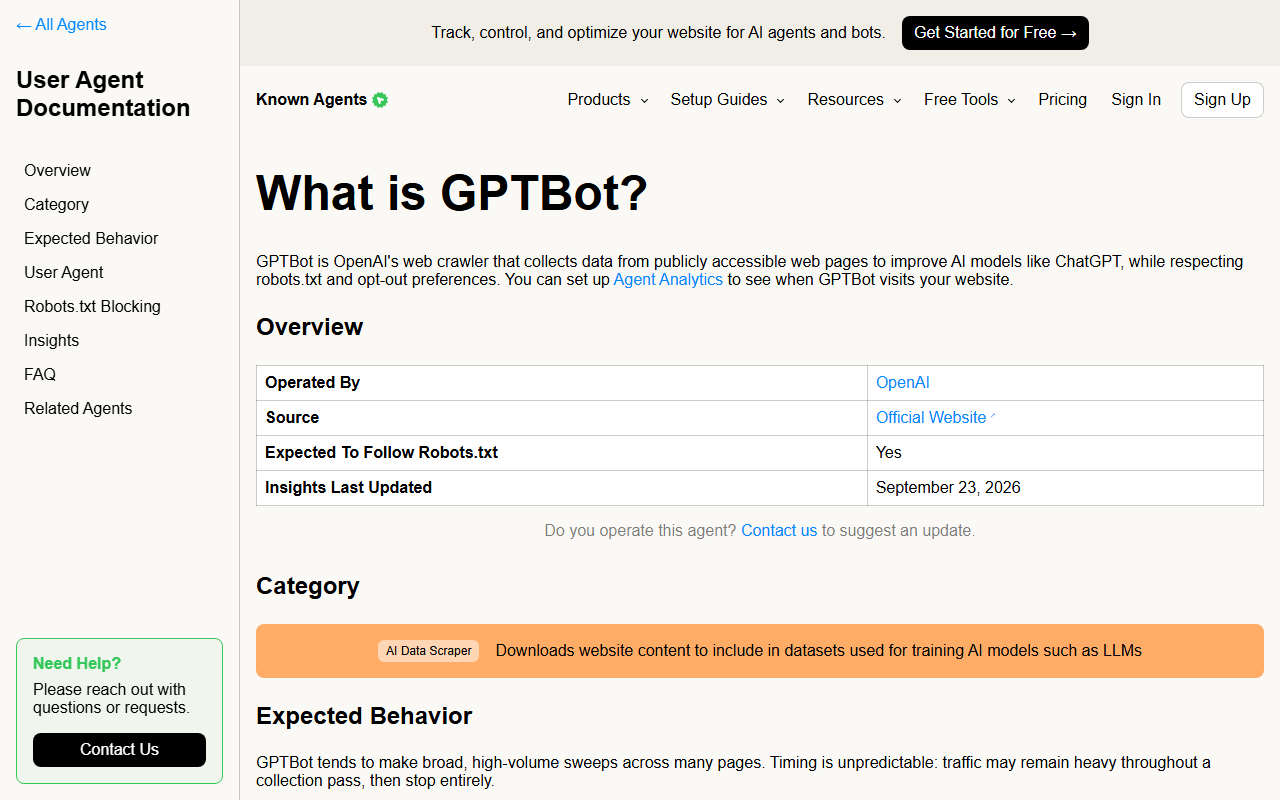
A GPTBot request carries a user agent string that contains GPTBot/1.x and a link to openai.com/gptbot. Anyone can fake a user agent, though, so the string alone proves nothing. OpenAI publishes the IP ranges each bot uses as JSON files, and a genuine visit comes from one of those ranges.
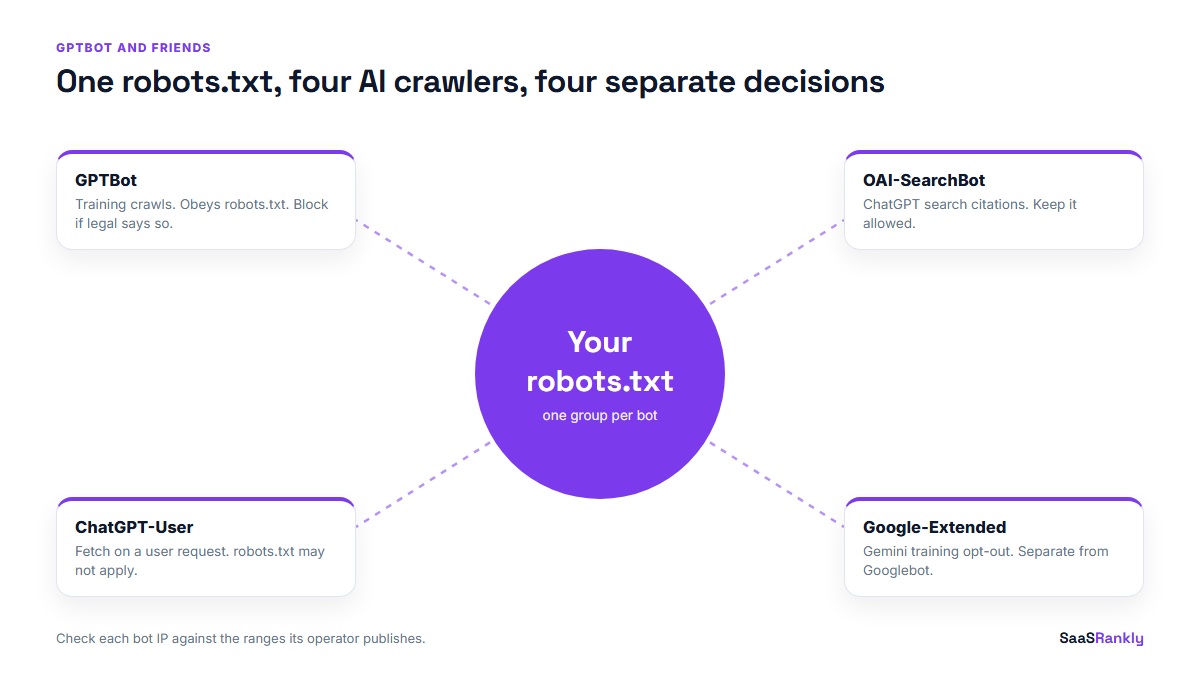
How to block GPTBot in robots.txt (and only GPTBot)
The block itself is short. Put it in the robots.txt at the root of each host you want covered. A rule on www.example.com/robots.txt does not apply to docs.example.com.
Block GPTBot everywhere, keep ChatGPT search:
User-agent: GPTBot
Disallow: /

User-agent: OAI-SearchBot
Allow: /
Block GPTBot only on paid or private sections:
User-agent: GPTBot
Disallow: /reports/
Disallow: /research/
Allow: /
Two details catch people out. First, a crawler follows the most specific group that names it. If you have a User-agent: GPTBot group, that crawler ignores your User-agent: * rules completely, so repeat anything from the star group you still want applied. Second, OpenAI says changes can take about a day to be picked up, so do not panic if you still see hits the next morning. If robots.txt syntax is new to you, our guide to blocked by robots.txt errors covers the basics.
What real publishers do with GPTBot
Looking at a few large robots.txt files is a quick way to see that this is a choice, not a default. The New York Times disallows GPTBot and ChatGPT-User outright. The Guardian’s file is more interesting.
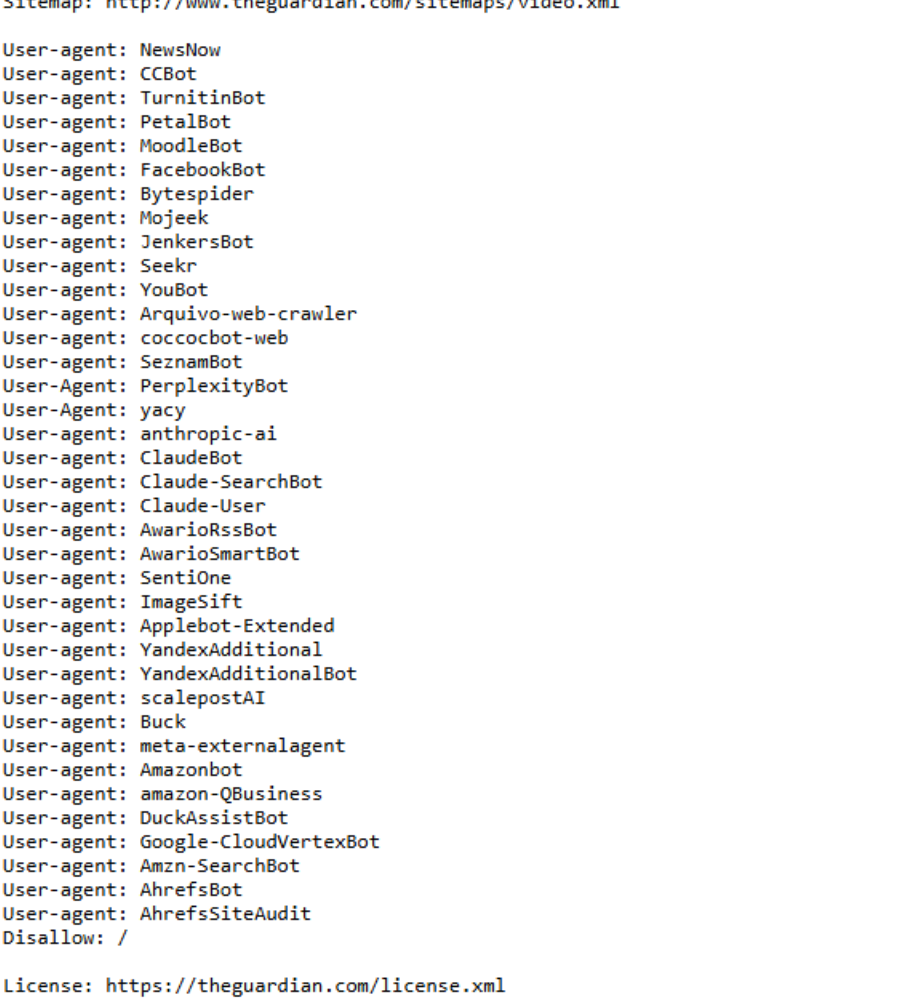
It blocks a long list of AI crawlers, including ClaudeBot, PerplexityBot, Applebot-Extended and meta-externalagent, but GPTBot is not on that list. That lines up with the content partnership the Guardian and OpenAI announced in 2025. The lesson for a SaaS team is that big publishers treat each AI bot as a separate commercial decision. You should too, even if your decision is simply “allow everything, we want the exposure”.
Check whether GPTBot is actually visiting you
Before changing anything, find out what the bot is doing on your site today. Server logs are the only reliable source. Analytics tools will not show it, because crawlers do not run JavaScript.
- Pull 30 days of access logs from your host or CDN.
- Filter for lines containing
GPTBot,OAI-SearchBotandChatGPT-Userseparately. - Check the IPs against OpenAI’s published ranges. Drop anything that does not match. That is someone pretending.
- Group the verified hits by URL path.
- Compare the paths to what you want represented. Pricing, docs and comparison pages should be there.
Here is an illustrative result for a mid-sized SaaS site, not a real client:
| Bot | Verified hits (30 days) | Top paths | What it tells you |
|---|---|---|---|
| GPTBot | 4,200 | /blog/, /docs/ | Training crawl is broad and heavy on long content |
| OAI-SearchBot | 610 | /pricing/, /integrations/, /blog/ | ChatGPT search is interested in commercial pages |
| ChatGPT-User | 95 | /pricing/, /compare/ | Real people asked ChatGPT to look at your pricing |
| Fake “GPTBot” | 1,300 | /wp-login.php, /.env | Scrapers borrowing the name. Block by IP, not by user agent |
That last row is the one to take seriously. Spoofed crawler traffic is cheap to generate, and it is often the real reason someone decides “GPTBot is hammering our server”. Verify first.
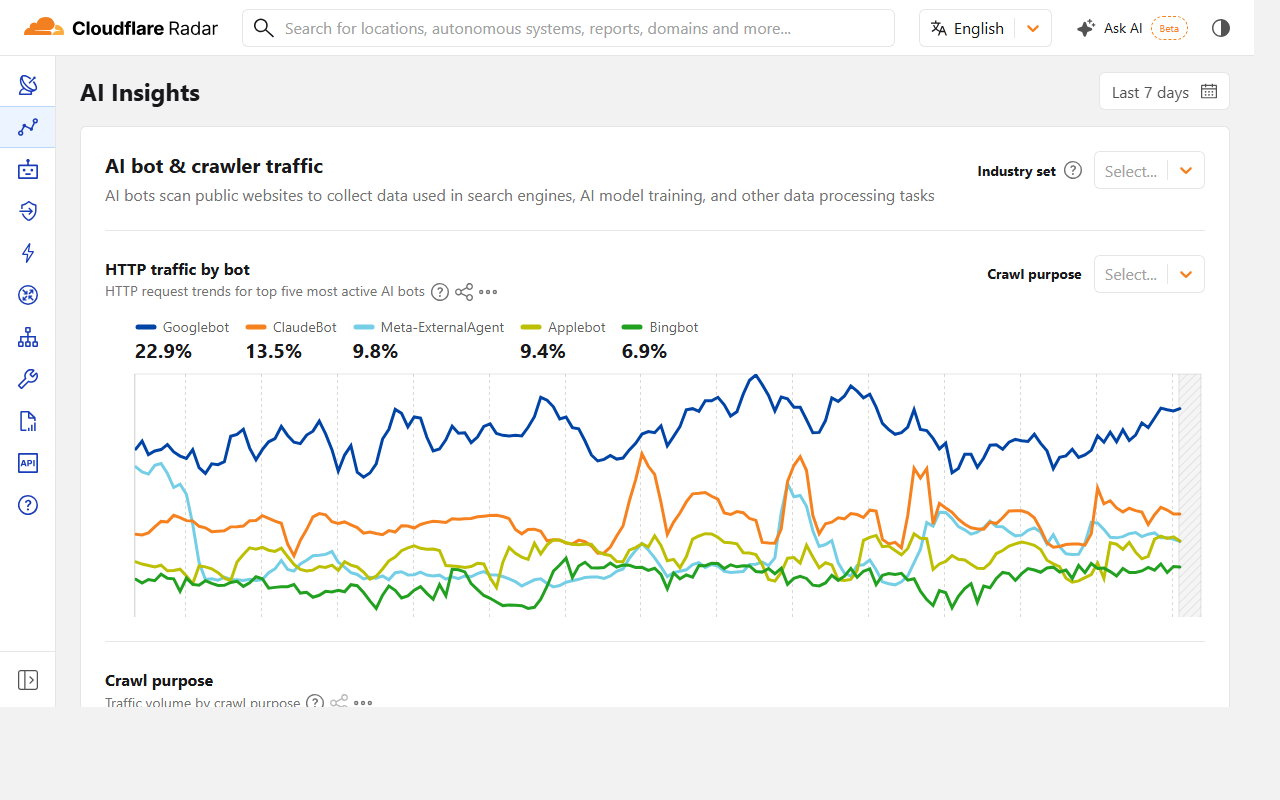
If you do not have log access, network-level data gives a rough picture of how much AI crawler traffic there is across the web and which bots are growing.
GPTBot and AI search visibility
Blocking GPTBot does not remove you from ChatGPT’s current knowledge. Models are trained on snapshots, so content already collected stays in models that already exist. What you change is future training runs. The effect on your brand shows up slowly, over model releases rather than weeks.
OAI-SearchBot is the one with a fast, measurable effect, because ChatGPT search fetches and cites pages live. If your aim is to be recommended when a buyer asks “what is the best scheduling tool for clinics”, that is the bot you must not block. Our posts on getting cited by ChatGPT and LLM visibility cover the content side of that.
To see whether a robots.txt change moved anything, track a fixed set of prompts before and after. Tools for that are compared in our AI search visibility tools roundup. Cloudflare users should also check the dashboard setting that can block AI crawlers at the edge, which overrides whatever your robots.txt says. We wrote about that change in Cloudflare’s AI training block.
Quick recap: GPTBot
- GPTBot is OpenAI’s training crawler. It obeys robots.txt.
- OAI-SearchBot powers ChatGPT search citations. Blocking it has a faster, bigger effect on visibility.
- ChatGPT-User fetches pages on a person’s request, and robots.txt may not apply to it.
- Give each bot its own robots.txt group, and repeat any star-group rules you still need.
- Verify hits against OpenAI’s published IP ranges before blaming GPTBot for load.
- For most SaaS marketing sites, allow OAI-SearchBot even if you block GPTBot.
FAQ
What is GPTBot?
GPTBot is the web crawler OpenAI uses to collect publicly available pages that may be used to train its models. It identifies itself by name in its user agent string.
Does blocking GPTBot remove my site from ChatGPT?
No. It keeps your pages out of future training crawls. Your pages can still appear in ChatGPT search through OAI-SearchBot, and existing models keep what they already learned.
How do I block GPTBot?
Add a User-agent: GPTBot group with Disallow: / to the robots.txt file at the root of each host. OpenAI says the change can take about a day to take effect.
Is GPTBot bad for SEO?
It has no effect on Google rankings. It uses some crawl bandwidth, which only matters on very large sites or weak hosting.
How can I tell if a GPTBot visit is real?
Match the request IP against the ranges OpenAI publishes for that crawler. A request with the right user agent from an unlisted IP is a scraper using the name.
Should a SaaS company allow GPTBot?
For public marketing pages, usually yes. It helps models understand what your product does. Block it on paid content or anything your legal team does not want used for training.