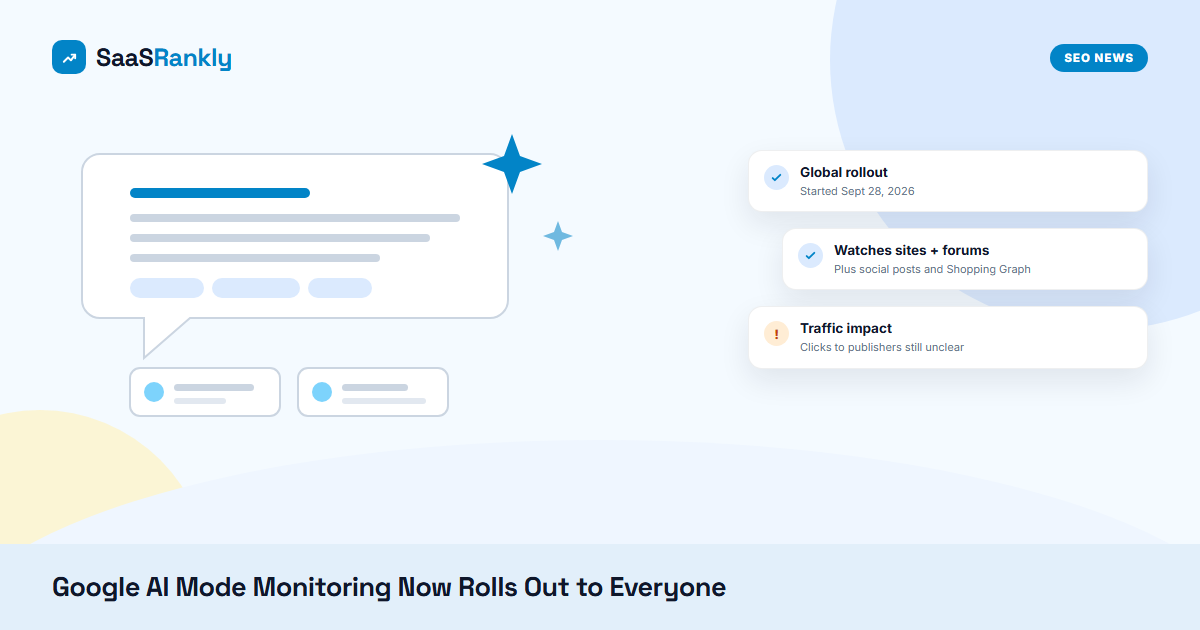
What happened: On Monday, September 28, 2026, Google started rolling out AI Mode monitoring to all users worldwide. Robby Stein, VP of Product for Google Search, announced it on X. Until now the feature was limited to Google AI Pro and Ultra subscribers. You tell AI Mode what to watch for, and Search keeps checking “sites, forums and social posts, our real-time data sources, and Shopping Graph of 60B+ products” and sends you an update when something changes. Search will also suggest monitoring tasks while people search.
Sources: Robby Stein on X, Search Engine Roundtable and Search Engine Journal.
What AI Mode monitoring actually does
Google first showed this at I/O in May 2026 under the name “information agents.” It went live for Ultra subscribers in June, then reached Pro, and now it is going to everyone through the Google app. The flow is simple. A user types something like “tell me when a new project management tool adds a free plan with Gantt charts” and AI Mode keeps checking the web on their behalf. When the condition is met, the user gets a notification with a short AI answer and links.
Stein’s own examples were consumer ones: new restaurants or pop-ups nearby, holiday activities for kids, and back-in-stock or price-drop alerts. But nothing in the feature limits it to shopping. Anyone can set a watch on a software category, a competitor’s pricing, a changelog or a review thread.
| Detail | What we know |
|---|---|
| Announced | Google I/O, May 2026 (“information agents”) |
| First access | AI Ultra in June 2026, then AI Pro |
| Global rollout | Started September 28, 2026, all users, rolling out gradually |
| Where it runs | AI Mode in the Google app |
| What it checks | Websites, forums, social posts, Google real-time data, Shopping Graph (60B+ products) |
| How users hear back | Notifications when the watched condition changes |
Why AI Mode monitoring matters for SaaS sites
Most SaaS SEO work assumes a search happens once. Someone types “best CRM for small teams,” scans a page, and either clicks or leaves. AI Mode monitoring changes that pattern. The search now keeps running in the background, sometimes for weeks, and Google decides which pages to pull into each update.
That has three practical effects.
- Freshness gets rewarded more directly. A monitoring task only fires when something changes. If your pricing page, changelog or comparison page is the first place a change shows up, you are the page Google has a reason to cite.
- Forums and social posts are named sources. Stein listed forums and social posts next to websites. For B2B software that means Reddit threads, community forums and LinkedIn posts about your product can feed these alerts, good or bad.
- Traffic is unclear. Search Engine Journal pointed out that nobody knows yet how often these updates link out to specific sites or send clicks. If the alert answers the question in two lines, the click may never happen. We saw the same pattern when AI Overview links started opening AI Mode instead of publisher pages.
Our read: this is less about a new traffic source this month and more about where buyers will hear about changes in your market. If a buyer sets a watch on “free plan changes for help desk software,” the page that states the change clearly and early has the best chance of being quoted.
How AI Mode monitoring could touch your pages
Think about the queries a SaaS buyer would hand to AI Mode monitoring:
- Price drops or new plans for a tool they are evaluating
- A competitor launching a feature they need (SSO, API access, a specific integration)
- New reviews or comparison articles for a shortlist of tools
- Security incidents, outages or status changes for a vendor they already use
Every one of those maps to a page type you own: pricing, changelog, integrations, status and comparison pages. Those are the pages worth tightening first. If they are thin, JavaScript-heavy or stale, Google has little to extract when the watch runs. Our guide to getting SaaS pages cited in AI Overviews covers the same extraction basics, and they apply here too.
What to do
- Make changes easy to spot. Put a visible “last updated” date on pricing and plan pages, and keep a public changelog with dated entries in plain HTML. A watch looks for change, so show the change in text, not only in an image or a modal.
- Write the key facts in one sentence each. “The Starter plan now includes 3 seats and costs $19 per month” is easy to lift into an alert. A pricing grid built only from icons is not.
- Watch your own category. Set a few AI Mode monitoring tasks for your product category and top competitors from a personal account. You will see which sources Google pulls in, and whether your pages show up at all.
- Check the forums that feed it. Search your brand on Reddit and your main community forums once a week. Answer outdated claims about pricing or features, because those threads can now land in someone’s alert.
Also make sure Googlebot can reach the pages that change most. A blocked changelog or a pricing page stuck in “Discovered, currently not indexed” cannot feed anything. Our checklist for fixing SaaS indexing problems is a good place to start.
Quick recap: AI Mode monitoring
- AI Mode monitoring began rolling out to all Google users globally on September 28, 2026.
- Before this, AI Mode monitoring was only for AI Pro and Ultra subscribers; it was first shown at I/O as “information agents.”
- AI Mode monitoring checks websites, forums, social posts, real-time data and the Shopping Graph, then notifies users of changes.
- Pricing, changelog, integration and comparison pages are the SaaS pages most likely to feed AI Mode monitoring alerts.
- Google has not shared how much traffic AI Mode monitoring sends to publishers, so track referrals from the Google app before planning around it.
- Set up a few AI Mode monitoring tasks for your own category to see which sources Google trusts.