![Integration Pages for SaaS: How to Rank for [Tool] + [App] Integration Searches and Turn Them Into Signups](https://saasrankly.com/wp-content/uploads/2026/09/card-saas-integration-pages.png)
“Slack HubSpot integration”, “Notion Google Calendar sync”, “Zapier Airtable”. Every one of these searches comes from someone who already uses at least one of the two tools and wants them to work together. If one of those tools is yours, the searcher is a customer. If neither is, the searcher is a prospect who uses tools you integrate with. Integration pages capture both.
This guide covers saas integration pages for SaaS teams: what it means, why it matters, and the practical steps to get it right.
Why integration pages outperform feature pages
- The searcher names two products, so intent is specific and the query is easy to match.
- Competition is mostly the partner marketplaces and Zapier, which have thin pages you can beat on depth.
- The pages scale: every integration you ship is a new page with new data. See programmatic SEO for SaaS for the template approach.
- They convert. A visitor who searches for an integration has a workflow in mind and a tool budget already approved.
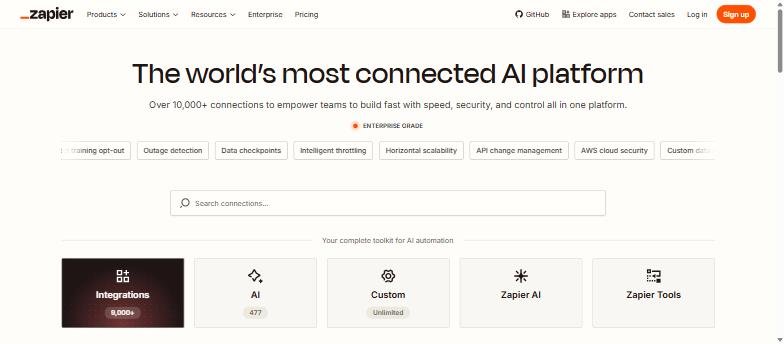
Step 1: List every integration and score it
Export your integration catalog. For each partner app, check the combined volume of “[your tool] [partner] integration”, “[partner] [your tool]”, “connect [your tool] to [partner]” and “[your tool] [partner] sync”. Then add a column for how many of your customers use that partner (from your product data or onboarding survey). Sort by customers first, search volume second. The top 20 get hand-written pages; the rest get the template.
Step 2: What every integration page needs
| Block | Content | Why |
|---|---|---|
| H1 and one-line promise | “Connect [Tool] and Slack to get [outcome]” | Matches the query and states the benefit |
| What syncs | Triggers, actions, fields, direction, frequency | The detail marketplaces lack; answers the real question |
| Setup steps with screenshots | Numbered, with real UI screenshots, under five minutes | Earns HowTo rich results and reduces support tickets |
| Three example workflows | Specific to the partner: “When a deal closes in HubSpot, post to #wins” | Helps the reader picture the value |
| Plan availability | Which plans include it | Prevents disappointed signups |
| Related integrations | 3-5 sibling pages | Internal linking for the whole set |
| FAQ | Two-way sync, limits, security, disconnect | Long-tail and People Also Ask |
Step 3: List in the partner marketplace too
Most partners run an app marketplace with high domain authority. A listing there ranks for the same queries, links to your integration page, and puts you in front of the partner’s users inside their product. HubSpot, Slack, Shopify, Salesforce AppExchange, Atlassian Marketplace, Zapier and Make all accept listings; requirements vary from a form to a security review.
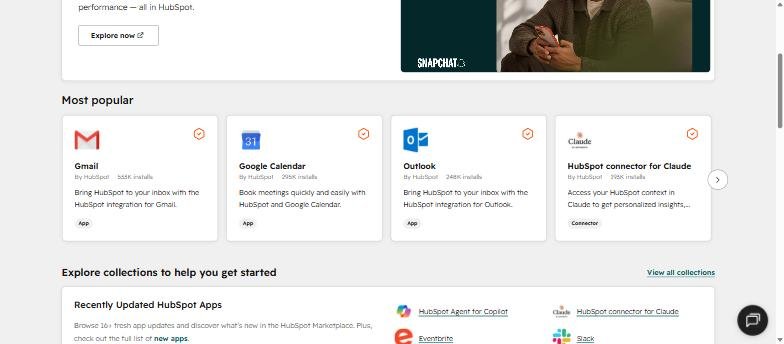
Step 4: Reuse the pattern for templates and use cases
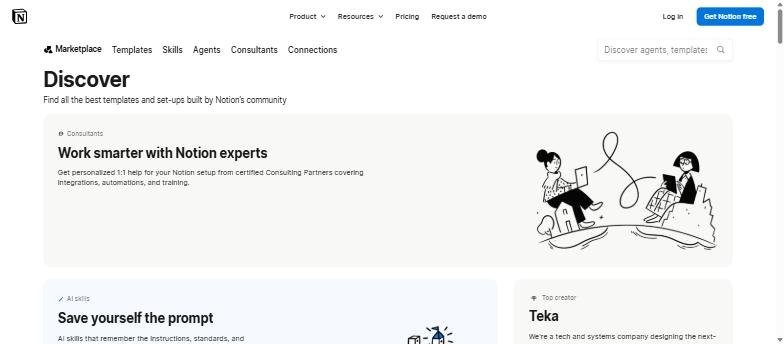
The same structure works for template galleries (“[use case] template”) and use-case pages (“[Tool] for [team]”). Notion’s template marketplace is the model: each template has its own page, preview, creator and category, and the gallery ranks for thousands of template searches. Feature pages deserve the same care, and our guide to product page SEO shows the layout we use.
Step 5: Technical checklist
- URL pattern:
/integrations/[partner]/. Keep the hub at/integrations/with categories. - Title: “[Tool] + [Partner] Integration: Sync [what] in Minutes”. Check truncation in the SERP Snippet Preview.
- Schema:
SoftwareApplicationfor your product andHowTofor the setup steps, from the Schema Markup Generator. - Images: the partner logo is acceptable in a small “works with” badge; check their brand guidelines. Real setup screenshots are required.
- Sitemap: integrations in their own sitemap so you can watch indexing separately.
- Do not gate the page or hide it behind a login. Marketplaces do; that is your advantage.
Step 6: Measure the right thing
In GA4, create a key event for signups that started on an integration page and pass the partner name as a parameter. After a quarter you will know which partners send customers, which tells product where to invest and marketing which co-marketing partners to pursue. The measurement guide covers the setup.
Frequently asked questions about SaaS integration pages
Should I build a page for an integration that only works through Zapier?
Yes, and say so clearly. “Connect [Tool] and [Partner] via Zapier” still matches the query and Zapier-based pages convert nearly as well as native ones.
How many integration pages are too many?
There is no upper limit if each page has real sync details and screenshots. Thin pages with only a logo and a paragraph are the problem, not the count.
Can I use the partner logo?
Usually yes in a “works with” context under their brand guidelines. Never imply partnership or endorsement that does not exist.
Where should integration pages sit: marketing site or docs?
Marketing site, with a link to the docs for the deep technical reference. The marketing page targets the search; the docs page answers the support question.
Promoting an integration with a partner? A vanity URL with UTM tracking behind it shows which partner actually sends signups.
Quick recap: Saas integration pages
Saas integration pages usually comes down to a short, repeatable checklist. Use this whenever saas integration pages comes up again:
- Diagnose saas integration pages by checking the relevant report first, not assumptions.
- Confirm the current setup is actually causing saas integration pages before you change anything.
- Re-check saas integration pages again after the fix ships, not before.
Treat saas integration pages as an ongoing signal rather than a one-time fix. For background on the platform rules behind this, see Google Search Central.