SERP alerts are notifications that fire when something changes on the results page for a keyword you care about: a ranking drop, a new competitor in the top three, an AI Overview appearing, or a page falling out of the index. Set up well, they save you from checking a rank report every morning. Set up badly, they become an inbox folder nobody opens.
We have run SERP alerts for SaaS clients on most of the major trackers, and the pattern is the same everywhere. The tool matters less than the rules. This guide covers which alerts are worth turning on, the thresholds we use, how to set them up in the common tools, and how to stop them turning into noise.
What SERP alerts can actually tell you
Not every change on a results page deserves a notification. We group SERP alerts into five types, and only the first three are on by default for our clients.
| Alert type | What triggers it | Why it matters | Default for us |
|---|---|---|---|
| Ranking drop | A tracked keyword falls past a set threshold | Early warning of a lost page, a bad deploy or an update | On |
| Top 3 entry or exit | A keyword moves into or out of positions 1 to 3 | Clicks change sharply around position 3 | On |
| URL change | A different page from your site ranks for the keyword | Often a sign of cannibalisation | On |
| SERP feature change | An AI Overview, featured snippet or video pack appears or disappears | Explains click drops when the position held | Weekly digest only |
| New competitor | A domain you have not seen enters the top 10 | Useful for comparison and alternatives pages | Weekly digest only |
The URL change alert is the one people skip, and it is the one that has caught the most problems for us. When the blog post starts ranking instead of the pricing page, the position can stay flat while trial signups fall.
Thresholds that keep SERP alerts useful
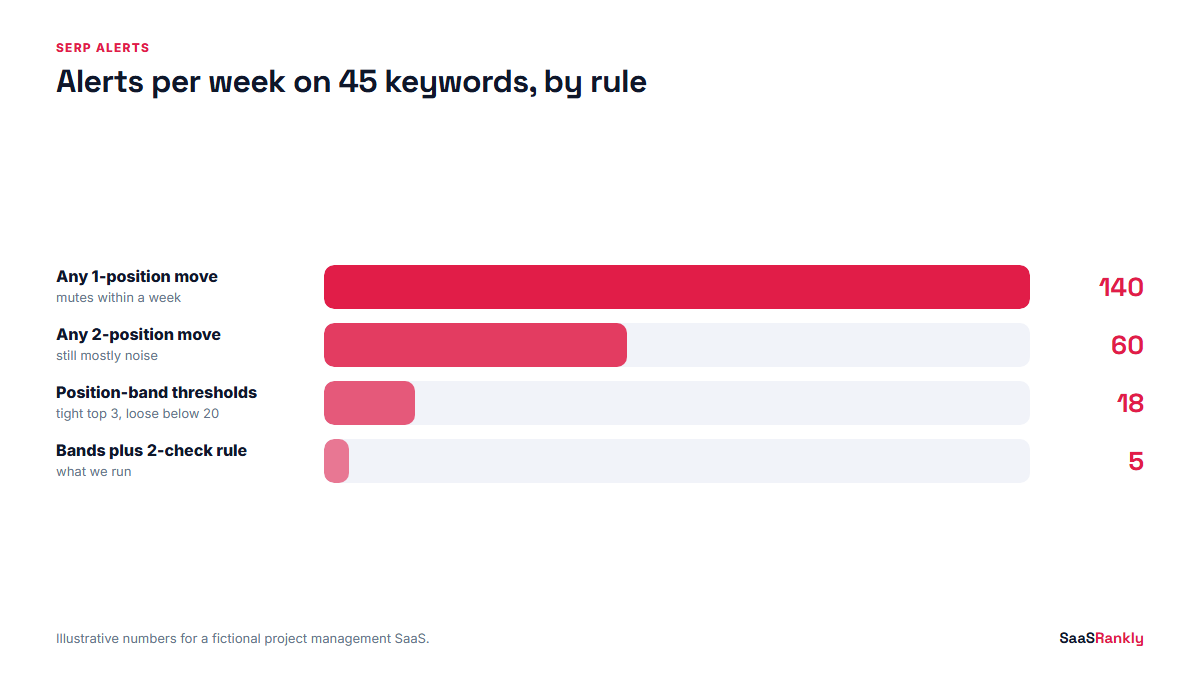
Rank trackers move by a position or two every day for normal reasons: a different data centre, a personalised result, a new news story. If your alert fires on every one-position move, you will mute it within a week. We set thresholds by where the keyword sits, because a drop from 2 to 4 hurts far more than a drop from 18 to 20.
| Current position | Alert when it drops by | Check frequency |
|---|---|---|
| 1 to 3 | 2 or more positions | Daily |
| 4 to 10 | 3 or more positions, or leaves page one | Daily |
| 11 to 20 | 5 or more positions | Weekly |
| 21 to 50 | No alert, review in the monthly report | Weekly |
We also require the drop to hold for two checks in a row before anyone acts. One bad day is usually noise. Two in a row usually is not.
How to set up SERP alerts in common tools
Every tool names the feature differently, which makes this harder to search for than it should be. Here is where to find it at the time of writing.
- Semrush: Position Tracking has a Triggers setting that emails you when a keyword enters or leaves a position range you choose. It works well for the top 3 and top 10 rules above.
- AccuRanker: notifications can be set per keyword or per tag for ranking changes, and because it refreshes on demand you can recheck a drop right away.
- SE Ranking and Nightwatch: both offer alerts on position changes inside their rank tracking projects. Nightwatch is a good budget pick if you track several countries.
- Ahrefs: the Alerts tool reports new keywords your site ranks for, and Rank Tracker sends scheduled email reports with changes. It is better at “what is new” than at instant drop warnings.
- Google Search Console: it does not send ranking alerts. It does email you about indexing issues and manual actions, which covers the most serious case.
If you are not sure which tracker to pay for, our rank tracker comparison covers features and prices, and the cheap rank tracker post works out cost per keyword.
A free setup with Search Console and a sheet
For a small site, you can build basic SERP alerts without paying for a tracker. Pull average position by query from the Search Console API into Google Sheets once a day with a short Apps Script, compare each value with the seven-day average, and send yourself an email when a query drops past your threshold. It lags by two to three days and gives averages rather than exact positions, but for 30 or 40 money keywords it is enough. Our free SERP rank tracker roundup lists the free tools that can fill the gaps.
Our 5-step setup for SERP alerts
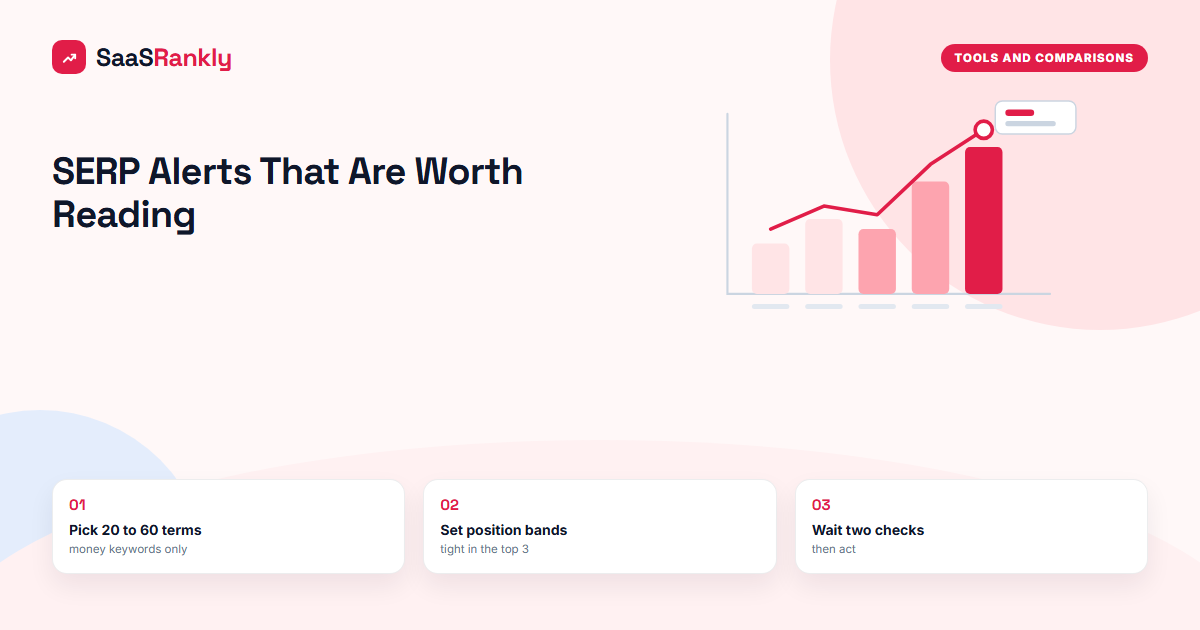
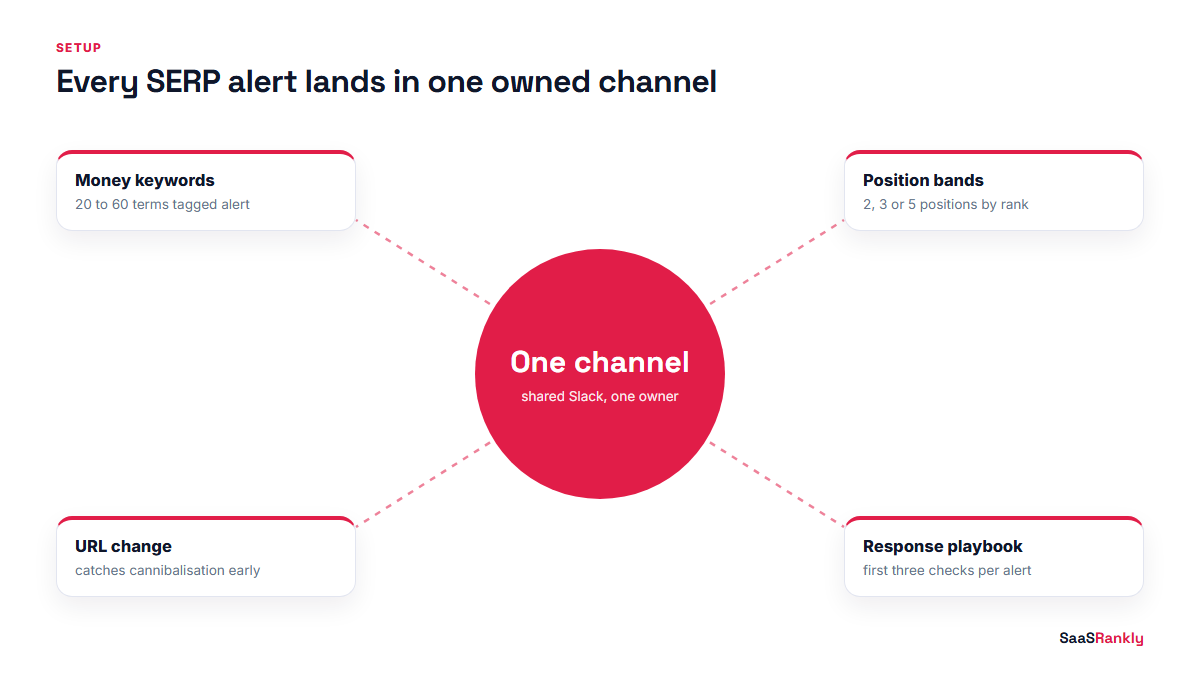
- Pick the keywords. Alerts belong on 20 to 60 terms that drive signups, not on your whole tracked list. Tag them “alert” in your tracker.
- Set position thresholds. Use the table above or adjust it to your traffic. Write the rules down so the whole team uses the same ones.
- Add URL change alerts for every money keyword, so you hear about cannibalisation the day it starts.
- Route alerts to one place. A shared Slack channel works better than personal inboxes. Somebody has to own it.
- Write the response playbook. For each alert type, list the first three things to check. Without this step, alerts create worry and no action.
An illustrative week of SERP alerts
Here is what a realistic week looks like for a fictional project management SaaS with 45 keywords on alerts. The numbers are illustrative, but the mix is close to what we see on real accounts.
| Day | Alert | Held for 2 checks? | Cause found | Action |
|---|---|---|---|---|
| Mon | “gantt chart software” 3 to 6 | No | Daily fluctuation | None |
| Tue | “asana alternative” URL changed to blog post | Yes | New blog post targeting the same term | Added internal link and changed blog title |
| Wed | “project timeline template” left top 3 | Yes | AI Overview added, position held at 4 | Rewrote intro as a direct answer |
| Thu | 8 keywords dropped 4 or more | Yes | Deploy removed canonical tags on /features/ | Rolled back the same day |
| Fri | New competitor in top 10 for “resource planning tool” | n/a | Funded startup launched a comparison page | Added to next month’s content plan |
Five alerts, one false alarm, and one genuine emergency. Thursday’s deploy issue alone justified the setup. Without alerts, it would have shown up in the monthly report three weeks later.
What to check first when an alert fires
Our triage list, in order. Most problems are found in the first three checks.
- Open the live results page in a private window with the right country. Is the drop real?
- Check whether your ranking URL changed. If it did, look for cannibalisation.
- Look at recent deploys and CMS changes on that page: canonical, noindex, title, redirects.
- Check for a SERP feature change, especially a new AI Overview.
- Look at Search Console for that query. Clicks and impressions tell you whether the drop costs you anything.
- Check industry news for a confirmed Google update before you rewrite anything.
If two trackers disagree on the size of the drop, our post on testing rank tracker accuracy explains why positions differ between tools.
When SERP alerts are not worth it
On a site with under 20 pages and little traffic, daily SERP alerts are mostly noise. A weekly look at Search Console and the keyword ranking history in your tracker is enough. Alerts start paying for themselves when a single position drop on a single keyword can cost real signups, which for most SaaS sites happens once organic traffic passes a few thousand visits a month.
Quick recap: SERP alerts
- SERP alerts notify you when rankings, ranking URLs or results page features change for keywords you choose.
- Turn on ranking drop, top 3 and URL change alerts; put feature and competitor changes in a weekly digest.
- Set thresholds by position: tight for the top 3, loose below position 20.
- Wait for a drop to hold two checks before acting.
- Keep alerts to 20 to 60 money keywords and route them to one shared channel.
- Write a response playbook so every alert leads to a specific check.
FAQ
What are SERP alerts?
SERP alerts are automatic notifications from a rank tracker or script when a tracked keyword’s position, ranking URL or results page layout changes beyond a threshold you set.
Does Google Search Console send ranking alerts?
No. Search Console emails you about indexing problems, manual actions and security issues, but not position changes. You need a rank tracker or a custom script for SERP alerts.
What is a good threshold for a ranking drop alert?
For keywords in the top 3, alert on a drop of 2 or more positions. For positions 4 to 10, use 3 positions or leaving page one. Below 20, a weekly review is usually enough.
Can I get SERP alerts for free?
Yes, with limits. A Google Sheet pulling Search Console data through Apps Script can email you on drops in average position. It lags a few days and does not show exact positions.
How many keywords should have SERP alerts?
We put alerts on 20 to 60 keywords that drive signups. Alerting on a full list of hundreds of terms creates so much noise that the team stops reading them.
Should SERP alerts cover AI Overviews?
Yes, as a weekly digest rather than an instant alert. An AI Overview appearing often explains a click drop when your position did not move.