People ask us for the most accurate rank tracker almost every week, usually right after two tools disagreed about the same keyword. One says position 4, the other says 11, and Search Console says 7.3. Somebody on the team wants to know which number is the truth. Our honest answer: accuracy is not a property of the tool alone. It comes from how the tool checks, where it checks from, and how it counts. Once you control those three things, most trackers agree to within a position or two.
This post is the follow-up to our free SERP rank tracker comparison, which gets a lot of readers who then ask the obvious next question. Below is the test we run before we trust any tracker with a client, the results from a small illustrative test, and the settings that cause most of the “inaccuracy” people complain about.
What “the most accurate rank tracker” actually means
A rank tracker sends a search to Google from some location and device, reads the results page, and records where your URL appears. Every one of those steps can drift. So when we say a tool is accurate, we mean three separate things:
- Position accuracy: the number matches what a real user in that location and device would see at that moment.
- Consistency: two checks a few hours apart, with nothing changed, give the same answer.
- Coverage: the tool reports positions past the first page and does not quietly return “not found” when it hit a block or a CAPTCHA.
A tool can win on one and lose on another. The most accurate rank tracker for a local service business is not the same as the most accurate rank tracker for a SaaS team checking 2,000 keywords in the US. Keep that in mind when you read any “best” list, including ours.
Myths about rank tracker accuracy
Myth: Search Console is the accurate number and trackers are estimates.
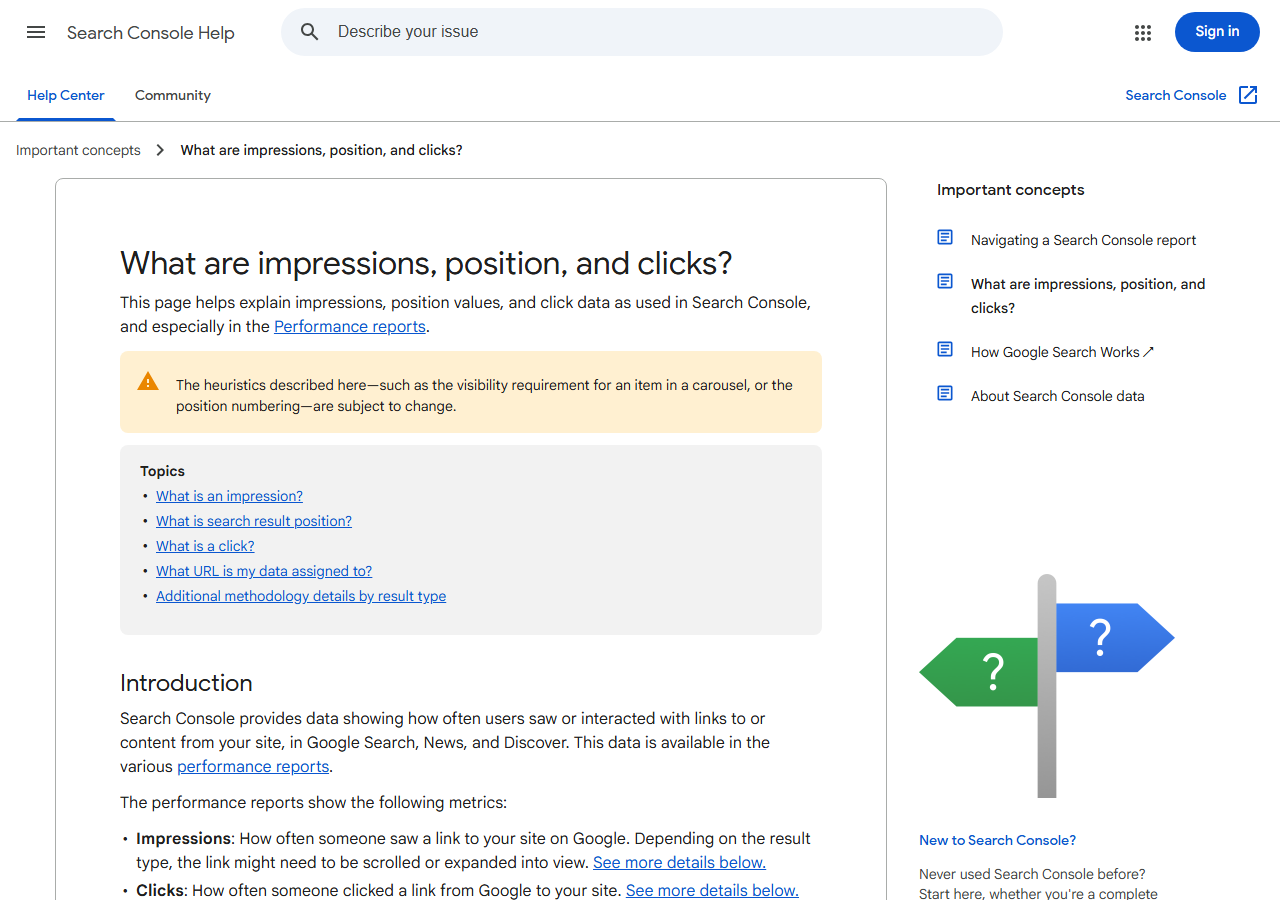
Fact: Search Console reports an average position across every impression in the date range, every location and every device. If you rank 3 on mobile in New York and 14 on desktop in Texas, Search Console blends them. It is accurate data about a different question. We cover that difference in our post on keyword ranking history.
Myth: Daily checks are more accurate than weekly checks.
Fact: Daily checks are more frequent, not more correct. Each check is still a single snapshot. Frequency helps you spot movement sooner; it does nothing for the quality of each reading.
Myth: The expensive tools are always more accurate.
Fact: In our spot checks, budget trackers matched the big suites within one or two positions on most terms. Where the suites pull ahead is SERP feature data, history depth and how fast they recover when Google changes something. We broke down the price side in our cheap rank tracker guide.
Myth: If a tool says “not in top 100”, you do not rank.
Fact: Sometimes the tool failed to load the page. Google has made scraping harder in 2026, and some trackers saw outages after the change. We wrote up the details in Google blocking rank trackers. A sudden wall of “not found” across many keywords on one day is usually a data problem, not a ranking problem.
Our 6-step test to find the most accurate rank tracker for your site
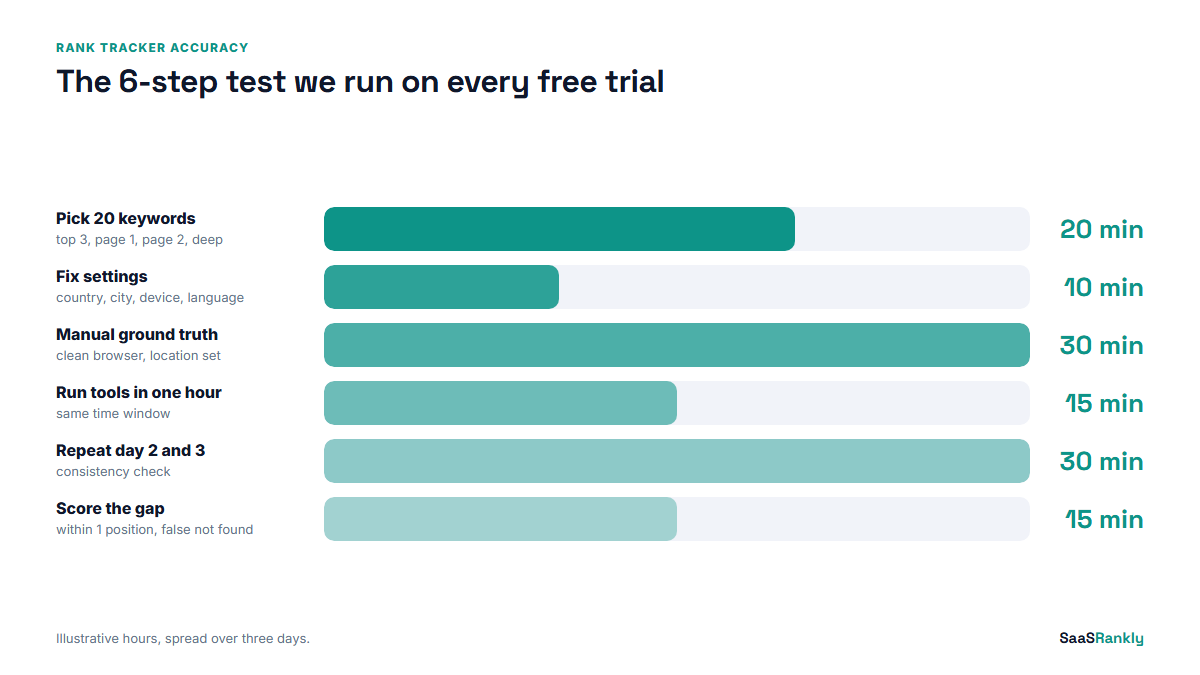
We never pick a tracker from a feature table. We run this test on the free trial, which takes about two hours spread over three days.
- Pick 20 test keywords. Mix them on purpose: 5 where you rank top 3, 5 where you rank 4 to 10, 5 on page two, and 5 where you think you rank past 30. Trackers are usually right at the top and wrong in the deep positions.
- Fix the settings. Same country, same city if local matters, same device, same language, and the same search engine domain in every tool. Most disagreements we investigate end here.
- Get a ground truth. Do a manual check in a clean browser profile with location set, or use a free tool that builds a localised search URL, like the ones in our free SERP checker roundup. Note the time.
- Run every tool within the same hour. Rankings move during the day, especially after an update. A check at 9:00 and a check at 17:00 are not comparable.
- Repeat on day two and day three. This is the consistency test. Nothing on your site should change during these three days.
- Score the gap. For each tool, count how many keywords landed within one position of the manual check, and how many came back “not found” when you know you rank.
An illustrative accuracy test
Here is how the scoring looks in practice. The table below is illustrative, built on the pattern we usually see rather than a published benchmark, and the tool names are anonymised so nobody reads it as a verdict on a specific brand. Twenty keywords, one US location, desktop, three days.
| Tracker | Within 1 position (of 60 checks) | Off by 4 or more | False “not found” | Day-to-day wobble with no site change |
|---|---|---|---|---|
| Tool A (large suite) | 54 | 2 | 0 | Low |
| Tool B (mid-price tracker) | 52 | 3 | 1 | Low |
| Tool C (pay per check) | 50 | 4 | 2 | Medium |
| Tool D (free tier) | 41 | 9 | 6 | High |
Two things stand out every time we run this. First, the gap between the top three is small, and almost all of it sits in positions 20 and below. Second, the free tier loses mostly on false “not found” results, which means it hit limits or blocks, not that it read the page wrong. If you only care about the top 10, Tool C at a fraction of the price is as accurate as you need.
Why two trackers show different positions
When a client sends us a screenshot of two tools disagreeing, we go through this list in order. It finds the cause in nearly every case.
Location and device
Country-level tracking is not city-level tracking. A query like “payroll software” shows different results in Austin and in London, and mobile results often have more features above the organic links. If one tool tracks “United States, desktop” and the other “New York, mobile”, they are measuring two different pages.
How SERP features are counted
Some tools count a featured snippet, a video carousel or a People Also Ask box as a position. Others count only the classic blue links. The same page can be “position 3” in one tool and “position 6” in another without anything being wrong. Check the counting setting before you compare.
Timing
Google tests layouts and rankings constantly. During a core update, positions can swing several places within one day. A tracker that checks at 2am and another that checks at noon will disagree on busy days.
Personalisation and the AI layer
Logged-in users, search history and AI Overviews all change what a person sees. Trackers check from clean sessions, which is the right choice, but it means a founder searching from their own laptop will see something different. That is not inaccuracy. That is personalisation.
Decision matrix: which tracker setup fits your job
Since the most accurate rank tracker depends on what you are tracking, here is how we match the setup to the job.
| Your situation | What accuracy means here | Setup we use |
|---|---|---|
| Under 50 keywords, one country | Correct top 10 positions | Manual weekly check plus Search Console trends |
| 50 to 500 keywords, SaaS blog | Consistent weekly readings | Budget tracker, weekly checks, money pages daily |
| Local or multi-city | City-level precision | A tracker with ZIP or city targeting, mobile and desktop split |
| 2,000+ keywords, competitors, reports | Coverage and history depth | Full suite with SERP feature tracking |
| AI search visibility | Mentions and citations, not positions | A separate prompt tracker, see our rank tracker tools list |
Settings that make any tracker more accurate
You can get most of the benefit of the most accurate rank tracker on the market by setting up a cheaper one properly. This is the checklist we use when we inherit a client account.
- Set the location to the city or region where your buyers are, not just the country.
- Track mobile and desktop separately for your top 30 terms.
- Decide whether SERP features count as positions, write it down, and use the same rule in every report.
- Track the exact URL you want to rank, so a different page ranking does not look like a win.
- Turn on alerts for sudden “not found” spikes, then recheck those keywords manually before telling anyone.
- Compare against Search Console monthly. If the two trends move in opposite directions for weeks, something in the tracker setup is off.
One more opinion, because we get asked: do not switch trackers often. A small, stable error is fine when you watch trends. Changing tools resets your history and makes every chart start again.
When accuracy does not matter much
For most SaaS blogs, a one-position error does not change any decision. You are asking “did this page move into the top 5 after the refresh?” or “did we lose ground after the update?” A tracker that is consistently one place off answers both questions correctly. Precision matters more for local businesses, for client reporting where a promised position is in the contract, and for the 20 or so money pages where a move from 3 to 6 costs real signups.
Quick recap: most accurate rank tracker
- The most accurate rank tracker is the one set up correctly for your location, device and counting rules.
- Search Console average position answers a different question; use it for trends, not exact positions.
- Run a 20-keyword, three-day test on the free trial before you buy anything.
- Most disagreement between tools sits in positions 20 and below, and in how SERP features are counted.
- Budget trackers match big suites within a position or two on most top-10 terms in our checks.
- Watch for false “not found” spikes, which usually mean blocked checks, not lost rankings.
FAQ
Which is the most accurate rank tracker?
There is no single winner for every site. In our tests the large suites and good mid-price trackers are close on top-10 positions, and the real difference is coverage past page two and SERP feature data. Run a short test on your own keywords before deciding.
Why does Search Console show a different position than my rank tracker?
Search Console shows an average over every impression, location and device in the date range. A tracker shows one check from one place at one time. Both can be correct.
Are free rank trackers accurate?
For a small number of top-10 keywords, often yes. They tend to fail on limits, deeper positions and false “not found” results when checks get blocked.
How often should I check rankings for accuracy?
Weekly is enough for most blog content. Use daily checks for launches, migrations, core updates and your most important money pages.
Do rank trackers count featured snippets as a position?
It depends on the tool and its settings. Some count every SERP element, others count only organic links. Check the setting and keep it the same across all reports.
How do I test if my rank tracker is accurate?
Pick 20 keywords across different position ranges, fix location and device, check them manually in a clean browser within the same hour, and repeat for three days. Count how often the tool lands within one position.